Page 3-14
Production Information
3-3-3 Counter Information
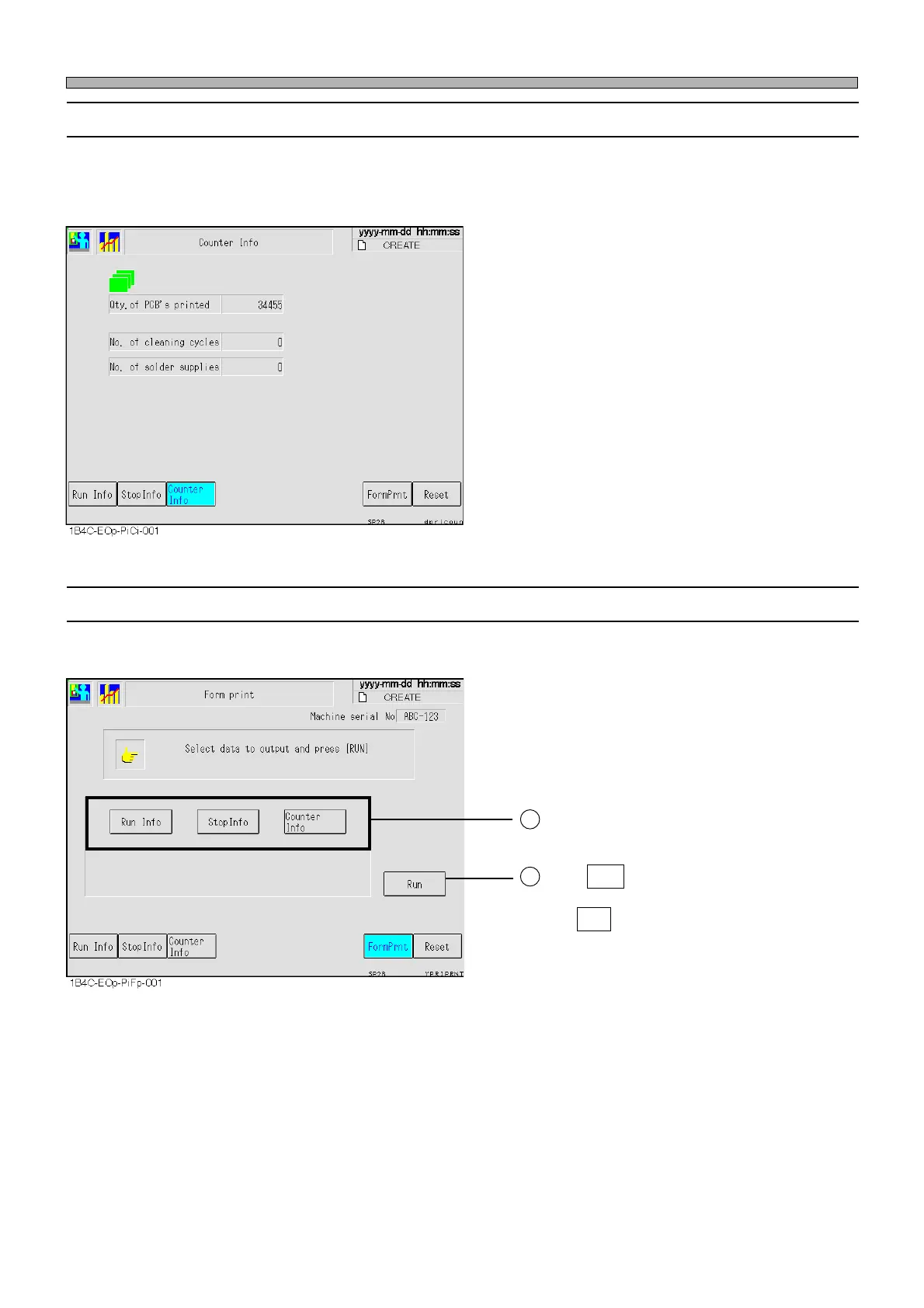
Mask cleaning count and solder dispensing count are displayed.
∗ Only when the solder autodispense unit (option) has been installed, “No. of solder supplies”
(solder dispensing count) is displayed.
Qty. of PCB’s printed
The number of printed boards
No. of cleaning cycles
The number of times of mask cleaning
No. of solder supplies
The number of times of solder dispense
3-3-4 Form Printing
This is used to output production information to the printer.
Select the information you would like to
output.
Press Run .
∗ Press Yes when the message appears.
∗ More than one key can be selected at a time.
To cancel a selected key, press it again.
2
1
1E4C-E-OMA03-A01-01












 To Next Page