Page 3-17
FUNCTIONS
3
1E4C-E-OMA03-A02-01
Machine Adjustment
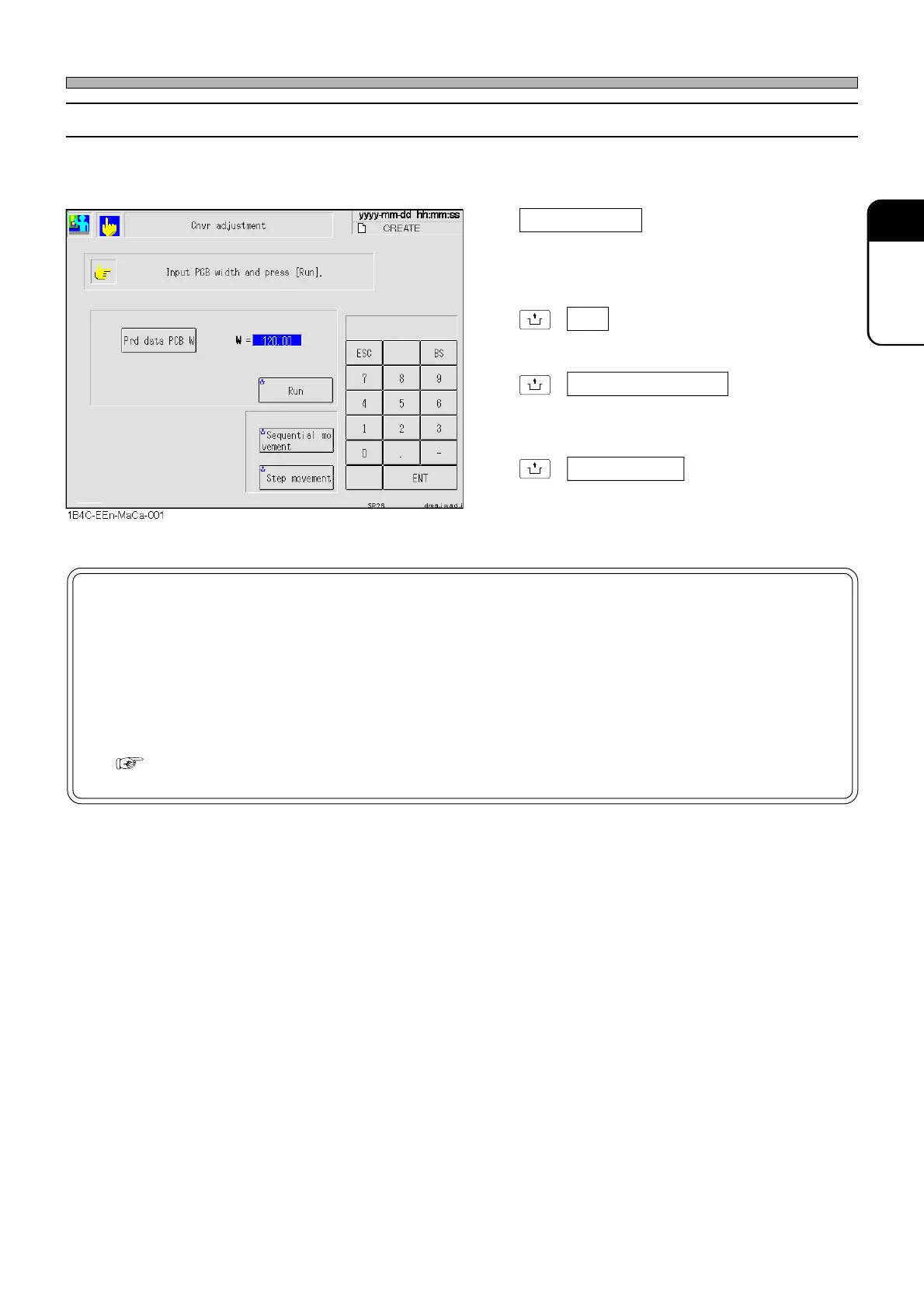
3-4-2 Width Adjustment
This is used to adjust the width of conveyor according to the production board data or the board
data set optionally.
Prd data PCB W
Sets the board width of production board data.
When setting the board width optionally, enter
it with the numeric keys.
UNLOCK
+ Run
Executes the width adjustment.
UNLOCK
+ Sequential movement
Performs the motions until the board stopper
positioning.
UNLOCK
+ Step movement
Performs the motions until the board stopper
positioning step by step.
NOTICE
When adjusting the width of conveyor, be careful of the following.
• No board must be on the conveyor during a width adjustment.
• When adjusting to a narrow width, remove the board support plate.
If the width adjustment is executed without the removal, an interlock error will
occur.
( 9-2-1 How to Remove Board Support)












 To Next Page