Page 3-13
FUNCTIONS
3
Production Information
3-3-2 Stop Information
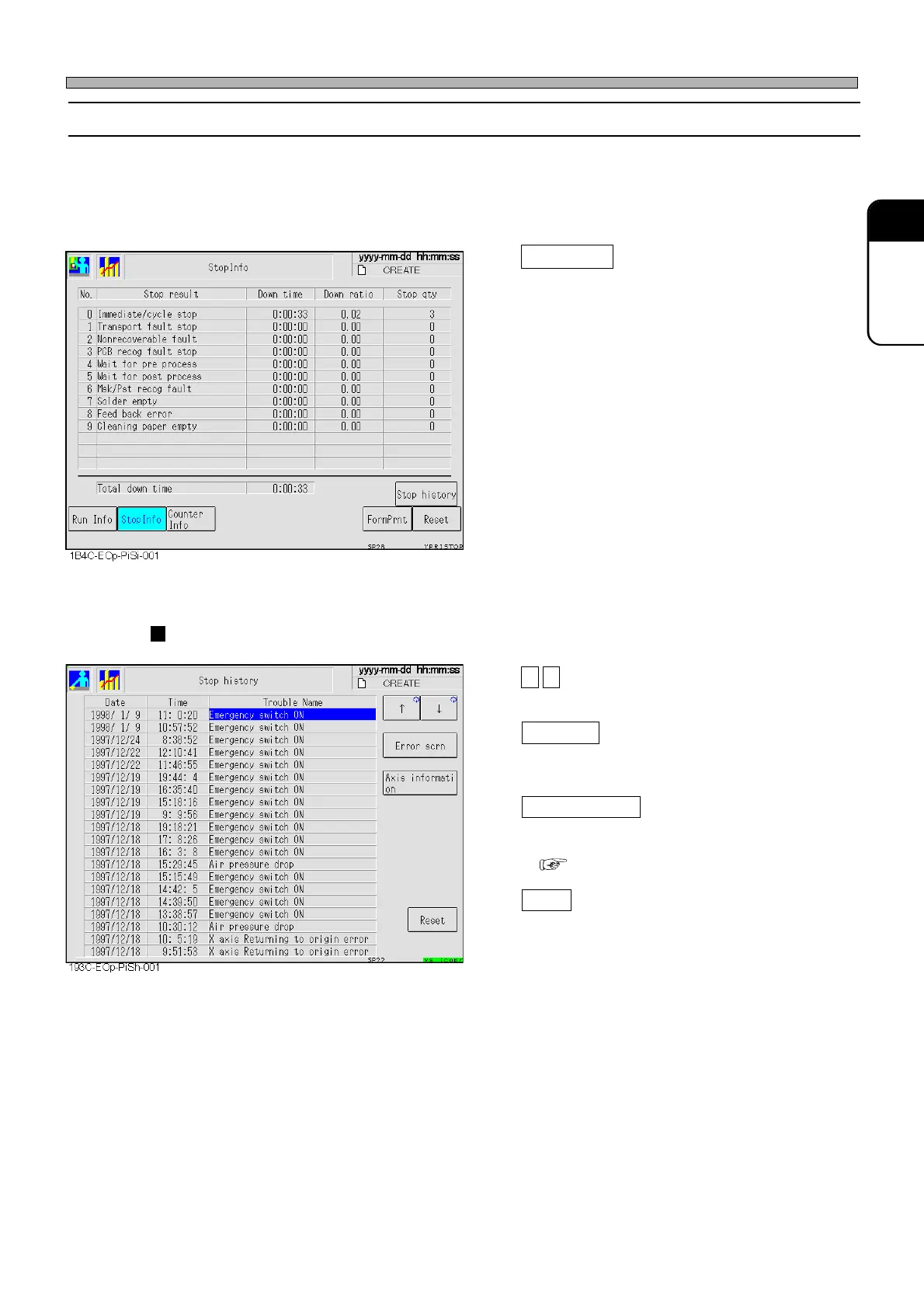
This information is displayed for each factor that made the machine stop during production. Spe-
cific reasons for stops can also be displayed by time.
∗ If not reset, these numeric values will continue to accumulate irrespective of switchover of board
types. As the need arises, reset them.
Stop history
Displays the last 20 stop histories occurred
during automatic operation.
• The following screen is displayed.
Stop history
↑ ↓
These are used to select stop information.
Error scrn
Displays the error screen displayed when the
machine was stopped.
Axis information
Displays the axis information when the ma-
chine was stopped.
( 3-4-13 Axis Information)
Reset
Resets the stop history.
1E4C-E-OMA03-A01-01












 To Next Page