Page 3-30
Machine Settings
3-5-6 Customizing Operator Mode
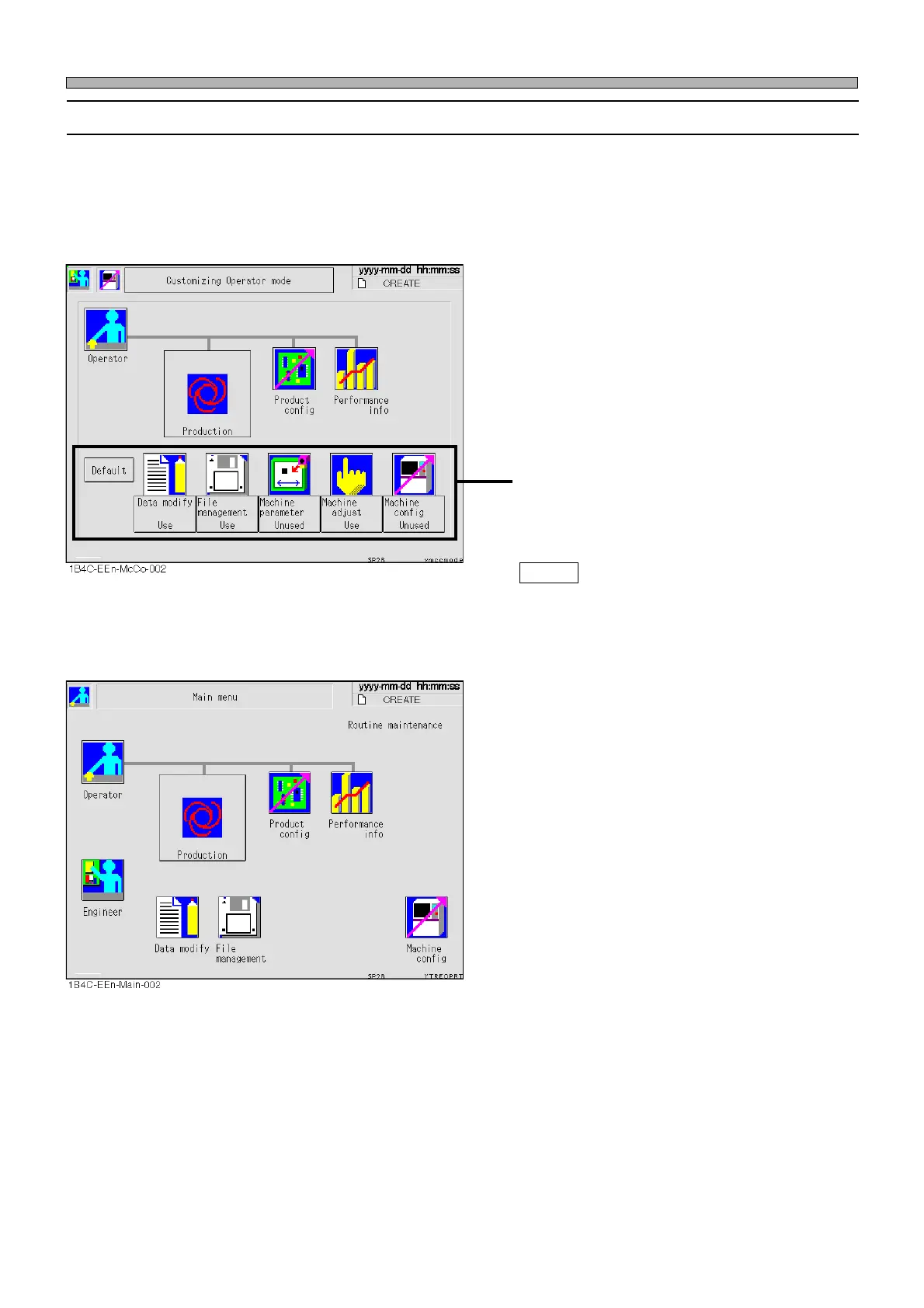
Operator mode can be customized so that you can use the functions of data modification, file
operation, machine parameters, machine adjustment and machine settings in this mode.
∗ Even when you have set the machine settings so that it will be available in operator mode,
operator mode cannot be customized while in operator mode. When customizing the operator
mode, be sure to choose the machine settings from engineer mode.
• Press the switch of the function you want to
use in operator mode.
Every time you press it, the display changes
alternately (“Use”←→“Unused”).
Default
Returns all the displays to “Unused”.
<Main menu in the operator mode>
• The function icons set to “Use” are displayed
on the main menu in operator mode and will be
available.
∗ Even when you have set the machine settings
so that they will be available in the operator
mode, operator mode cannot be customized
while in operator mode.
1E4C-E-OMA03-A02-01












 To Next Page