Page 3-23
FUNCTIONS
3
Machine Adjustment
3-4-9 Trial Printing
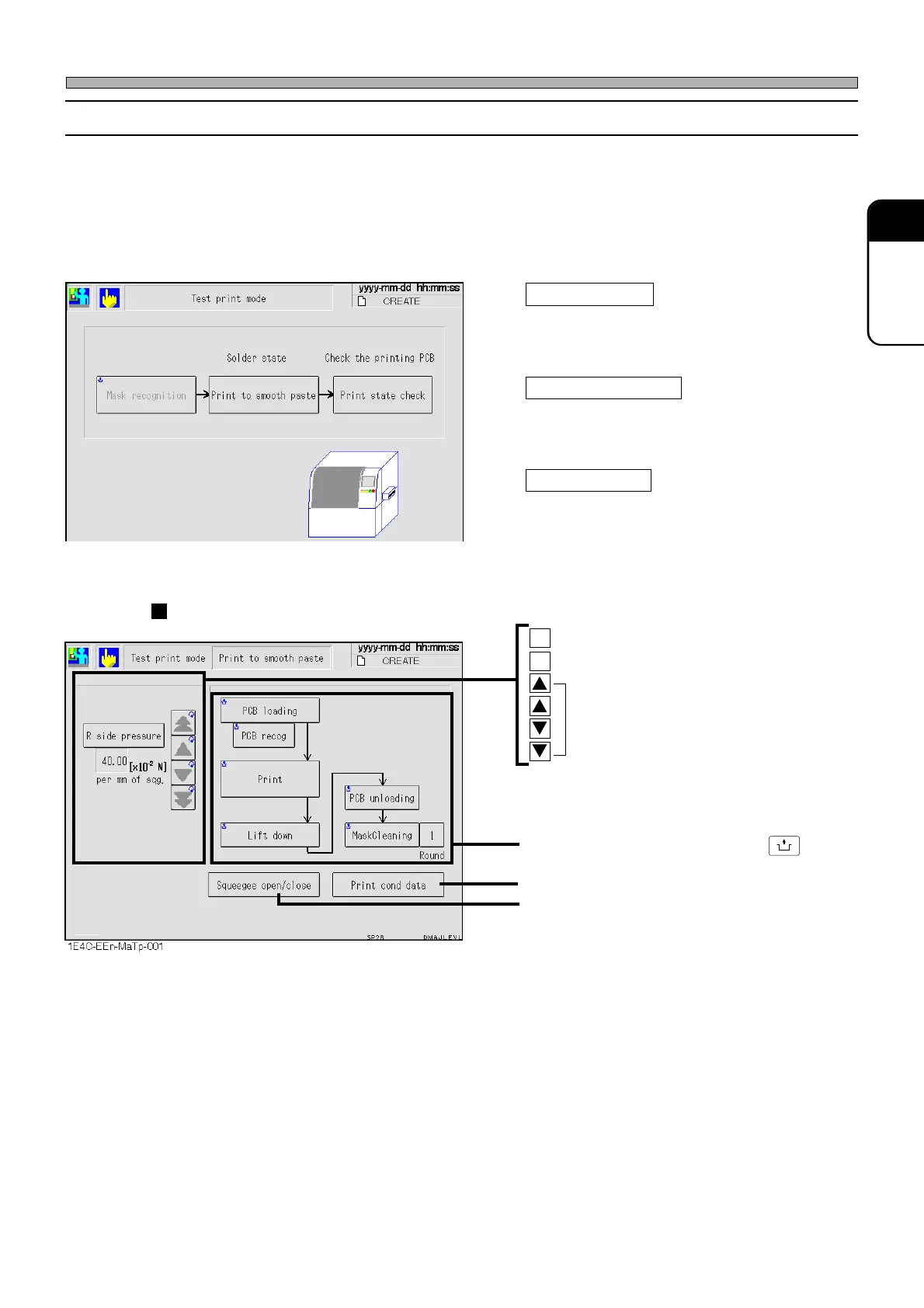
This is used to check the motions from transporting the board in until printing and transporting it
out.
Depending on the state of the solder, the printing precision may deteriorate (when the viscosity of
the solder is low because it has not been kneaded enough.) Through the solder break-in printing
and printing state check, you can expect the precise printing with little unevenness in printing
precision.
Mask recognition
Performs the mask recognition and calculates
the printing position.
Print to smooth paste
Prints the board to break in the solder supplied
initially and adjusts the printing pressure of
squeegee.
Print state check
Checks the state of printing by performing
successive motions.
Solder break-in printing
Performs each motion by pressing
UNLOCK
+ each
switch.
Displays the printing conditions data.
Opens and closes the squeegee.
F Squeegee at the front side
R Squeegee at the rear side
Press to set the printing pressure.
(The printing pressure we recommend is
10 ×10
-2
N to 15 ×10
-2
N)
∗ However, the printing pressure will vary
according to the printing conditions and
the type of solder.
1B4C-EEn-MaTp-001
1E4C-E-OMA03-A02-02












 To Next Page