Page 4-6
Starting Production
4-3-2 Production
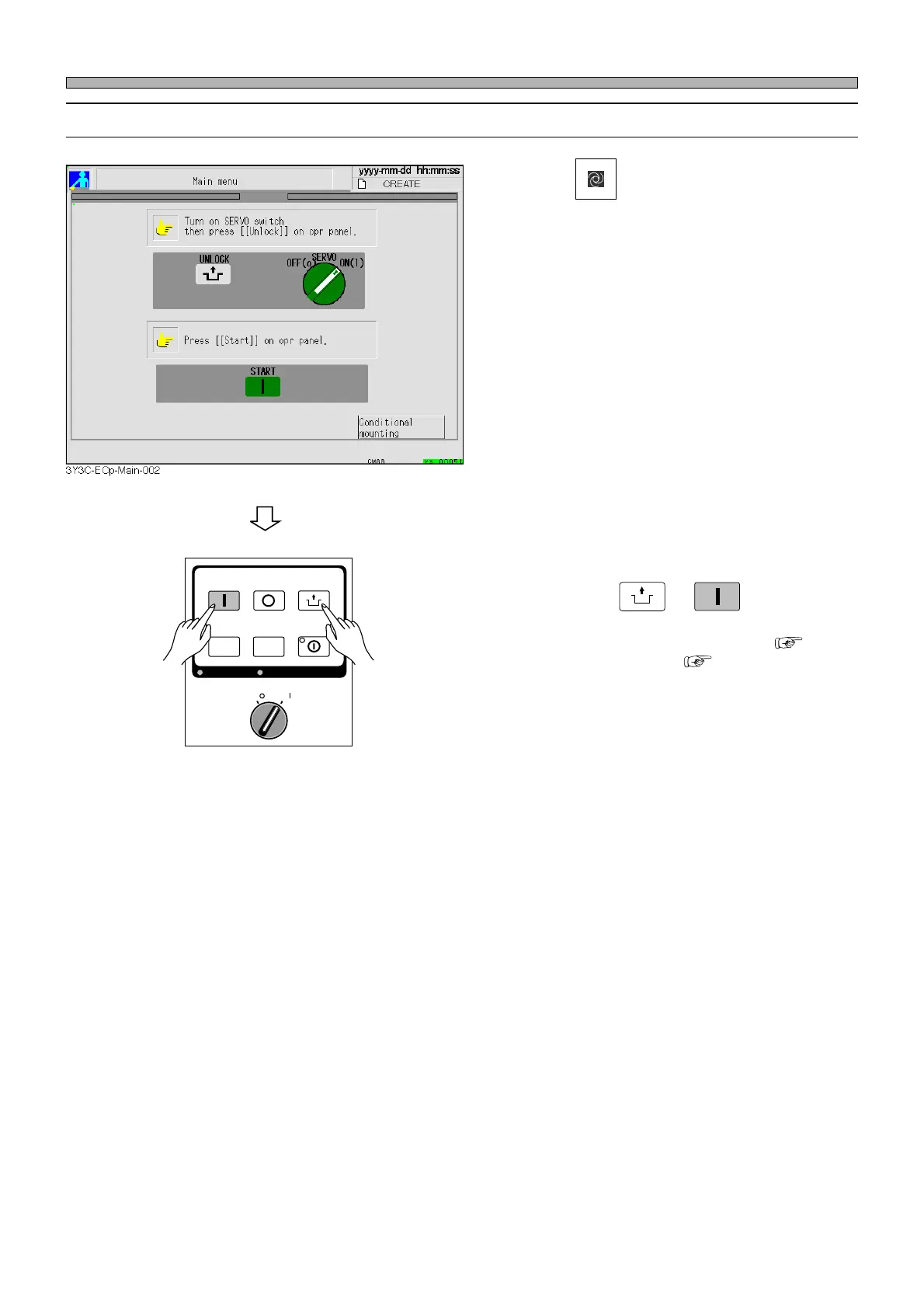
1. Press
Production
on the main menu.
2. Make sure the servo switch is ON,
then press
UNLOCK
→
START
.
• The steps from the self-diagnosis ( 4-3-3)
to returning to origin ( 4-3-4) are per-
formed. After that, when a board is transported
in from the previous process, production starts.
OFF ( )
ON ( )
SERVO
STOP
UNLOCK
STEP
START
LIGHT ON
SELECT
KEY LOCK BACK LIGHT OFF
1E4C-E-OMA04-A01-01












 To Next Page