Page 3-16
3-4 Machine Adjustment
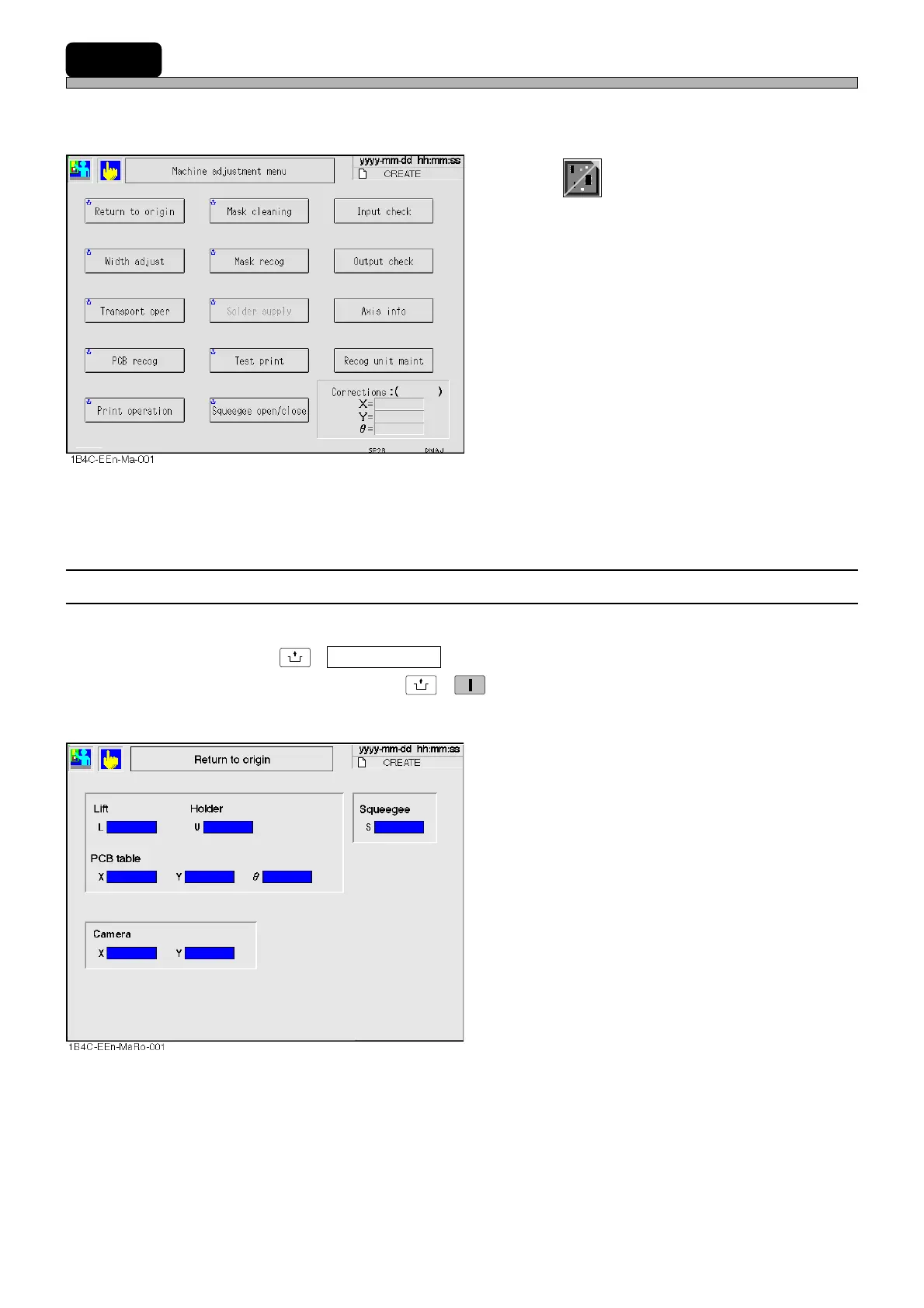
This is used to check the motion and correct the recognition data.
∗ On the main menu (default state) in operator mode, this function cannot be selected.
1.Press
Product
config
on the main menu.
• “Machine Adjustment” menu is displayed.
3-4-1 Returning to Origin
This is used to return all the axes to their origins.
After pressing
UNLOCK
+ Return to origin on the machine adjustment menu, make sure the servo
switches are ON, and then press
UNLOCK
→
START
.
∗ Make sure no board is on the conveyor beforehand.
• All the axes return to their origins.
1E4C-E-OMA03-A02-01












 To Next Page