Page 3-21
FUNCTIONS
3
Machine Adjustment
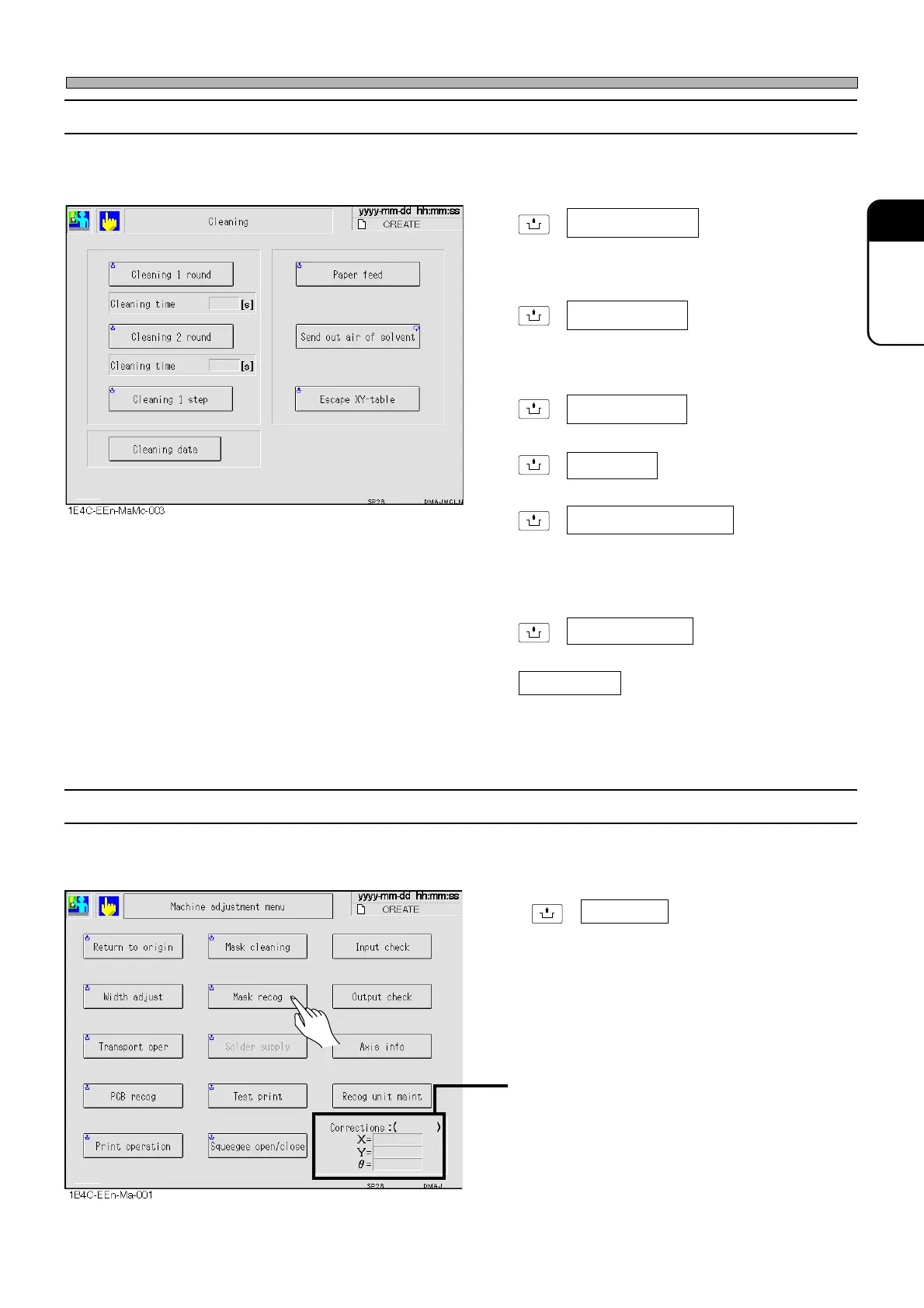
3-4-6 Mask Cleaning
This is used to check the process of mask cleaning motion.
∗ This will operate when the automatic solder cleaning function switch is enabled.
UNLOCK
+ One way cleaning
Cleans the back of the mask by moving the
mask cleaning unit back and forth once. The
taken time is displayed after operation.
UNLOCK
+ Round cleaning
Cleans the back of the mask by moving the
mask cleaning unit back and forth twice. The
taken time is displayed after operation.
UNLOCK
+ Cleaning 1 step
Cleans the back of mask step by step.
UNLOCK
+
Highlighted : Takes up the cleaning paper.
UNLOCK
+ Send out air of solvent
Bleeds the pipe to send cleaning solvent of air.
Use this function when the machine has been
stopped for a long time, because the solvent
has vaporized.
UNLOCK
+ Escape XY-table
Retracts the X-Y table.
Cleaning data
Cleaning data can be modified.
Cleaning time:
The time taken for the cleaning operation is
displayed.
(0.1 second unit)
3-4-7 Mask Recognition
This is used to recognize the mask and correct the mask recognition points.
•
UNLOCK
+ Mask recog
Executes mask recognition using the
production data.
• After mask recognition, the correction values
of mask recognition points are displayed.
“Mask” is displayed in ( ) to show that these
correction values are for the mask.
Paper feed
1E4C-E-OMA03-A02-02












 To Next Page