Page 6-5
FILE OPERATION
6
File Operation of Floppy Disk
6-2-1 How to Save Data
When using a floppy disk that has not been initialized, be sure to initialize it.
∗ One floppy disk can save only one program data.
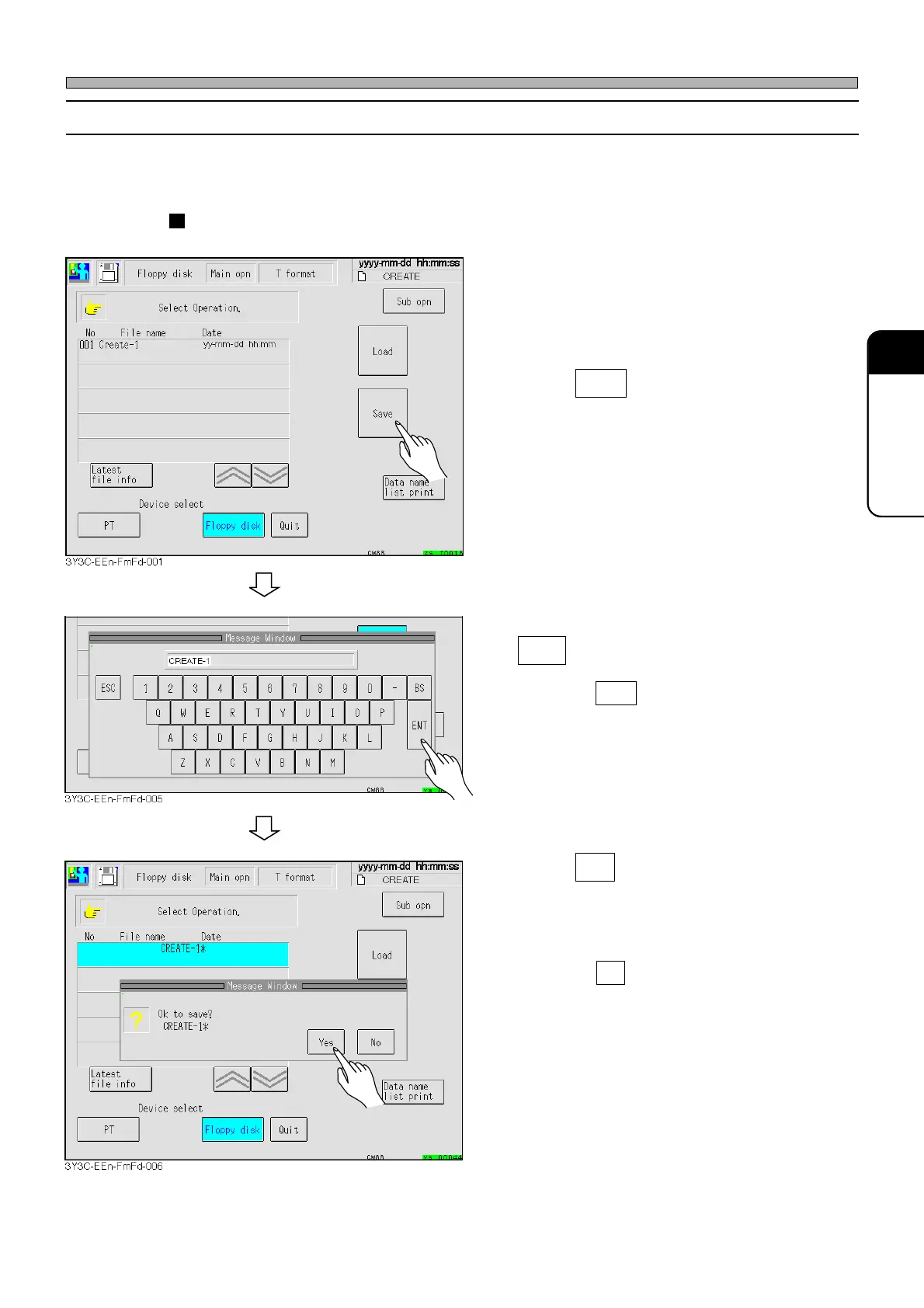
How to create and save new file
1. Insert the initialized floppy disk (with-
out any data) into the floppy disk
drive.
2. Press Save .
3. After entering the data name, press
ENT .
∗ Pressing ESC stops the data saving opera-
tion.
4. Press Yes .
• The message indicating data saving appears
and the data is saved.
∗ Pressing No stops the data saving operation.
1E4C-E-OMA06-A01-01












 To Next Page