Page 5-10
How to Change Squeegees and Adjust the Angle
1E4C-E-OMA05-A01-01
To the next page
OFF ( )
ON ( )
SERVO
5-2-2 Adjusting the Squeegee Angle
This part describes how to adjust the squeegee angle according to the print conditions data.
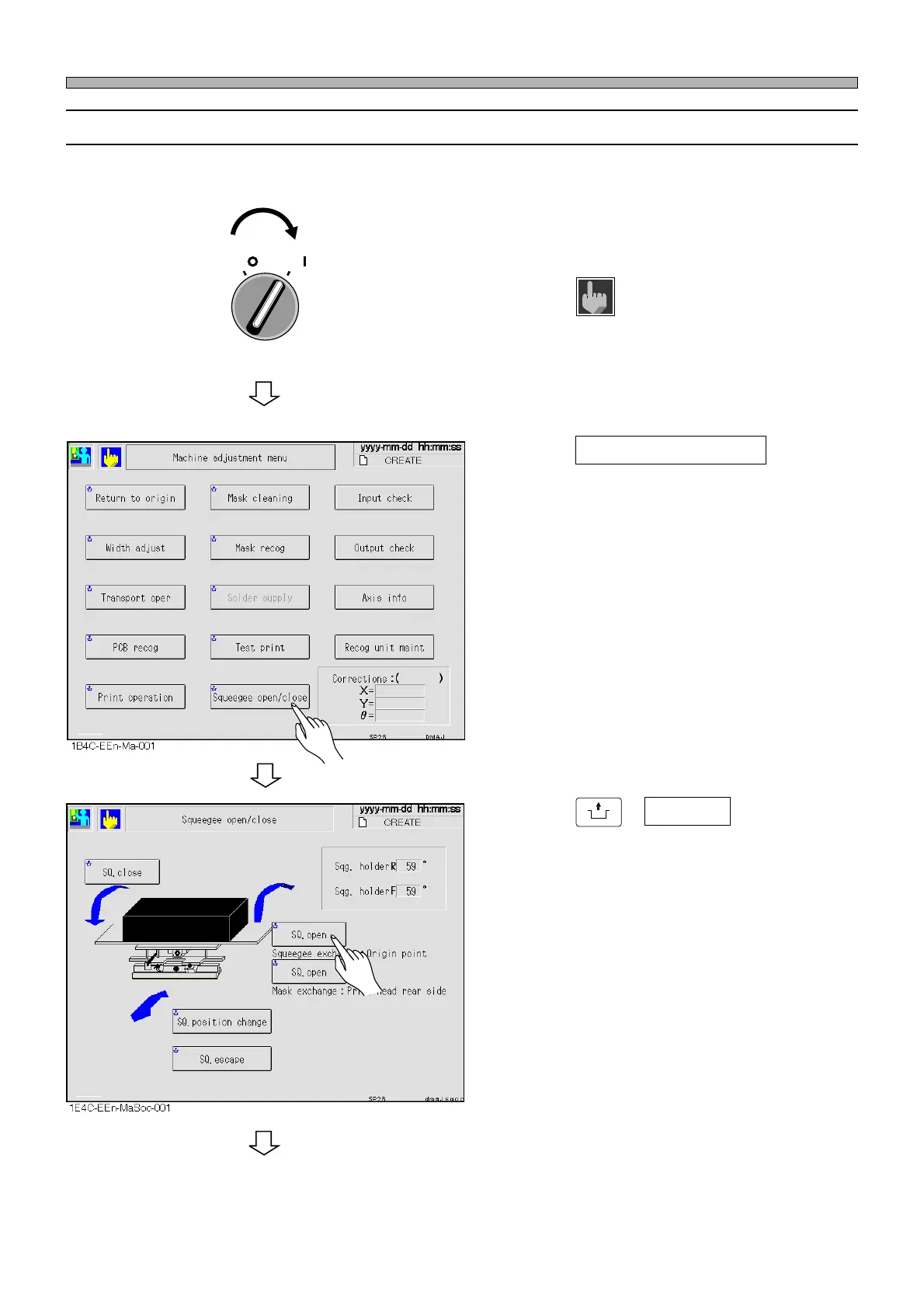
1. Turn ON the servo switch.
2. Press
Machine
adjust
on the main menu.
•“Machine adjustment menu” screen is dis-
played.
3. Press Squeegee open/close .
•“Squeegee open/close” screen is displayed.
4. Press
UNLOCK
+ SQ. open .
∗ Choose it with “Squeegee exchange : Origin
point”.












 To Next Page