Page 6-2
To the next page
6-1 File Operation of PT
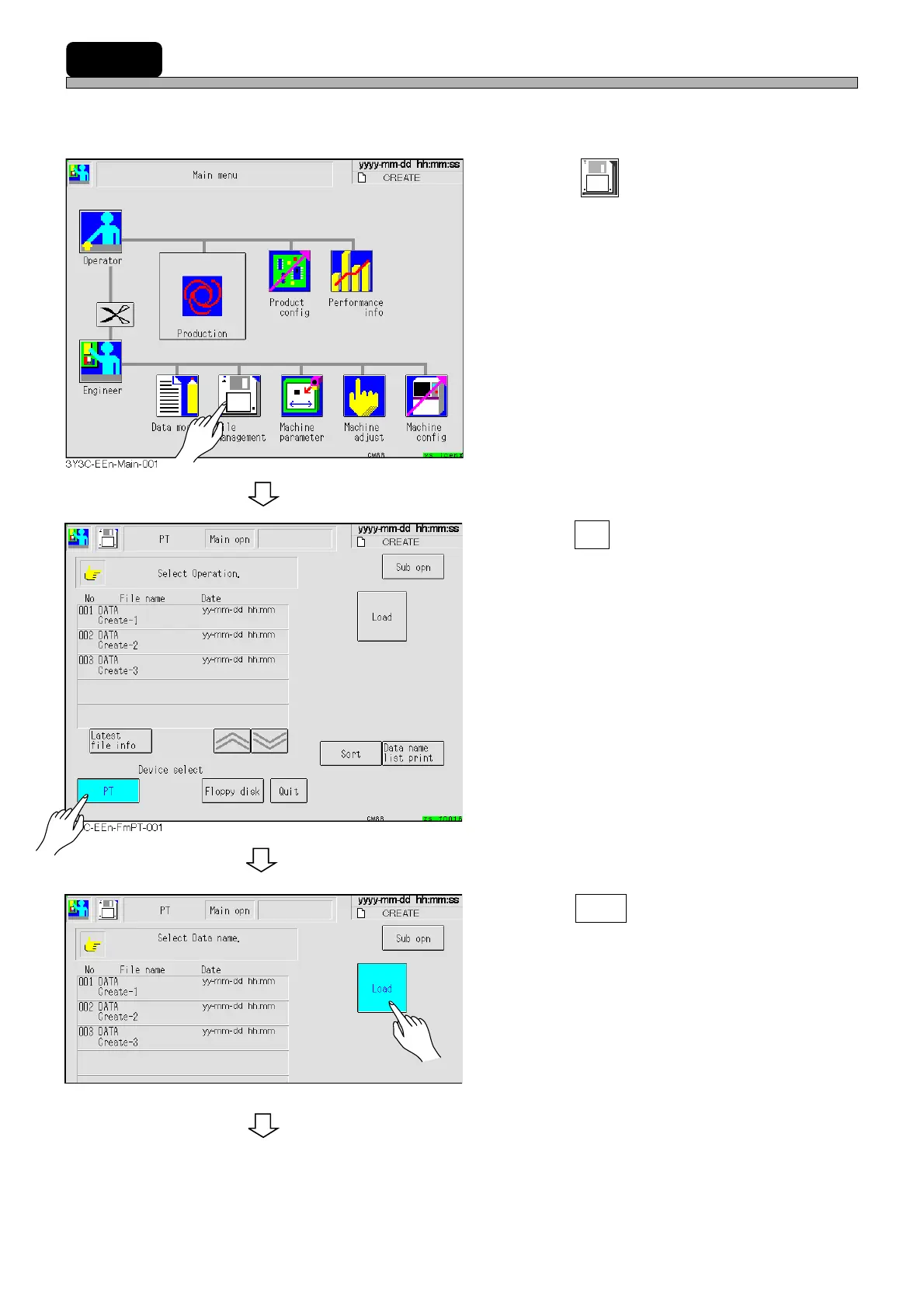
This section describes how to load the production data created in PT.
∗ The data in memory on the machine will be deleted. Save this data before loading new data.
1. Press
File
managment
.
• The file operation screen is displayed.
2. Press PT .
• The current device is switched to PT.
• The data registered in the list on PT is dis-
played.
∗ Data need to be registered in the list on PT.
(Refer to “PT Programming Manual”.)
3. Press Load .
3Y3C-EEn-FmPT-002
1E4C-E-OMA06-A01-01












 To Next Page