Page 4-5
DAILY PRODUCTION
4
4-3 Starting Production
4-3-1 Starting up this Machine
Start up this machine in the following order.
NOTICE
Before starting production, check the positions of emer-
gency stop buttons and how to use them.
( SAFETY PRECAUTIONS)
• When this machine is in abnormal condition, press this
button immediately.
• Pulling the emergency stop button out resets it.
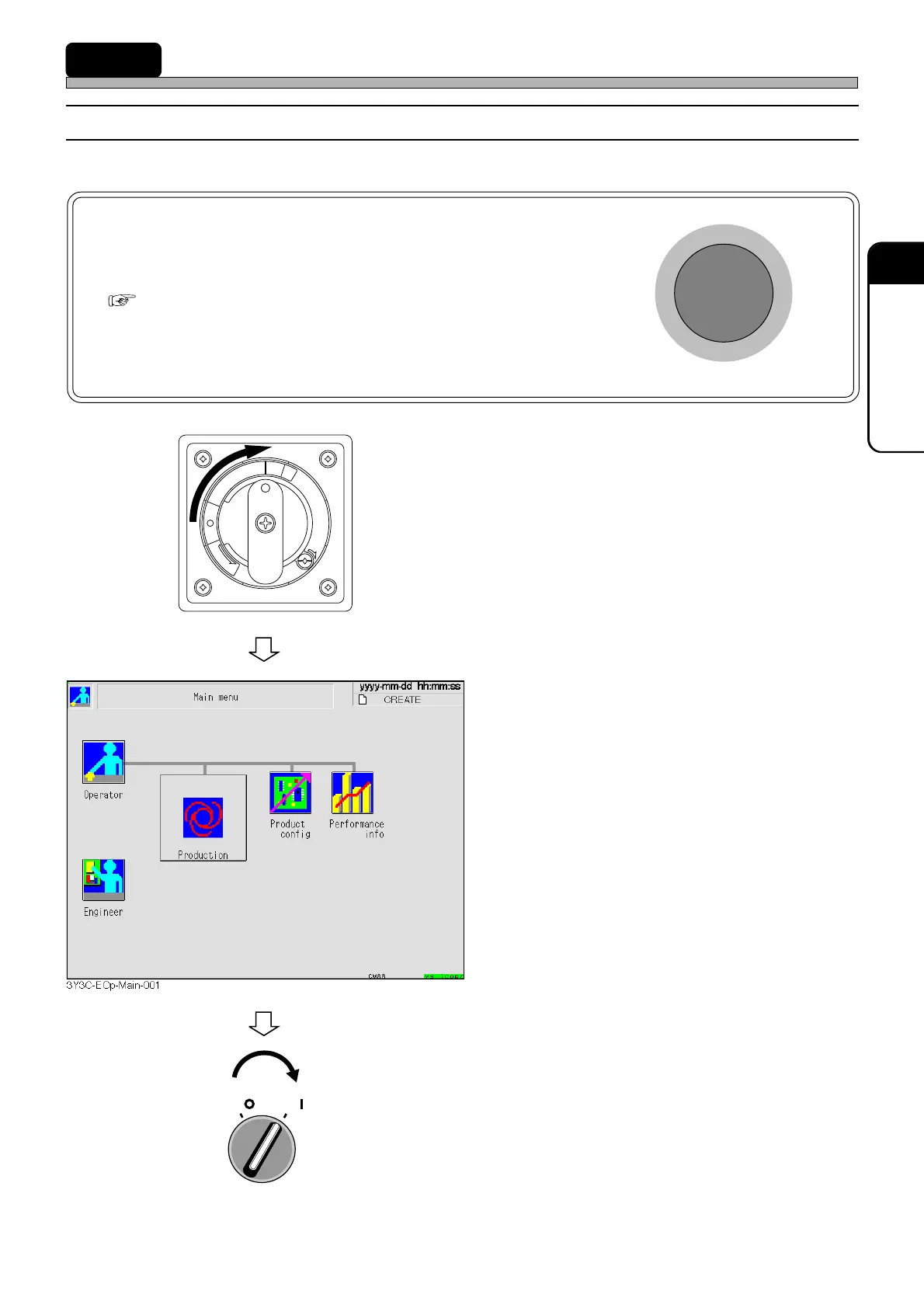
1. Turn ON the power supply switch.
• Power is supplied to this machine and the
touch panel starts to be displayed.
• The system starts loading to this machine. It
will take several minutes.
• After the system has been loaded, the screen
as shown left is displayed.
2. Turn ON the servo switch.
OFF ( )
ON ( )
SERVO
R
E
L
E
A
S
E
T
R
I
P
O
F
F
O
N
R
E
S
E
T
1E4C-E-OMA04-A01-01












 To Next Page