Page 6-12
File Operation of Floppy Disk
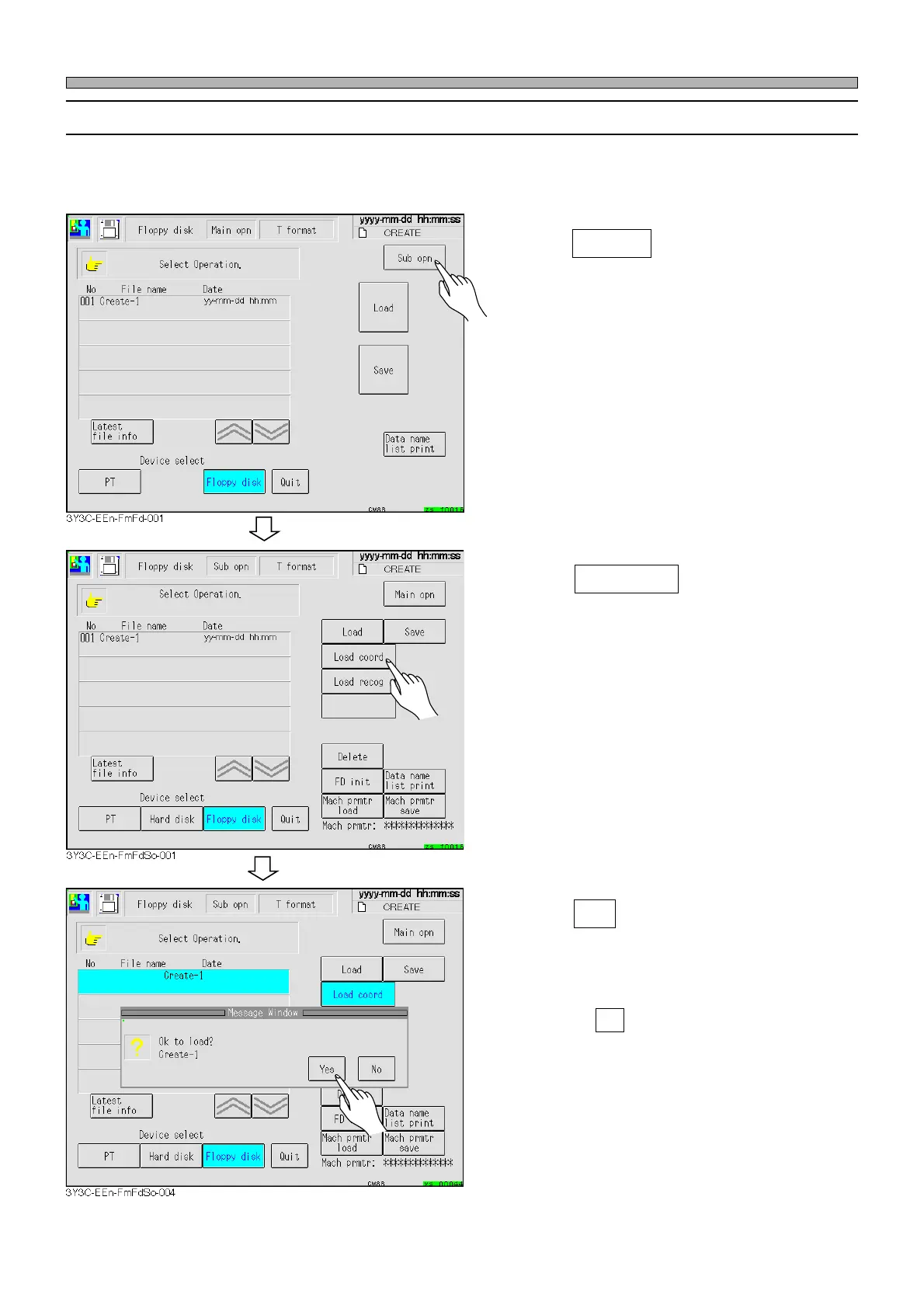
6-2-5 How to Load Coordinates Data
This part describes how to load only the coordinates data of the production data in the floppy disk
to the memory of this machine.
∗ This function cannot be used on the SP.
1. Press Sub opn .
• The sub operation screen is displayed.
2. Insert the floppy disk that contains
the production data into the floppy
disk drive.
3. Press Load coord .
4. Press Yes .
• The message indicating data loading appears
and the coordinates data is loaded.
∗ Pressing No stops data loading operation.
1E4C-E-OMA06-A01-01












 To Next Page