Page 6-11
FILE OPERATION
6
File Operation of Floppy Disk
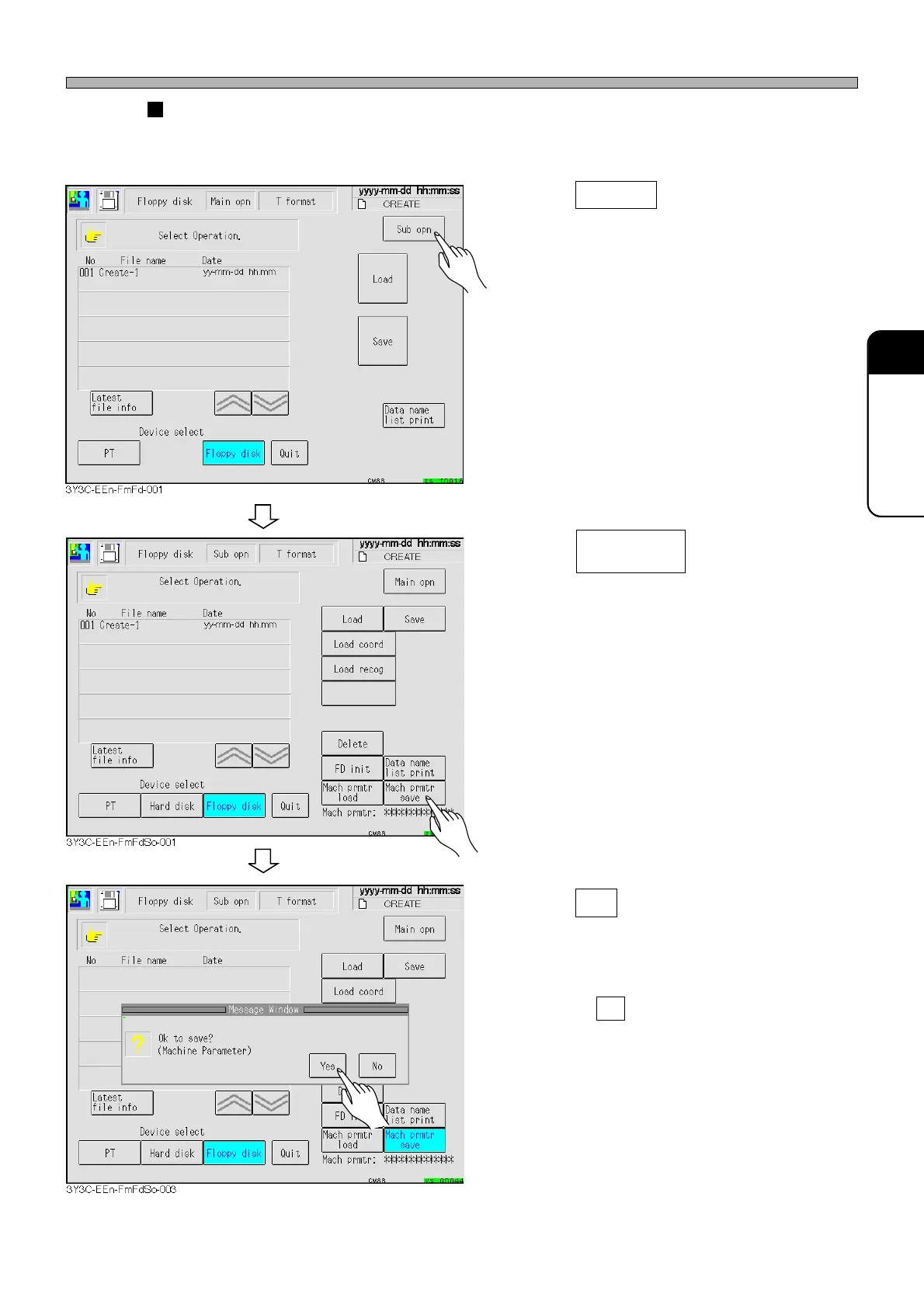
How to save machine parameters
This part describes how to save the machine parameters in the memory of this machine into the
floppy disk.
1. Press Sub opn .
• The sub operation screen is displayed.
2. Insert the floppy disk into the floppy
disk drive.
3. Press .
4. Press Yes .
• The message indicating data saving appears
and the machine parameters are saved.
∗ Pressing No stops saving operation.
Mach prmtr
save
1E4C-E-OMA06-A01-01












 To Next Page