Page 5-6
5-2 How to Change Squeegees and Adjust the Angle
5-2-1 How to Change Squeegees
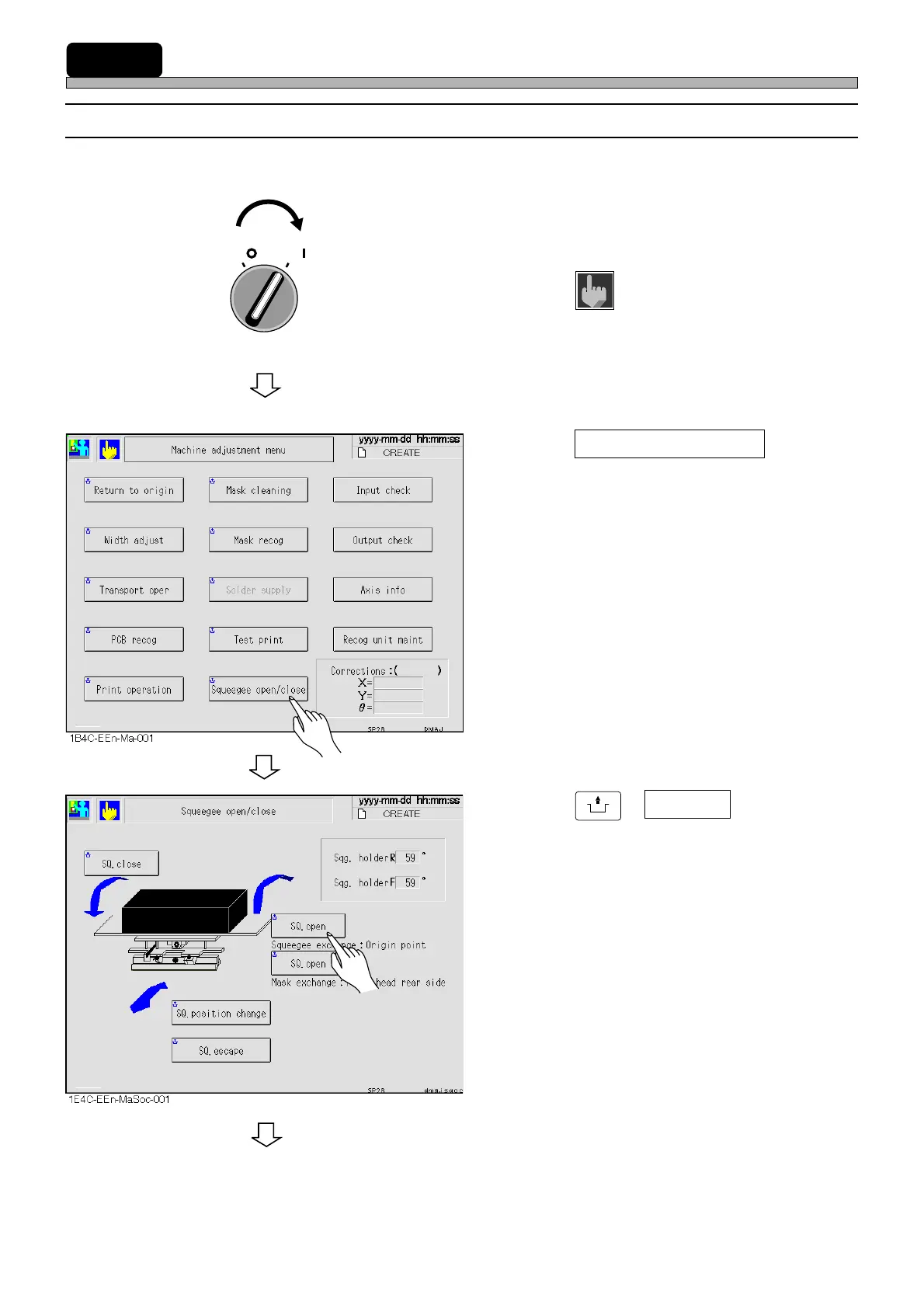
This section describes how to change squeegees according to printing conditions data.
1. Turn ON the servo switch.
2. Press
Machine
adjust
on the main menu.
• “Machine adjustment menu” screen is dis-
played.
3. Press Squeegee open/close .
• “Squeegee open/close” screen is displayed.
4. Press
UNLOCK
+ SQ. open .
∗ Choose it with “Squeegee exchange : Origin
point”.
1E4C-E-OMA05-A01-02
To the next page
OFF ( )
ON ( )
SERVO












 To Next Page