Page 5-3
SETTING PRODUCTION
MATERIALS
5
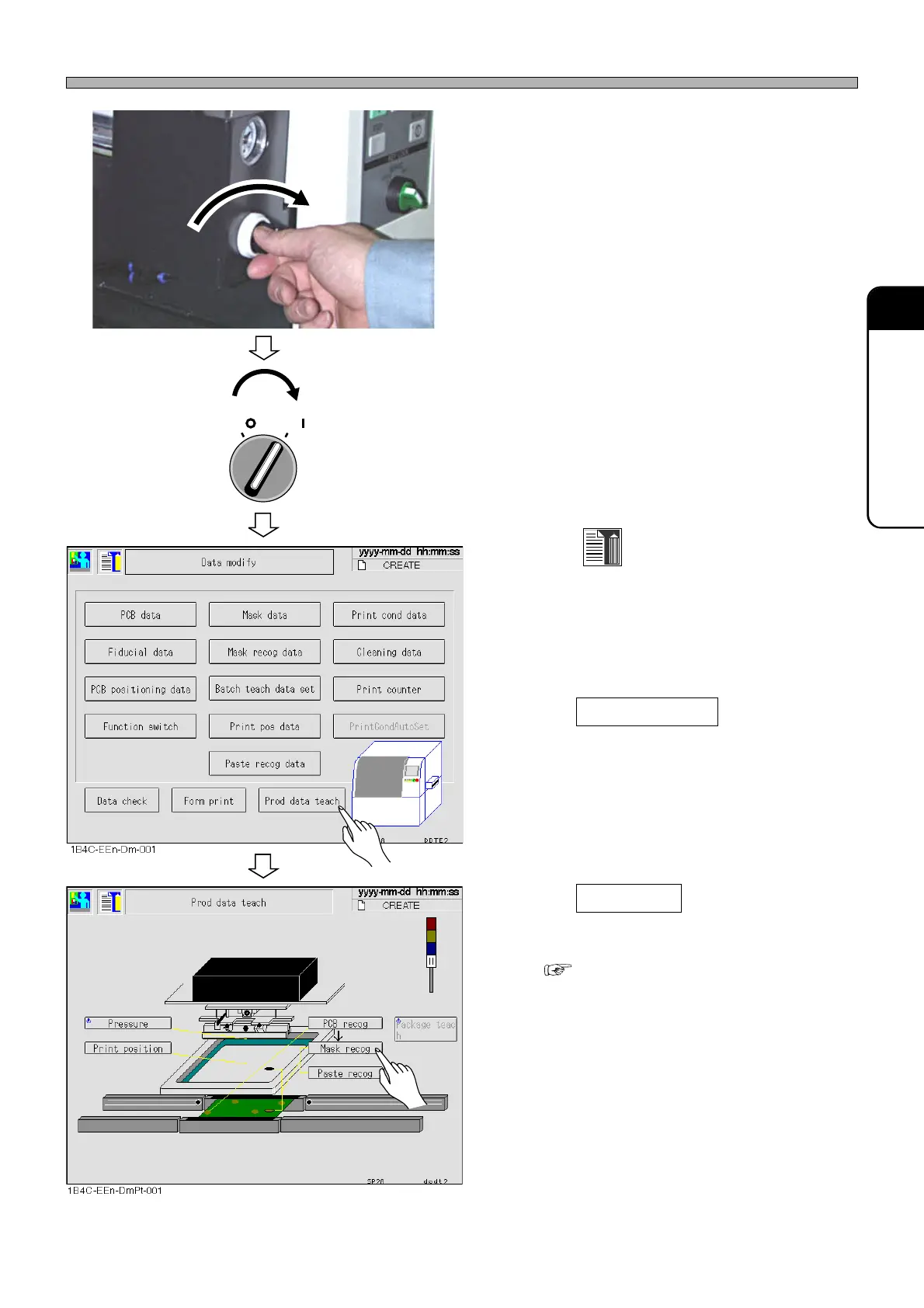
7. Rotate the mechanical valve for mask
frame holder clockwise.
8. Close the front safety cover.
9. Turn ON the servo switch.
10. Press
Data modify
on the main menu.
• The “Data modify” menu is displayed.
11. Press Prod data teach .
• The “Prod data teach” screen is displayed.
12. Press Mask recog .
• Mask recognition teaching is performed.
( 8-3 Mask Recognition Teaching)
1E4C-E-OMA05-A01-01
How to Set Mask
1B4C-002P
OFF ( )
ON ( )
SERVO












 To Next Page