Page 5-20
1B4C-051E
Holder
How to Supply Solder
5-4-2 When Solder Autodispensing Is Enabled
When the solder autodispensing unit (option) has been installed, enable the solder autodispensing
function in function switches.
When it is enabled, the holder sensor of the solder autodispensing unit checks the quantity of
solder in the syringe.
When the quantity of solder in the syringe reaches below the sense level of the sensor, this ma-
chine sounds a buzzer and comes to a cycle stop.
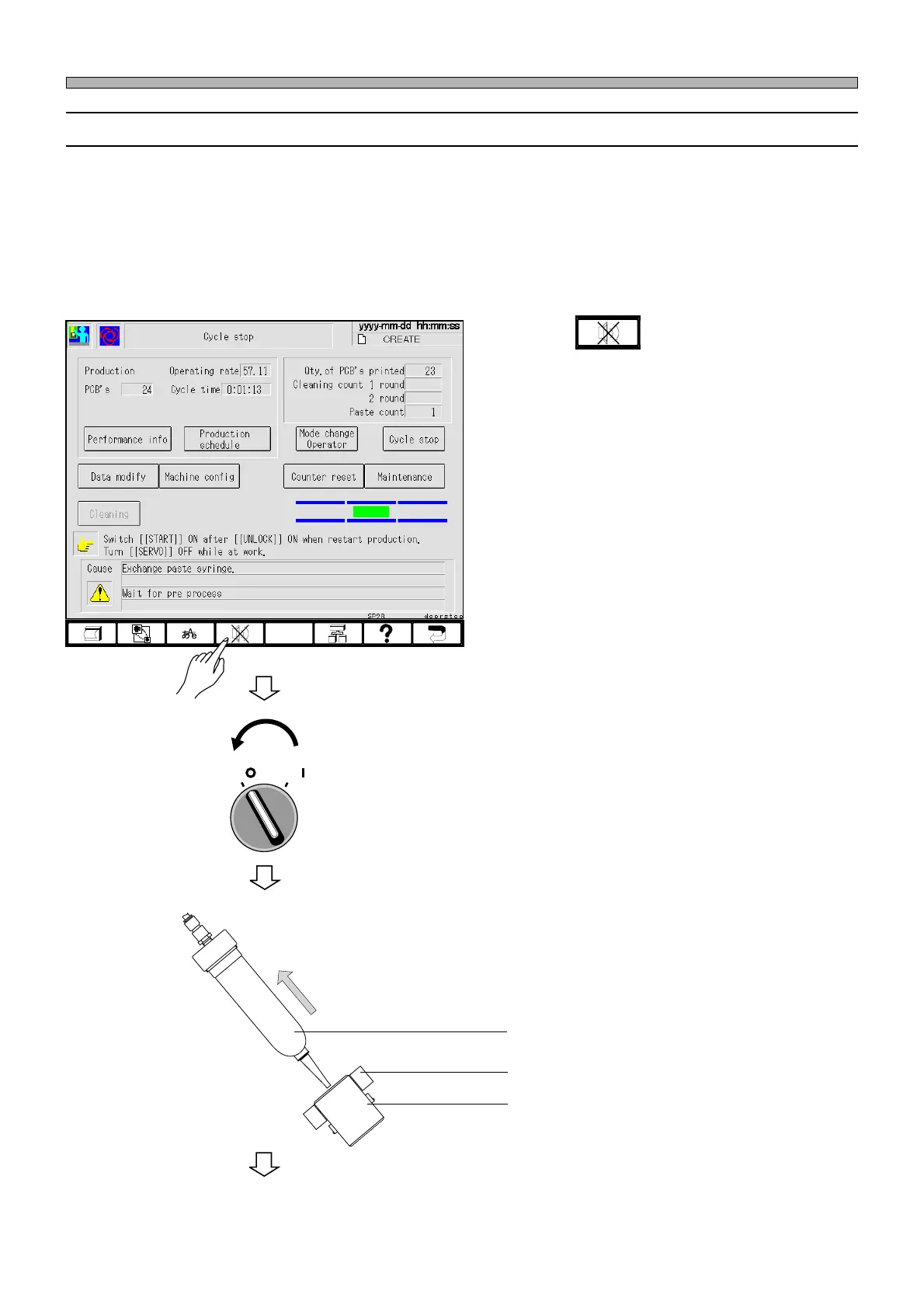
Replace the cartridge in the following steps.
1. Press .
• The buzzer stops.
2. Turn OFF the servo switch.
3. Open the front safety cover.
4. Pull out the syringe the from the
holder.
1E4C-EOp-PrCs-003
To the next page
OFF ( )
ON ( )
SERVO
Sensor
Syringe
1E4C-E-OMA05-A02-01












 To Next Page