Page 5-16
5-3-2 Preparation for Production
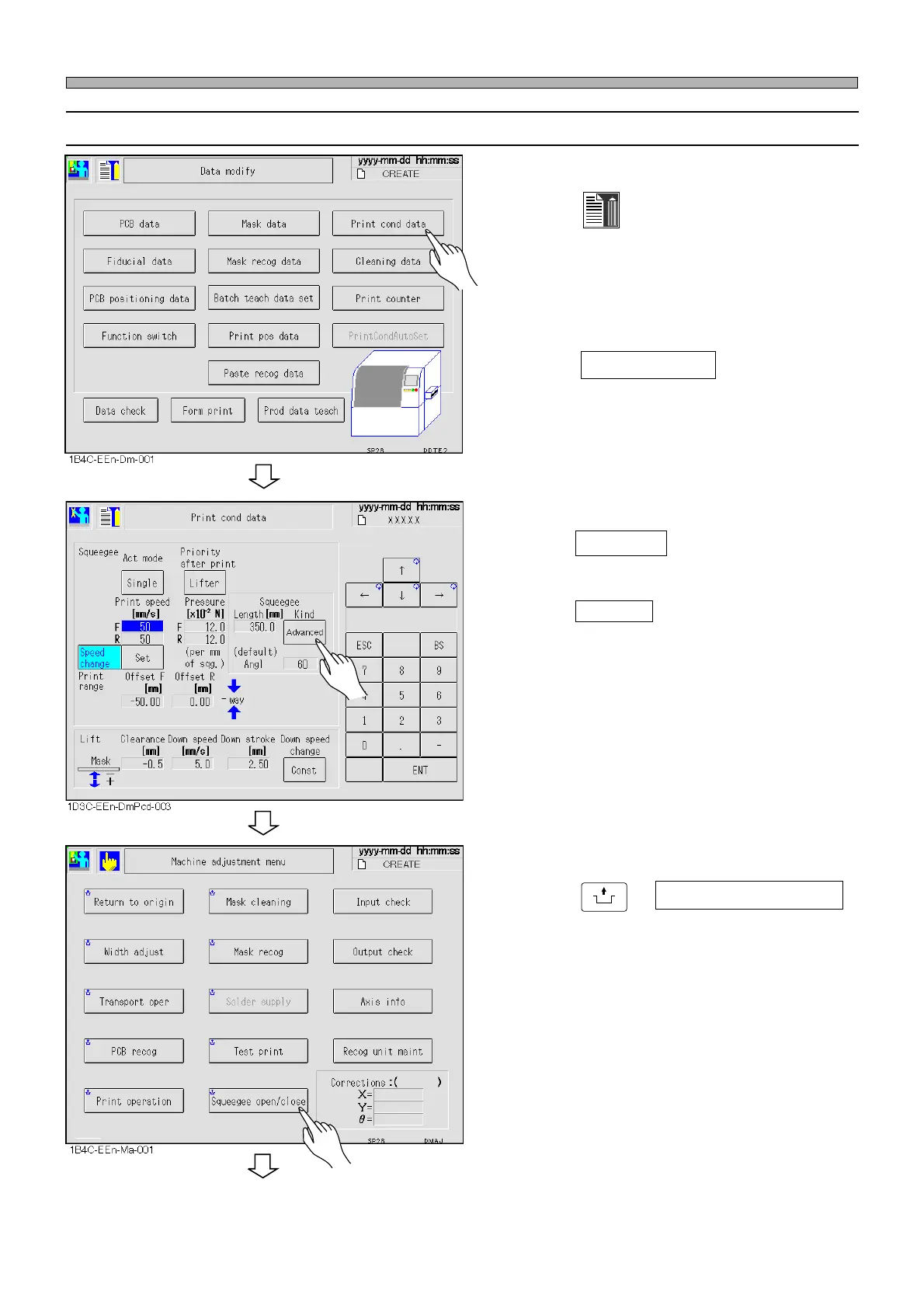
1. Press
Data modify
on the Main menu
screen.
• The Data modify screen is displayed.
2. Press Print cond data .
3. Press Advanced in the Squeegee
Kind field.
∗ When Advanced is pressed, the following
operations become intended for that.
• Squeegee lowering position
• Operation timing of the remaining-solder-on-
mask detection sensors
4. Press
UNLOCK
+ Squeegee open/close .
Procedures for Using Advanced Squeegees (Option)
1E4C-E-OMA05-A01-00
To the next page












 To Next Page