Page 2-12
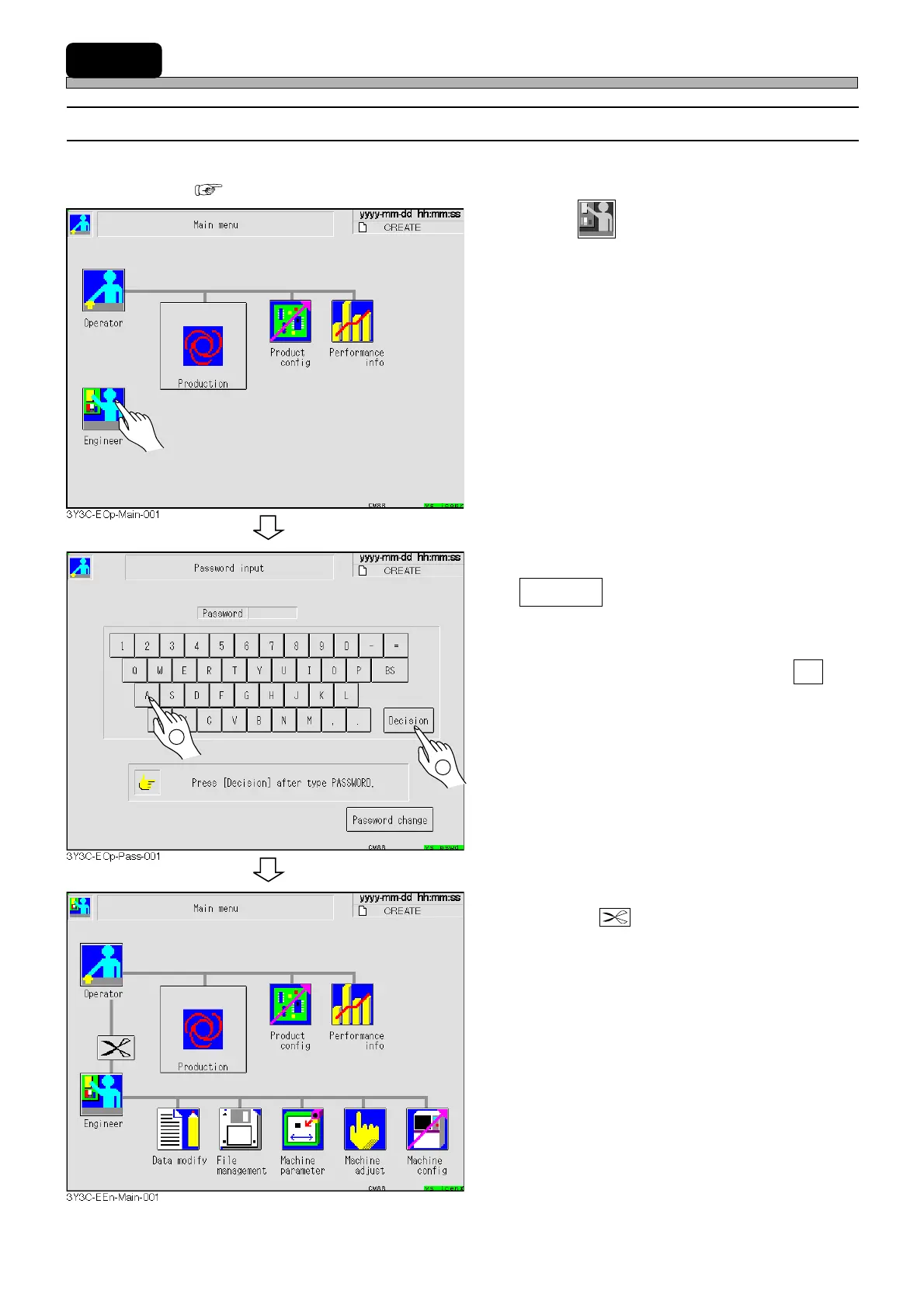
2-4 Engineer Mode
2-4-1 How to Enter Engineer Mode
∗ To enter engineer mode, the password is required. Set the password if you have not set it.
( 2-4-2 How to Change Password)
1. Press
Engineer
.
• Password input screen is displayed.
2. Enter the password, then press
Decision .
• The main menu of engineer mode is displayed.
∗ If you pressed an incorrect key, press BS and
re-enter a correct letter.
• Pressing switches engineer mode to
operator mode.
1E4C-E-OMA02-A01-01
1
2












 To Next Page