Page 5-23
SETTING PRODUCTION
MATERIALS
5
5-5 How to Supply Cleaning Paper
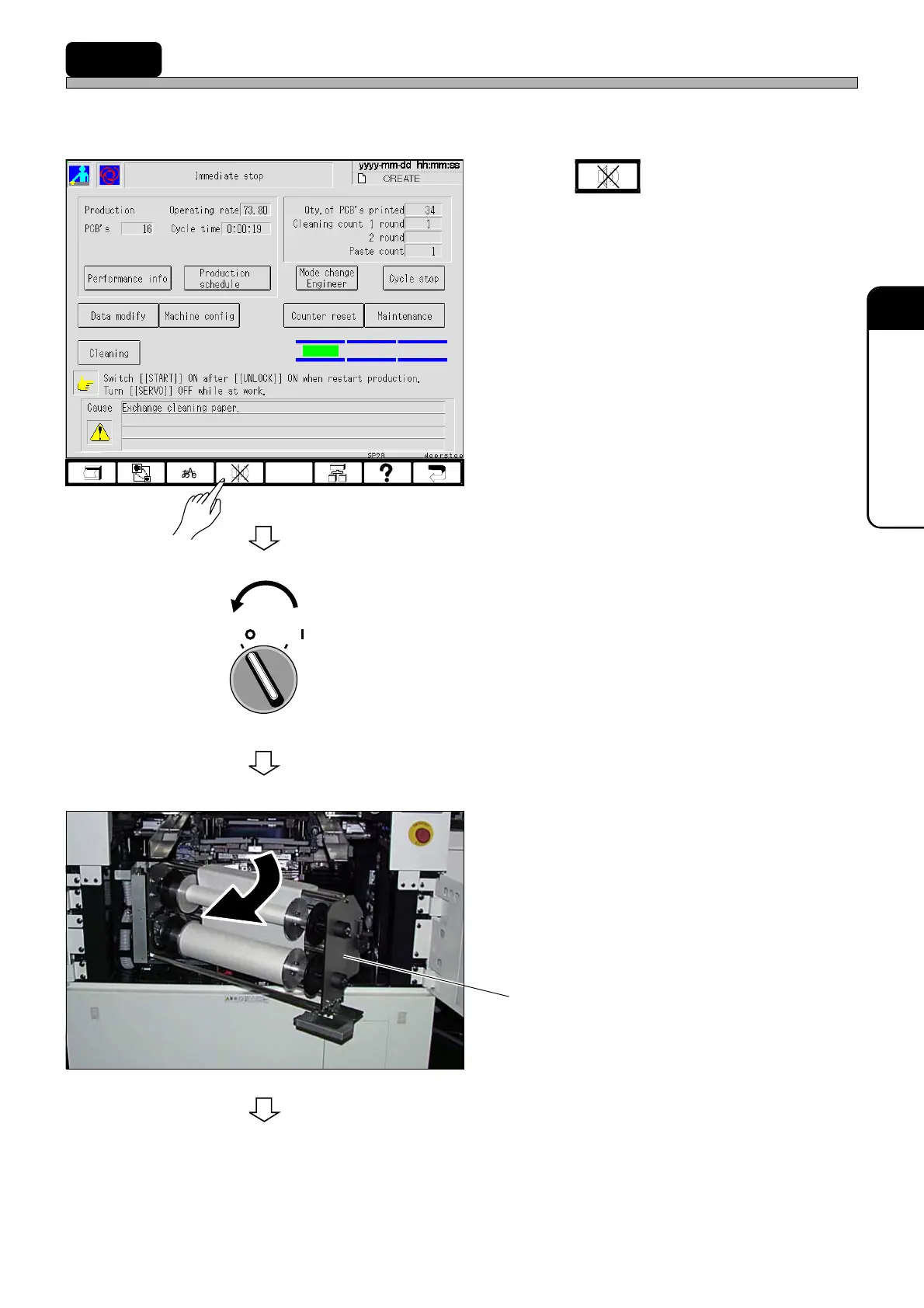
When the cleaning paper runs out, the following screen is displayed with a buzzer and this machine
comes to a cycle stop.
1. Press .
• The buzzer stops.
2. Turn OFF the servo switch.
3. Open the front safety cover.
4. Open the center safety cover, then
pull out the mask cleaning unit.
1E4C-EOp-PrIs-002
To the next page
OFF ( )
ON ( )
SERVO
1B4C-405P
1E4C-E-OMA05-A02-01
Mask Cleaning Unit












 To Next Page