Page 5-24
How to Supply Cleaning Paper
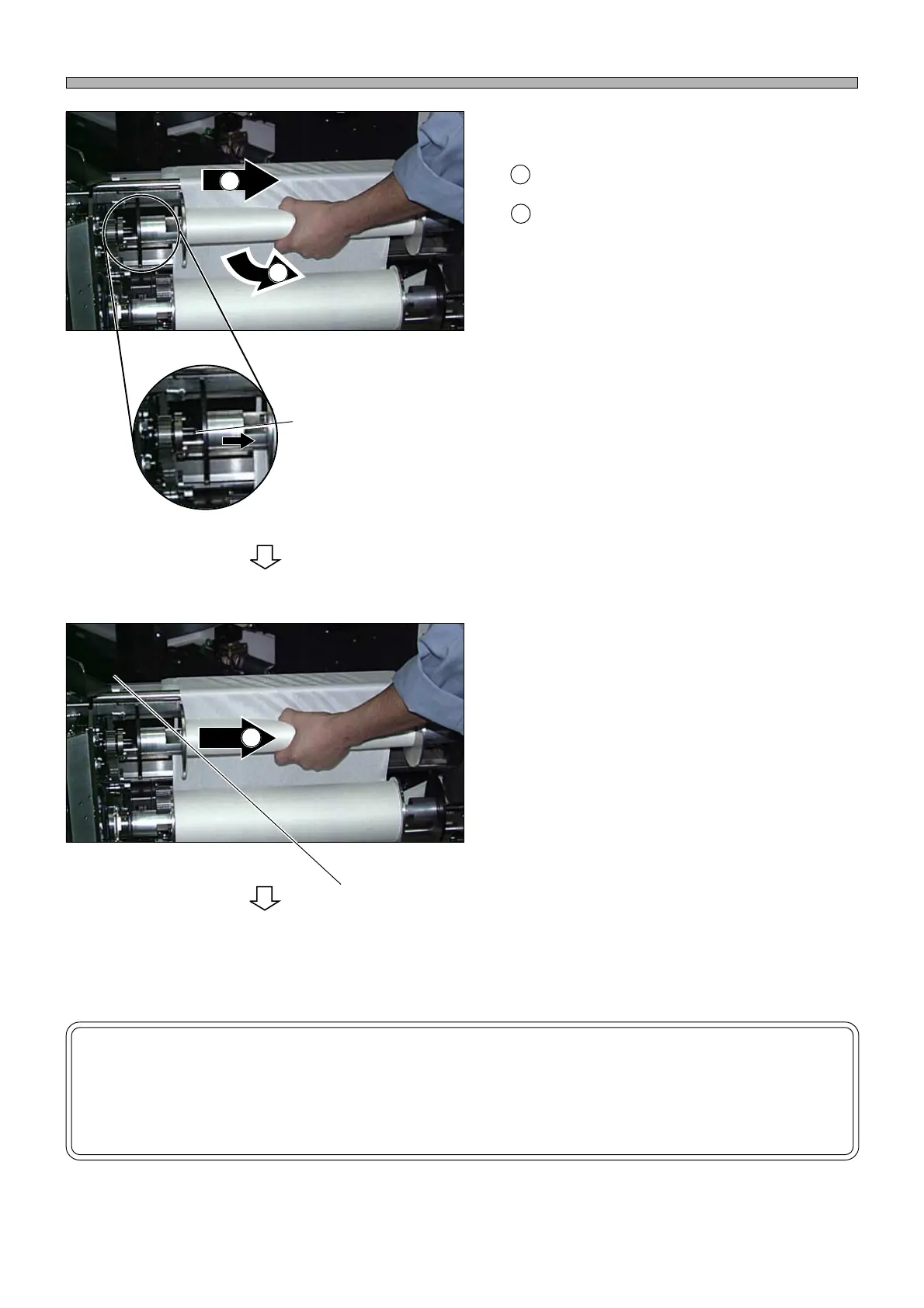
5. Remove the paper tubes of paper roll.
Move the paper tube of paper roll to the right.
After making sure the flange separates from
the projection on the left, remove the tube.
(Remove both the tubes on the take-up side
and the supply side.)
∗ Do not dispose of the tube on the supply side
because it will be used as the tube on the take-
up side later.
6. Fit the flanges to a new paper roll and
fit it on the supply side (lower side).
7. Fit the flanges to the paper tube re-
moved at the step 5. and fit it on the
take-up side (upper side).
8. Remove the cover of the solvent
nozzle part.
∗ Remove the two screws, then remove the
cover.
NOTICE
If the paper does not advance properly because the paper tube fit to the flanges
on the take-up side slips, stop using that paper tube and use the aluminum tube
that accompanies the machine.
1B4C-406P
Move the paper tube until it
separates from this projection.
1B4C-406P
To the next page
Cover
1
1
2
1
2
1E4C-E-OMA05-A02-02












 To Next Page