Page 6-14
6-2-7 How to Delete Data
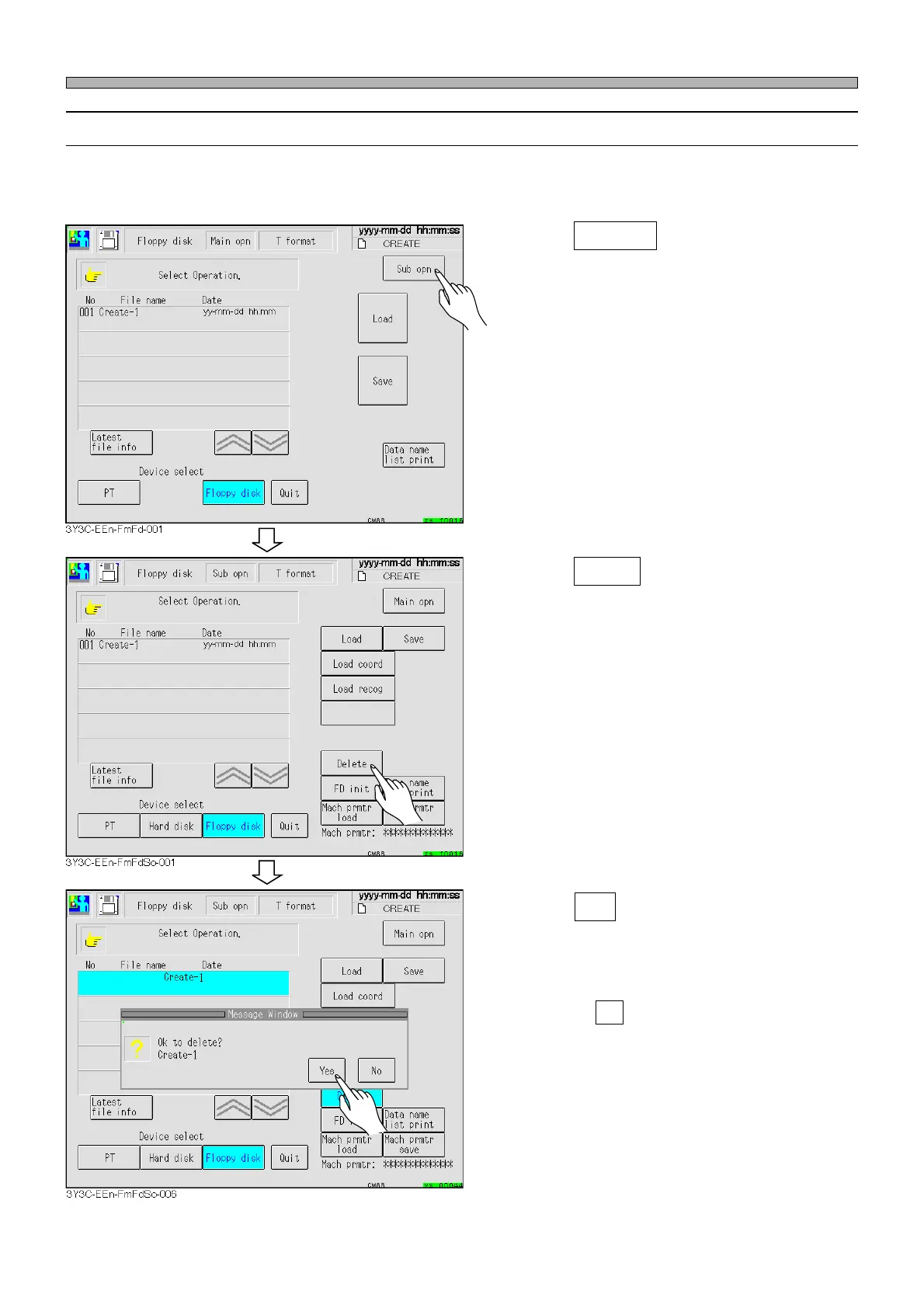
This part describes how to delete the production data in the floppy disk.
∗ The machine parameters will not be deleted.
1. Press Sub opn .
• The sub operation screen appears.
2. Press Delete .
∗ When there are more than one program data,
select the desired data to be deleted.
(This occurs when data are in the hard disk or
PT)
3. Press Yes .
• The message “Deleting” appears and the data
is deleted.
∗ Pressing No stops data deleting operation.
File Operation of Floppy Disk
1E4C-E-OMA06-A01-01












 To Previous Page