Page 5-11
SETTING PRODUCTION
MATERIALS
5
How to Change Squeegees and Adjust the Angle
1E4C-E-OMA05-A01-01
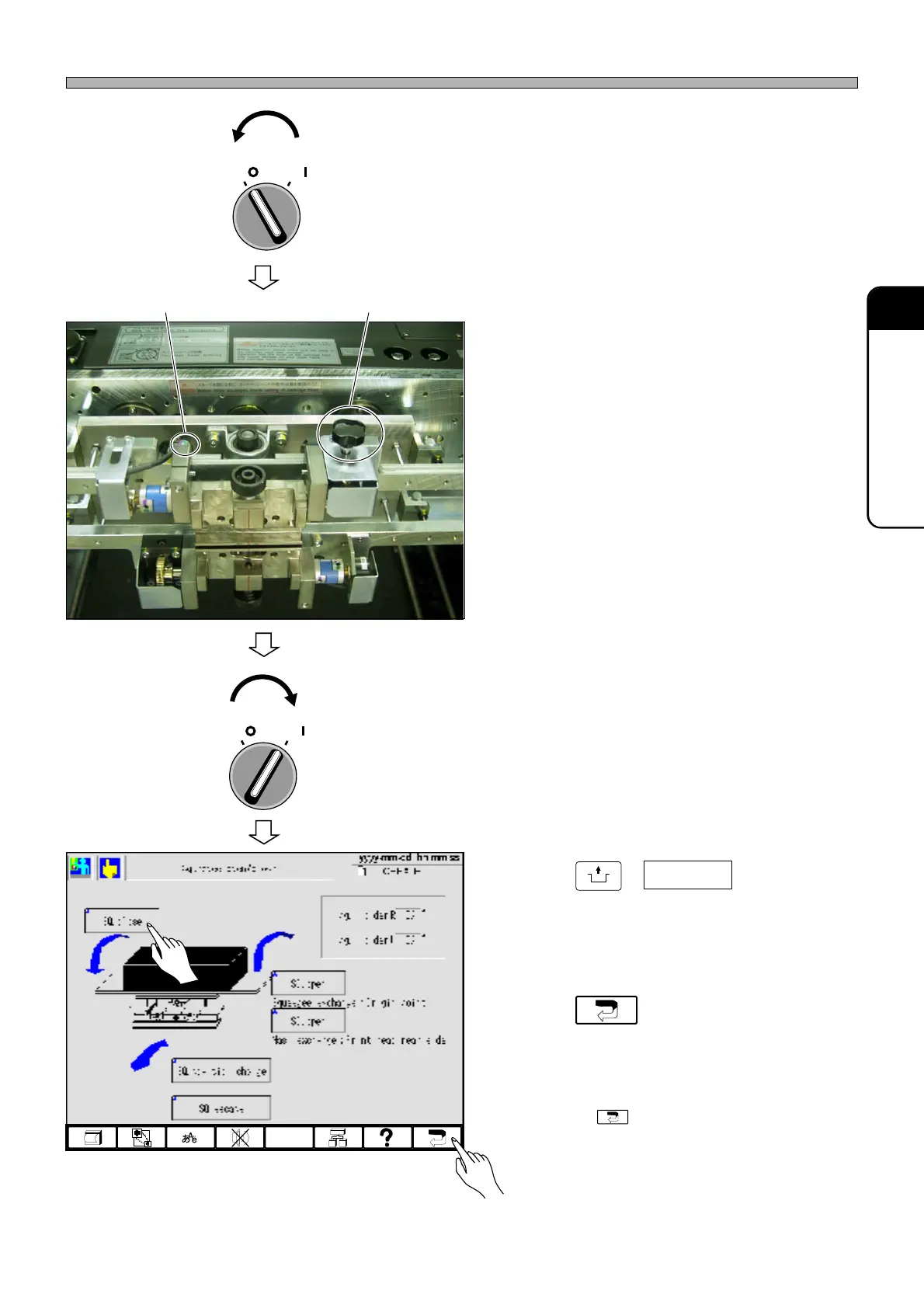
5. Turn OFF the servo switch.
6. Open the front safety cover.
7. Loosen a cap screw with an Allen
wrench, and then turn a knob viewing
the on-screen squeegee angle to
adjust the angle.
• If the angle is different from that preset in the
print conditions by ±5° or more, a data error
occurs in returning to origin or in self-diagnosis
prior to automatic operation, causing the
machine to stop.
8. After adjusting the angle, tighten the
cap screw with an Allen wrench to
secure the angle.
9. Close the front safety cover.
10. Turn ON the servo switch.
11. Press
UNLOCK
+ SQ. close .
• The squeegee closes.
12. Press .
•“Machine adjustment menu” screen is dis-
played.
∗ Pressing again displays the main menu.
OFF ( )
ON ( )
SERVO
193C-EEn-MaSoc-001
OFF ( )
ON ( )
SERVO
1E4C-453P
Knob
Fixing cap screw












 To Next Page