Point Grey Flea3 USB 3.0 Technical Reference 7 Imaging Parameters and Control
Formulas for converting the fixed point (relative) values to floating point (absolute) values are not
provided. Users wishing to work with real-world values should refer to Absolute Value CSRs (page
148).
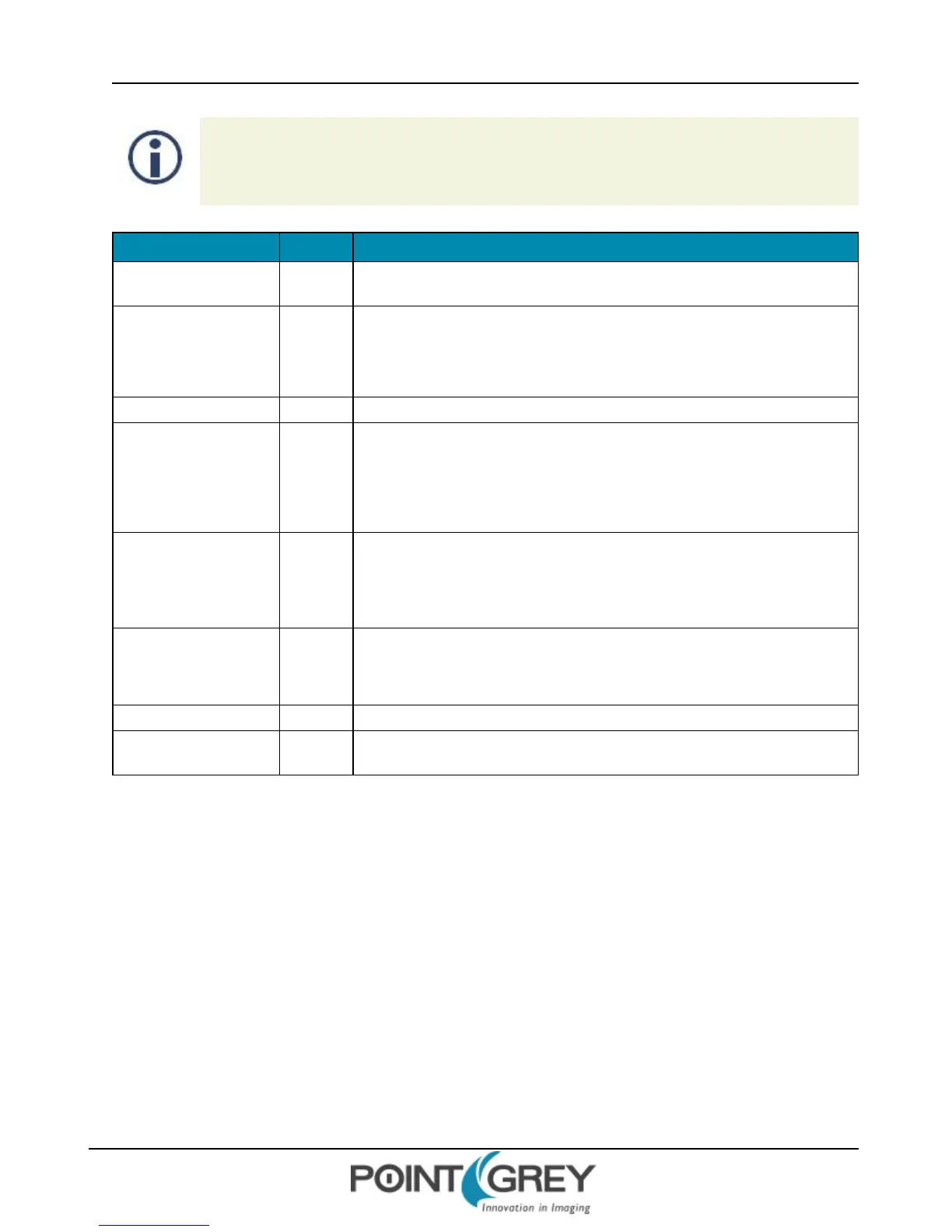
Field Bit Description
Presence_Inq [0]
Presence of this feature
0: Not Available, 1: Available
Abs_Control [1]
Absolute value control
0: Control in the Value field, 1: Control in the Absolute value CSR.
If this bit = 1, the value in the Value field is read-only.
[2-4] Reserved
One_Push [5]
One push auto mode (controlled automatically only once)
Read: 0: Not in operation, 1: In operation
Write: 1: Begin to work (self-cleared after operation)
If A_M_Mode = 1, this bit is ignored
ON_OFF [6]
Read: read a status
Write: ON or OFF for this feature
0: OFF, 1: ON
If this bit = 0, other fields will be read only
A_M_Mode [7]
Read: read a current mode
Write: set the mode
0: Manual, 1: Automatic
[8-19] Reserved
Value [20-31]
Value.
A write to this value in ‘Auto’ mode will be ignored.
Format:
7.4.2 Example: Setting Saturation Using the FlyCapture API
The following FlyCapture 2.0 code snippet adjusts saturation to 200% using the C++ interface. The snippet assumes a
Camera object cam.
//Declare a property struct.
Property prop;
//Define the property to adjust.
prop.type = SATURATION;
//Ensure the property is on.
prop.onOff = true;
//Ensure auto-adjust mode is off.
prop.autoManualMode = false;
Revised 9/27/2012
Copyright ©2011-2012 Point Grey Research Inc.
99



 To Next Page