Point Grey Flea3 USB 3.0 Technical Reference 5 Video Formats, Modes and Frame Rates
5.3.2 FL3-U3-13Y3 Video Modes
5.3.2.1 FL3-U3-13Y3 Standard Formats, Modes and Frame Rates
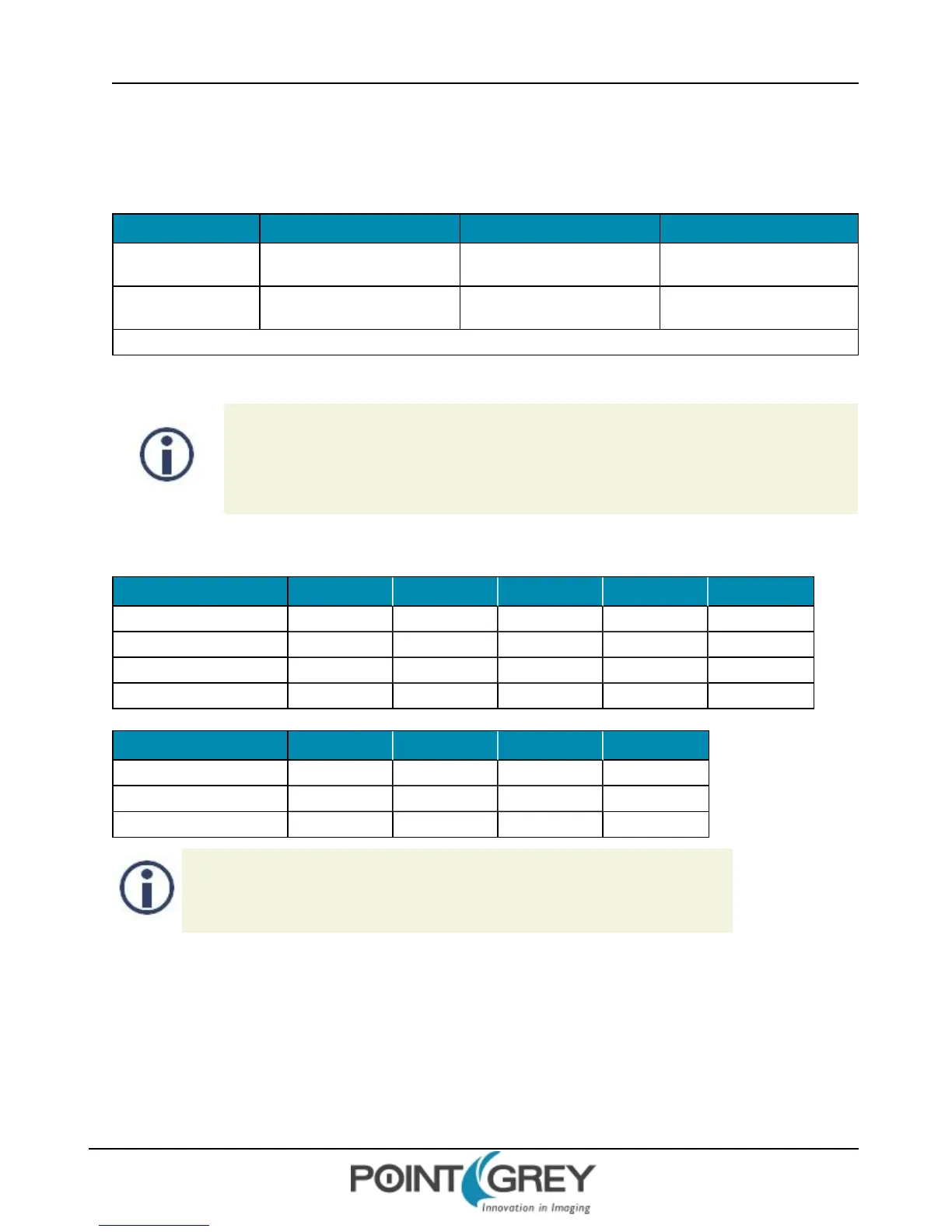
Modes 15 FPS 30 FPS 60 FPS
1280 x 960 Y8
• • •
1280 x 960 Y16
• • •
Modes default to highest frame rate
5.3.2.2 FL3-U3-13Y3 Custom Formats, Modes and Frame Rates
Many USB 3.0 PCI Express Gen 2.0 motherboards limit data rates to ~180MByte/s. The FlyCap2
Camera Selection dialog shows the supported PCIe bus speed. If you select a video format/mode
that requires data rates above what is supported, the camera will skip images.
For example: 1920 x 1080, 60 FPS, YUV422 = ~248 MB/s
Table 5.3: FL3-U3-13Y3M Custom Formats, Modes and Frame Rates
Pixel Format 1280 x 1024 1280 x 960 640 x 480 320 x 240 160 x 120
8-bit (Raw) 150 157 301 284 284
16-bit (Raw) 71 77 296 284 284
8-, 12-bit (Mono) 89 95 186 350 350
16-bit (Mono) 71 77 186 350 350
Mode 0
Pixel Format 640 x 512 640 x 480 320 x 240 160 x 120
8-bit (Raw) 430 450 450 450
16-bit (Raw) 230 310 440 440
8-, 12-, 16-bit (Mono) 230 230 230 230
Mode 1
Choosing a Mono pixel format enables FPGA processing, i.e., Gamma/Lookup Table,
but limits the frame rate. Choosing a Raw pixel format disables FPGA processing, but
increases the frame rate.
Revised 9/27/2012
Copyright ©2011-2012 Point Grey Research Inc.
71



 To Next Page