III
PFC-6006 • 5403559 • REV D • 11/17
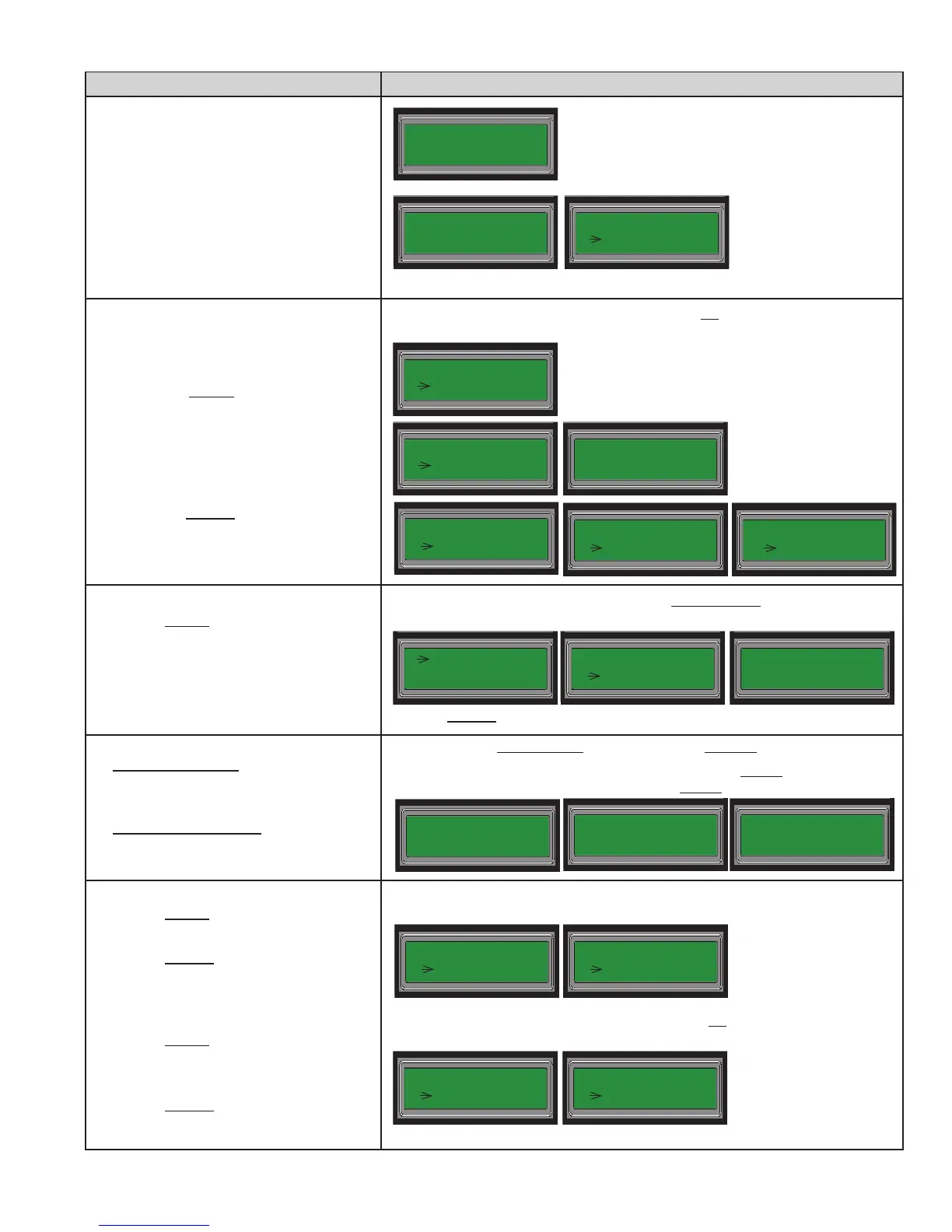
KEYPAD STEPS PANEL MENU OPTIONS
10. Press ESC when all information has been
completed for Line 1.
11. Scroll to "Line2 Setup" and Enter.
-OR-
Press "2"– Line2 Setup.
12. Setup Line2's options; please refer to
Steps 3 –10.
Setup Account #1:
13. Press "3" – Acct1 Setup.
• Press "1" – Rpt Event Type.
[Acct1's current report event type
settings display.]
• Press Enter to setup ALM, SUP & TBL
event types.
• Press "1" – ON or "2" – OFF.
[Acct1's updated report event type &
"Change Success" / "No Changes"
displays.]
14. Enter "2" for "Rpt By Option."
[Acct1's current report by option setting
displays.]
• Select the applicable "report by" option.
• Enter "1" – Panel, "2" – Zone, or
"3" – Point.
15. Enter "3" – Pri Acct ID, and enter the
primary account ID.
16. Enter "4" – Pri Phn No., and enter the
primary phone number provided by your
central station.
17. Enter "5" – Pri Rpt Fmt.
[Acct1's current report format displays.]
• Press "1" – SIA or "2" – CID.
[Acct1's updated report format & "Change
Success / "No Changes" displays.]
18. Enter "6" – Pri Rpt Test.
[Acct1's current report test setting
displays.]
• Press "1" – ON or "2" – OFF.
[Acct1's updated report test setting &
"Change Success / "No Changes" displays.]
DACT Setup
1 = Line1 Setup
1 = Line1 Setup
2 Line2 Setup
ALM Event Rpt:
1 ON
SUP Event Rpt:
1 ON
TBL Event Rpt:
1 ON
[Repeat Steps 3 – 10
to setup Line2.]
6 = Dial Tone DET
ESC= Exit
[Press ESC to display the "DACT Setup" menu.]
2 Rpt By Option
3 = Pri Acct ID
[Press ESC after Line2 is setup to redisplay the "DACT Setup" menu.]
Acct1 Setup
1 Rpt Event Type
A1: _
_
_ _
_
_ _
_
_
ENT to change
[This displays if no event
types have been setup.]
Report Event Type Default = None. (The DACT will not report any Alarms,
Supervisory or Troubles when they occur.)
Report By Option Default = Point. (The DACT reports by point any Alarms, Supervisory
or Troubles when they occur.)
Check with your central station for the information required in the next 2 elds:
• Primary Account ID Default = None. (You must enter the specic account ID.)
• Phone No. Default = None. (You must enter the specic phone number.)
Rpt By: Point
1 Panel
2 = Zone
3 = Point
[Acct1's updated report by option & "Change Success" / "No Changes" displays.]
3 = Pri Acct ID
4 = Pri Phn No.
ID:
__
Phn:
__
2 = Line2 Setup
3 Acct1 Setup
4 = Pri Phn No.
5 Pri Rpt Fmt
Report Format Default = CID. (CID is the most common report format; check with
your central station for verication.)
5 = Pri Rpt Fmt
6 Pri Rpt Test
Test: OFF
1 ON
Fmt: CID
1 SIA
Primary Report Test Default = OFF. (The DACT will not report a daily test signal to
the primary account's alarm receiver.)



 To Next Page