354
Appendix E Installing The Power Stacker
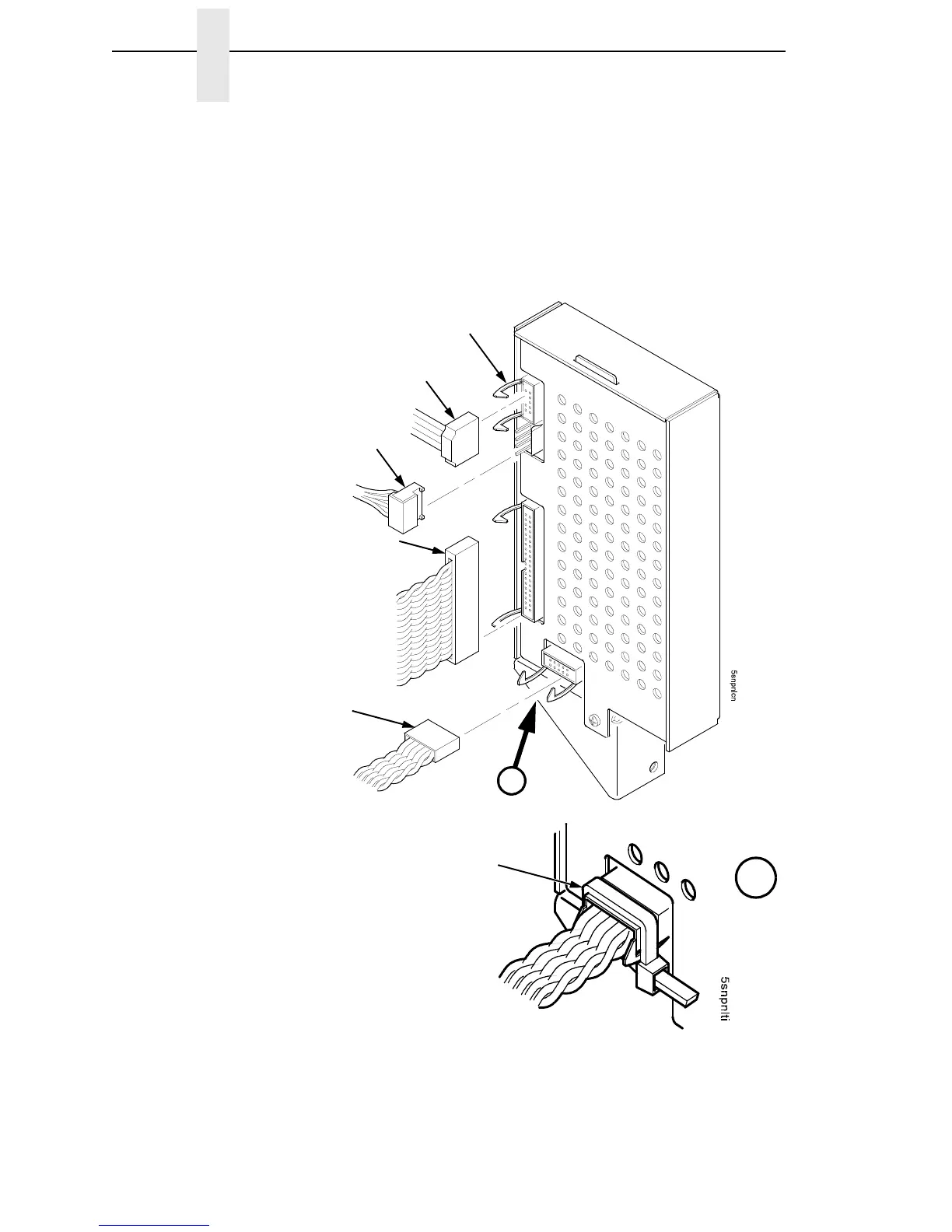
26. Connect the stacker cables to the rear of the stacker control panel
assembly and make sure the ejector levers close over the connectors.
(Figure 81.)
27. Press rail cable connector P107 into the control panel until the ejectors
close, then tie wrap the ejectors to the connector. (Figure 81, detail A.)
Figure 81. Stacker Control Panel Cables
Logic Cable (P104)
Power Cable
Elevator I/O Cable
(P102)
Rail Cable (P107)
A
A
Tie Wrap
Ejection Lever













 To Next Page