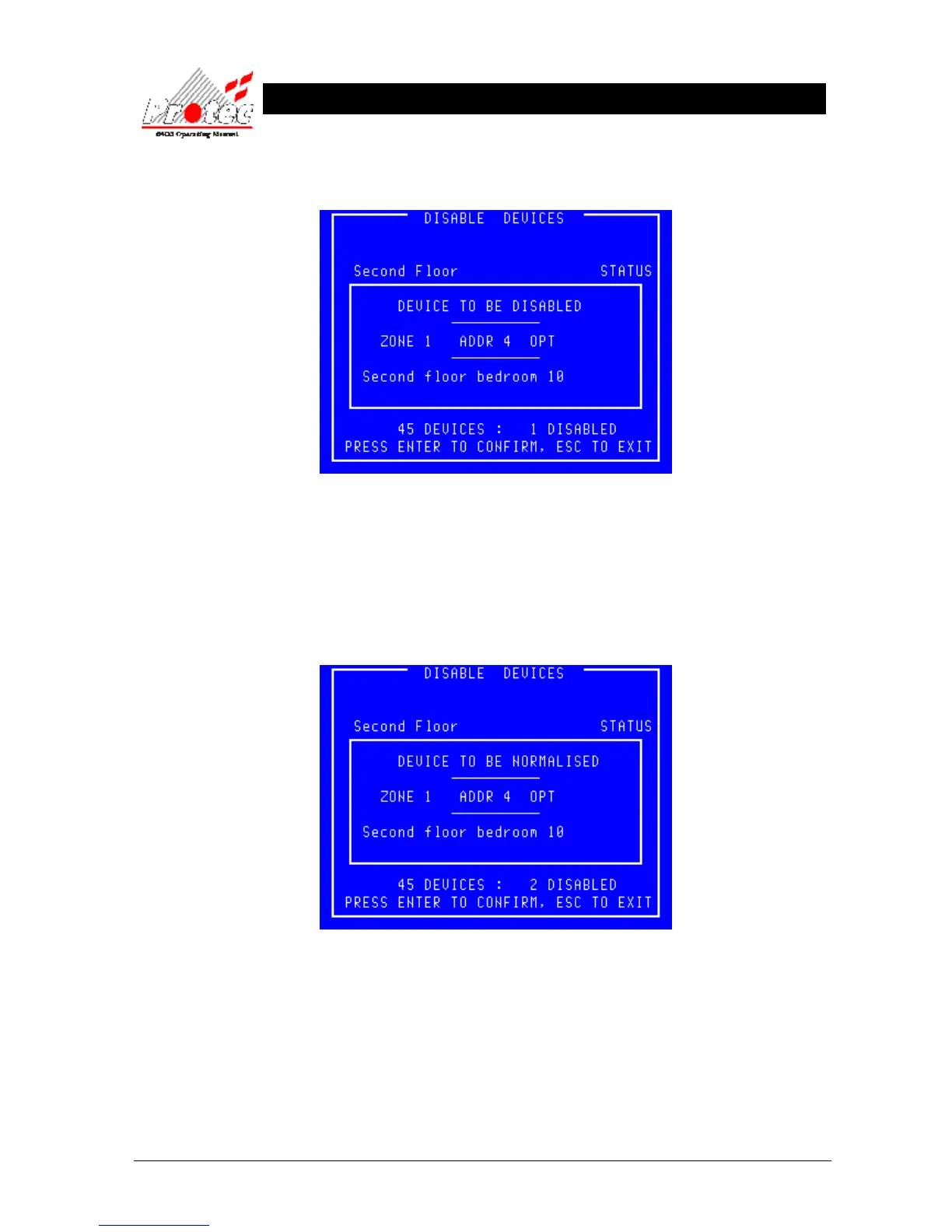
• Disable a Device : To disable a device use the High-light bar to select the device for disablement, then press the
‘ENTER’ key. The display will show :-
• Exiting Option : Press ‘ESC’ to abandon to disablement.
• Disablement : Upon pressing the ‘ENTER’ key, the number of disabled devices will increment (shown at
the bottom right of the display). The panel will illuminate the ‘Disablement’
LED on the control panel and sound the buzzer intermittently.
To mute the buzzer, press the ‘Accept’ button.
• Normalise a Device : To normalise a device use the High-light bar to select the Device for Normalisation, and then
press the ENTER key. The display will show :-
• Exiting Option : Press ‘ESC’ to abandon to normalisation.
• Normalisation : Upon pressing the ENTER key the number of disabled devices will decrement (shown at
the bottom right of the display). The panel’s ‘Disablement’ LED will also extinguish.



 To Next Page