QLS-4100 Xe D-3
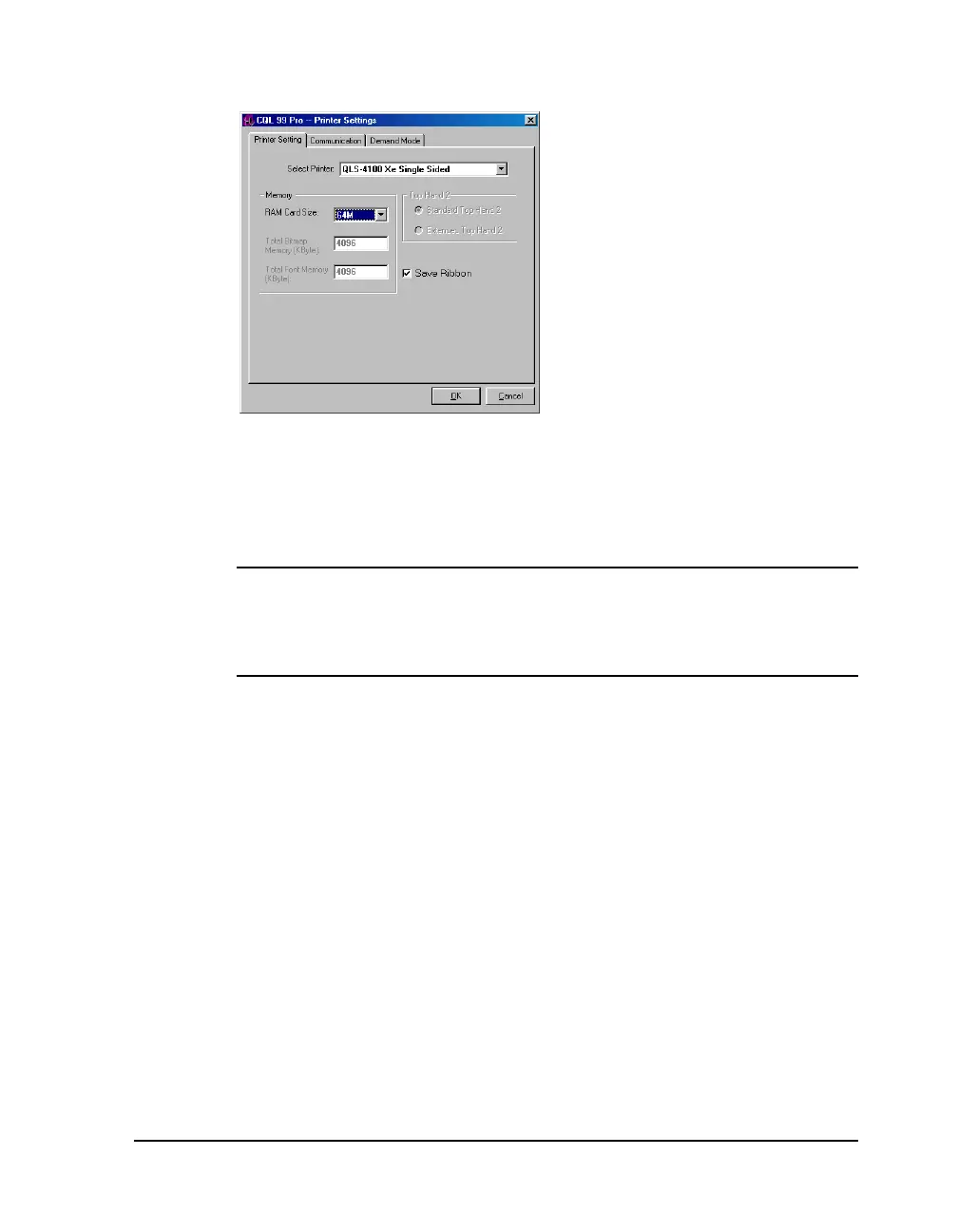
4 Open the File >> Print Setup menu. The following screen will appear:
5 Choose QLS-4100Xe Single Sided from the Select Printer pull-down list.
6 Select the capacity of the memory card being used or none from the
RAM Card Size pull-down list. This option is used only when set up for
unidirectional communication.
Note: If none is selected, all images will be sent to an internal 4 Mb
dedicated to images. All fonts will be sent to an internal 4 Mb memory
dedicated to fonts. If your images/fonts exceed this capacity, some or all
of the images/fonts may not print.
7 Place a check mark in the Save Ribbon box if RibbonRation™ will be
used.


 To Next Page