Page 98 of 254
Part No. 96000001
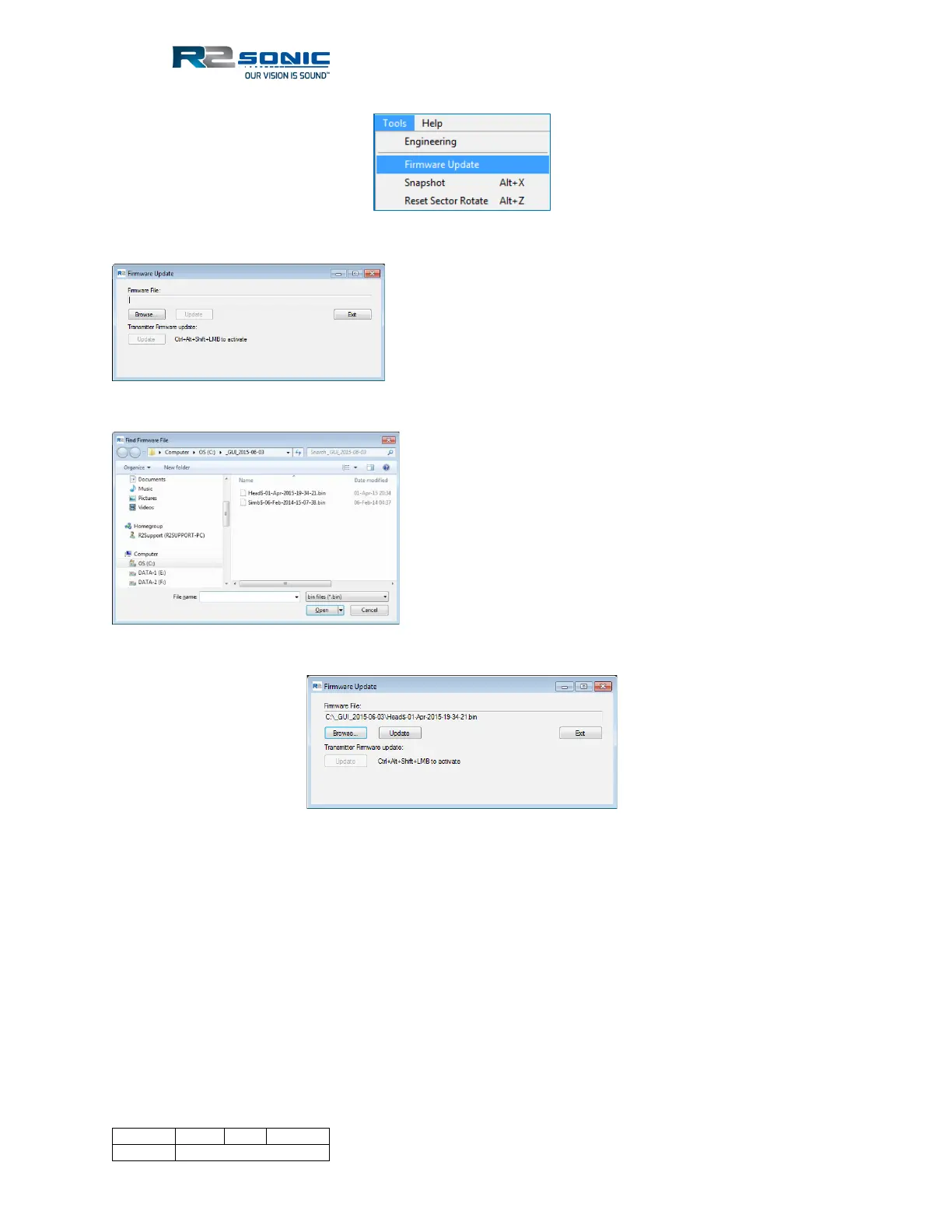
Figure 104: Select Tools; Firmware Update
Figure 105: The Browse button will open the current GUI's directory
Figure 106: Select correct update .bin file
Figure 107: A batch file will automatically load the upgrade file
Once the Update button is clicked on, a batch file will automatically run and download the .bin to
the appropriate location.



 To Next Page