Putting into Operation
R&S
®
NRP2
12User Manual 1173.9157.02 ─ 03
Numerical measuring windows indicate the readings digitally, or provide the values in
form of an analog meter. A maximum of four windows can displayed on the screen, while
their size is determined by the number of windows. The R&S NRP2 indicates either all
windows simultaneously, or individually expanded.
For detailed information concerning the screen layout see chapter 3.2, "Screen layout",
on page 49.
1.5.2 Keys
The keys on the front panel of the meter are used to manually operate the instrument.
Grouped by soft- and hardkeys, each group represents specific functions.
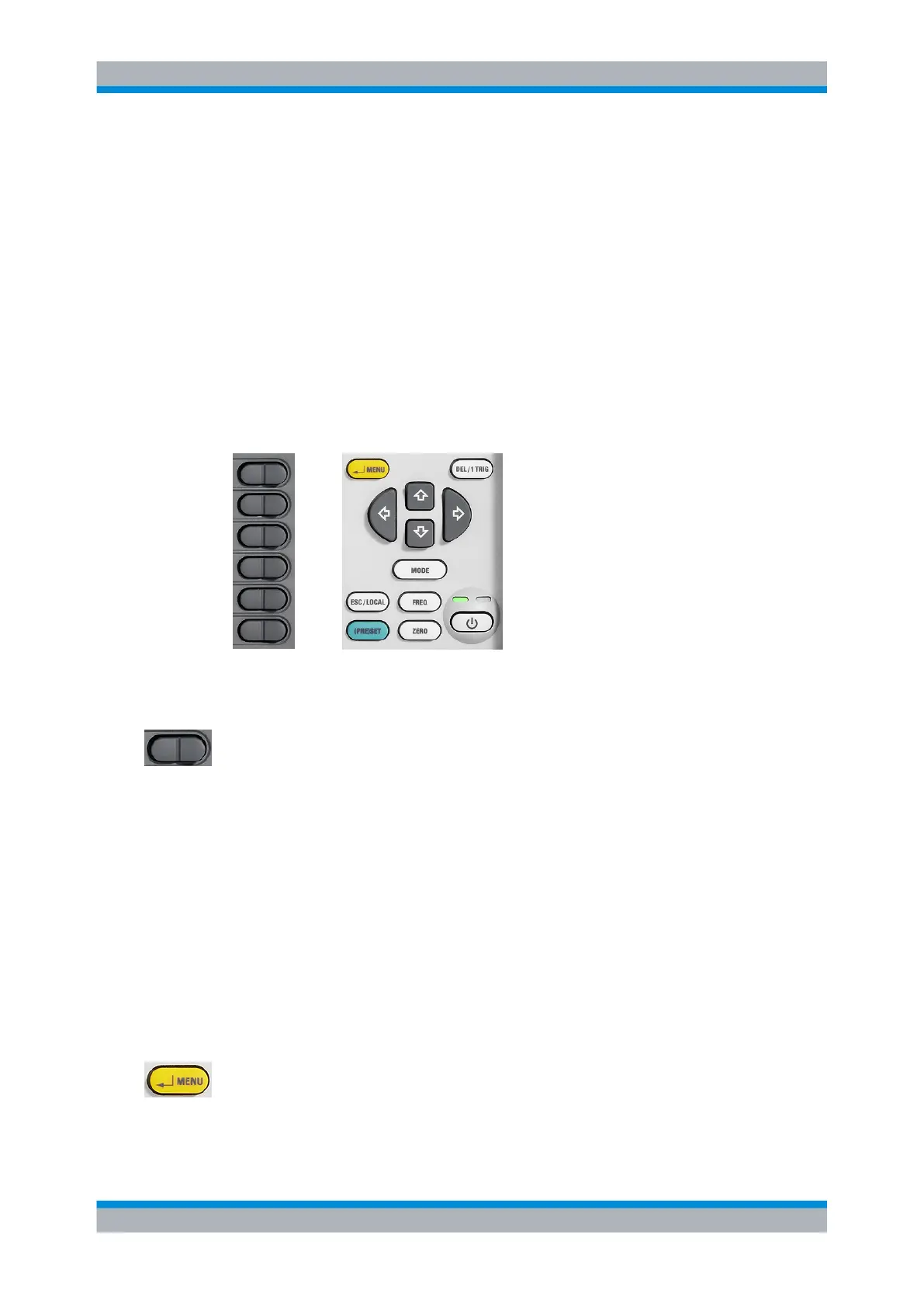
Softkeys Hardkeys, Cursor keys and On/Standby key
1.5.2.1 Softkeys
The six softkeys are rocker switches - in other words, they can be “rocked” backwards
and forwards by pressing on the right or left side of the key. The softkey function is con-
text-sensitive and is indicated by screen labeling.
For more information on the softkeys see also chapter 2.2, "Brief introduction to the
operation", on page 24, chapter 3.5, "Dialog boxes and their controls", on page 53
and chapter 3.4, "Menu handling", on page 53.
1.5.2.2 Hardkeys
Hardkeys cause the R&S NRP2 to return to a definite instrument state, provide access
to the main settings and activate functions. Hardkeys are always available for use.
For further information on using the hardkeys see also chapter 2.2, "Brief introduction to
the operation", on page 24, and especially on the setup keys (PRE)SET, FREQ and
ZERO see chapter 4.1, "Main Settings", on page 61.
↵ MENU
● as the "↵" key (i.e. Enter key), it is used to confirm entries in text fields and dialog
boxes and to confirm selections in the drop-down lists.
●
as the MENU key, it is used to fold out and fold back the menus next to the softkeys.
Front panel tour



 To Next Page