Putting into Operation
R&S
®
NRP2
20User Manual 1173.9157.02 ─ 03
– Two sensor boxes indicate that channels A and B are connected, fitted at the
front panel (requires option R&S NRP2-B2, the second measurement input).
– Accordingly, one or two sensor boxes shown on top indicate that channels A and
B are fitted at the rear panel with option R&S NRP2-B6, sensor connectors A (B).
– Four sensor boxes indicate that the meter supports channels A to D, option
R&S NRP2-B5, 3rd and 4th measurement input.
●
Addressability check on the USB interface
●
Addressability check of the Ethernet interface
The instrument performs a test on the Ethernet interface, and displays the transmis-
sion rate, e.g.
. When finished, the instrument displays the result under the net-
work icon, i.e. "OK" indicates that the interface can be addressed.
If the R&S NRP2 is not connected to a network hub or if a connection cannot be
established during booting, the message (Not Connected) is displayed instead
of "OK". It is however possible to establish a network connection later on at any time.
Results display of the function test
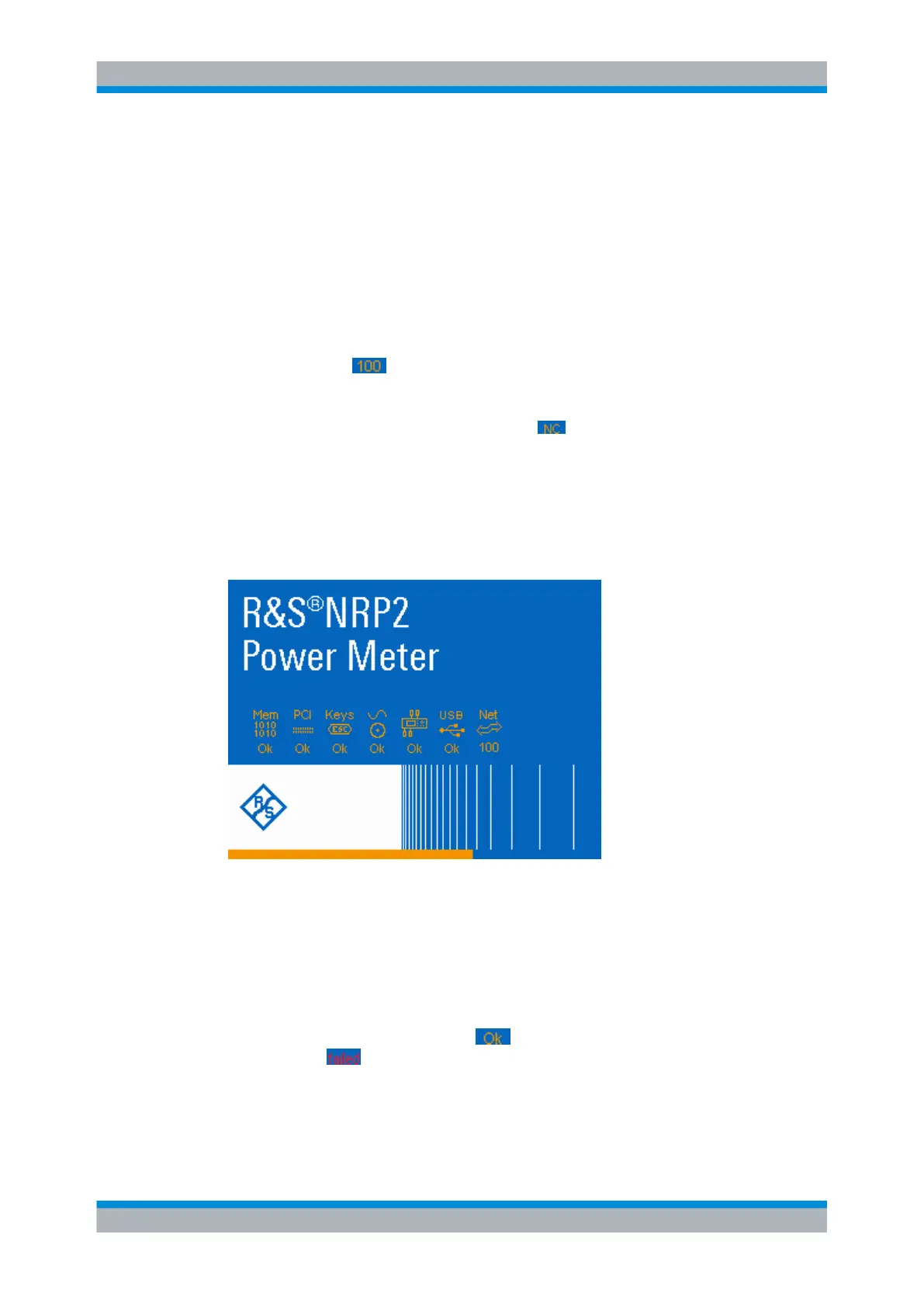
The R&S NRP2 shows the progress of the tests in a colored (orange) progress bar. The
tests are completed when the bar has reached the end of the screen and all symbols are
shown. The instrument indicates the result of each test underneath the respective symbol.
Fig. 1-10: R&S
NRP2 welcome screen with function test results and progress bar
Mem = function test on the RAM
PCI = function test on the keyboard controller
Keys = addressability check on the keypad
∿ ⊙
= addressability check on the test generator
(instrument icon) = addressability check on the interfaces for the sensor channels
USB = addressability check on the USB interface
Net = addressability check of the ethernet interface
Successful tests are confirmed with ("OK", orange colored), and recognized mal-
functions with ("Failed", red colored).
Some tests respond with further information, messages or actions:
●
If any interface error occurred, the boot process stops after completion of all tests. It
may be continued by pressing the ESC hardkey.
Starting the R&S
NRP2



 To Next Page