Getting Started
R&S
®
NRP2
39User Manual 1173.9157.02 ─ 03
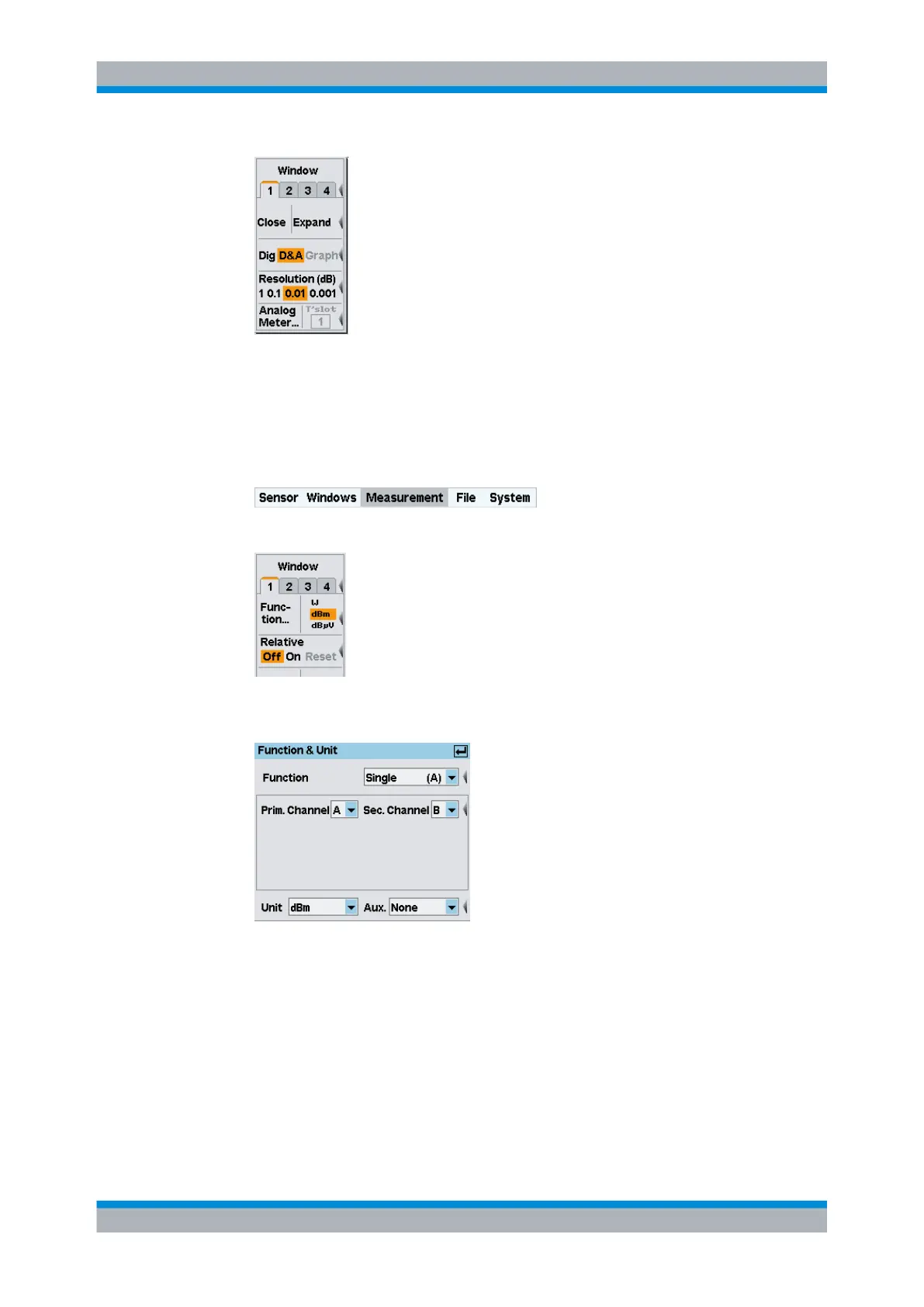
Fig. 2-23: Windows menu / digital and analog display mode
3. Switch back to "Dig" display mode.
Auxiliary values (Maximum, Minimum, Max, Min, …).
1. Select the "Measurement" menu.
2. Select "Function..." in this menu.
The measurement function, unit of the measurement result, sensors used and the
auxiliary values can be selected in the "Function & Unit" dialog box.
Fig. 2-24: Function & Unit dialog box
3. Open the "Auxliaries" drop-down list.
Window handling



 To Next Page