Getting Started
R&S
®
NRP2
38User Manual 1173.9157.02 ─ 03
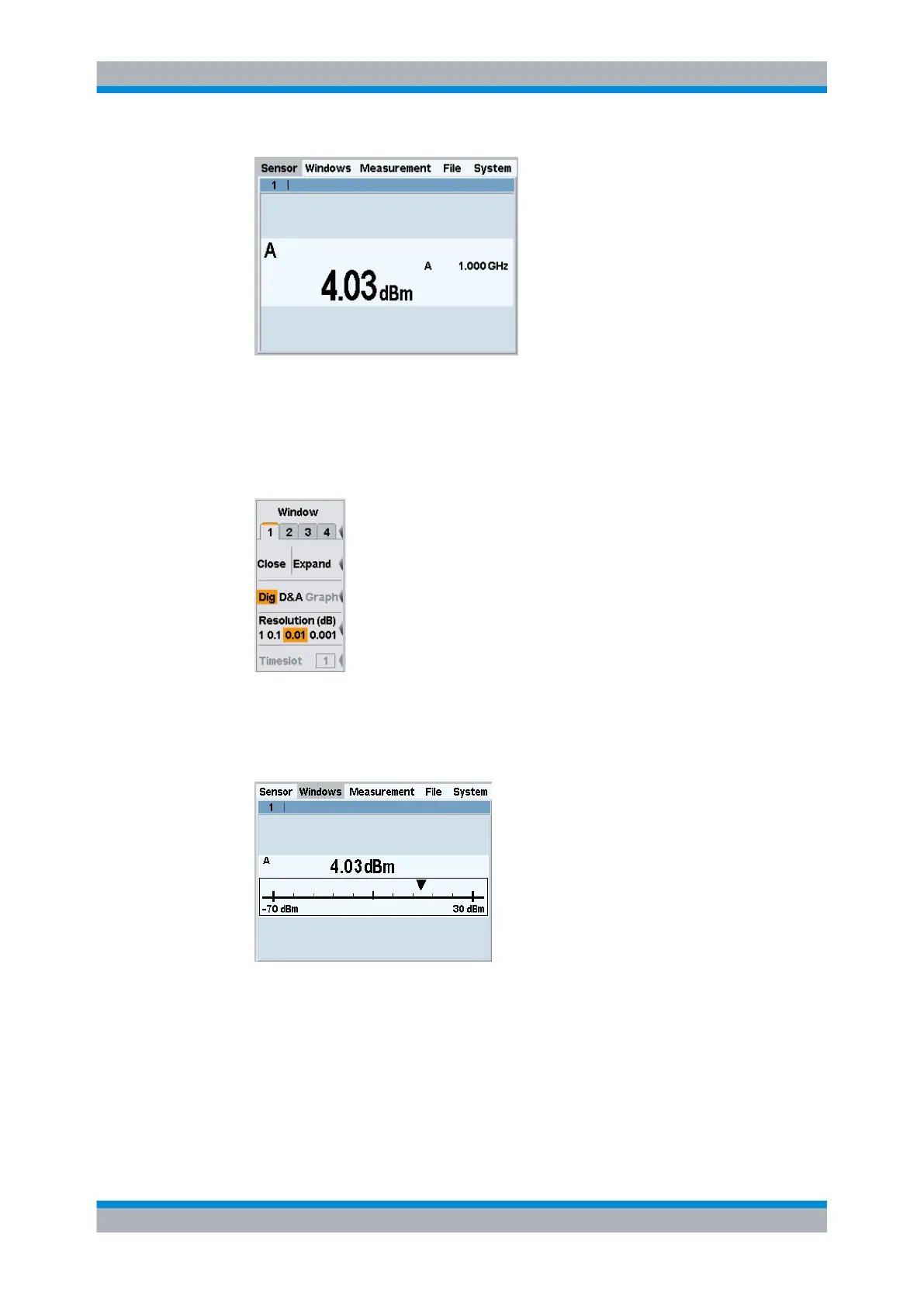
Fig. 2-20: Result window / initialized / full height
Display options
1. The "Dig" and "D&A" softkeys are used to select the display mode.
The standard display mode is "Dig"ital measurement result.
Fig. 2-21: Windows menu / digital display mode
2. Select the "D&A" display mode.
Window "1" now shows an analog scale and a digital reading.
Fig. 2-22: Result window / analog meter / full height
The menu now includes the new item "Analog Meter…" for setting the scale limits.
Window handling



 To Next Page