IndraControl L40 List of Figures 12-1
DOK-CONTRL-IC*L40*****-PR03-EN-P
12 List of Figures
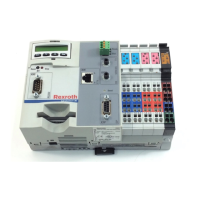
Fig. 1-1: Front view of an IndraControl L40 1-1
Fig. 1-2: Related documentations 1-2
Fig. 3-1: Hazard classification (according to ANSI Z535) 3-1
Fig. 4-1: Equipment 4-1
Fig. 4-2: Current consumption 4-1
Fig. 4-3: Ambient conditions 4-2
Fig. 4-4: Used standards 4-3
Fig. 5-1: Bottom view 5-1
Fig. 5-2: Front view 5-1
Fig. 5-3: Lateral view from the left (the cutout for the top-hat rail is
arranged centrally) 5-2
Fig. 6-1: Display with four operating keys 6-1
Fig. 6-2: Reset button and stop LED 6-2
Fig. 7-1: IndraControl L40 connections 7-1
Fig. 7-2: Supply voltage connections 7-2
Fig. 7-3: Pin assignment of the voltage module 7-3
Fig. 7-4: Diagnostic LED of the power terminal 7-3
Fig. 7-5: Diagnostic LED of the segment terminal 7-3
Fig. 7-6: Diagnostic LED of the supply voltage 7-3
Fig. 7-7: "FS" and "FN" LEDs 7-3
Fig. 7-8: Main circuit 7-4
Fig. 7-9: Segment circuit 7-5
Fig. 7-10: Address assignment of inputs and outputs 7-7
Fig. 7-11: Digital inputs 7-8
Fig. 7-12: Data of digital inputs 7-9
Fig. 7-13: Status LEDs of digital inputs 7-9
Fig. 7-14: Light-emitting diode D 7-9
Fig. 7-15: Digital outputs 7-9
Fig. 7-16: Data of digital outputs 7-10
Fig. 7-17: Status LEDs of digital outputs 7-11
Fig. 7-18: Light-emitting diode D 7-11
Fig. 7-19: RS232 interface 7-12
Fig. 7-20: Ethernet interface 7-13
Fig. 7-21: Parameters for PROFIBUS DP line 7-14
Fig. 7-22: Maximum segment length in relation to the transmission rate
7-14
Fig. 7-23: "Send" light-emitting diode 7-15
Fig. 7-24: Distortion indicator 7-15
Fig. 7-25: Characteristic data of the ready contact 7-15
Fig. 7-26: Ready LED 7-16
Fig. 7-27: Current and power supply 7-17
Fig. 7-28: Ambient conditions 7-18
Buy: www.ValinOnline.com | Phone: 844-385-3099 | Email: CustomerService@valin.com


 To Next Page
 Loading...