Application Examples
R&S
®
GP-E/GP-S
164User Manual v16.2.1 ─ 01
5.
Tap " Back".
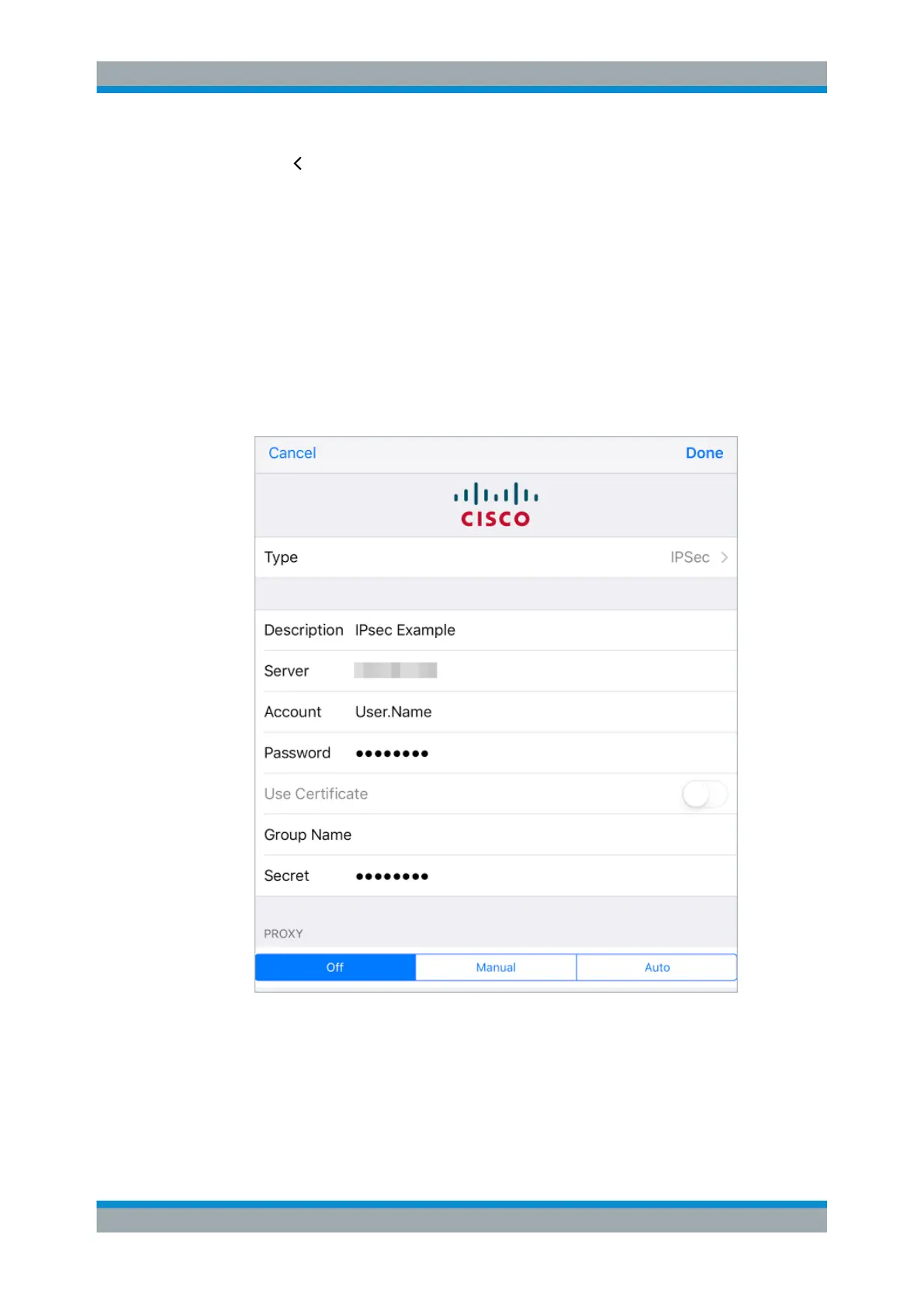
6. Enter the following information (see Figure 4-28):
a) Under "Description" , enter a name for the new VPN connection.
b) Enter the gateprotect Firewall WAN IP address or a fully qualified domain name
under "Server" .
c) Specify an authorized user name as "Account" .
This user name must be defined on gateprotect Firewall in the list of VPN users
under "Firewall > User Authentication" . See Chapter 3.4.1.8, "User Authentica-
tion", on page 47 for more information.
d) Enter the "Password" for the user name entered above.
e) Under "Secret" , enter the pre-shared key defined in the gateprotect Firewall
VPN connection.
Figure 4-28: Sample iOS 9 VPN setup with a pre-shared key.
7. Tap "Done" to add the new settings to the list of VPN configurations.
8. Tap the new configuration in the list.
9. Tap the switch behind "Status" to establish the VPN connection.
VPN Setup Examples



 To Next Page