74 / 280
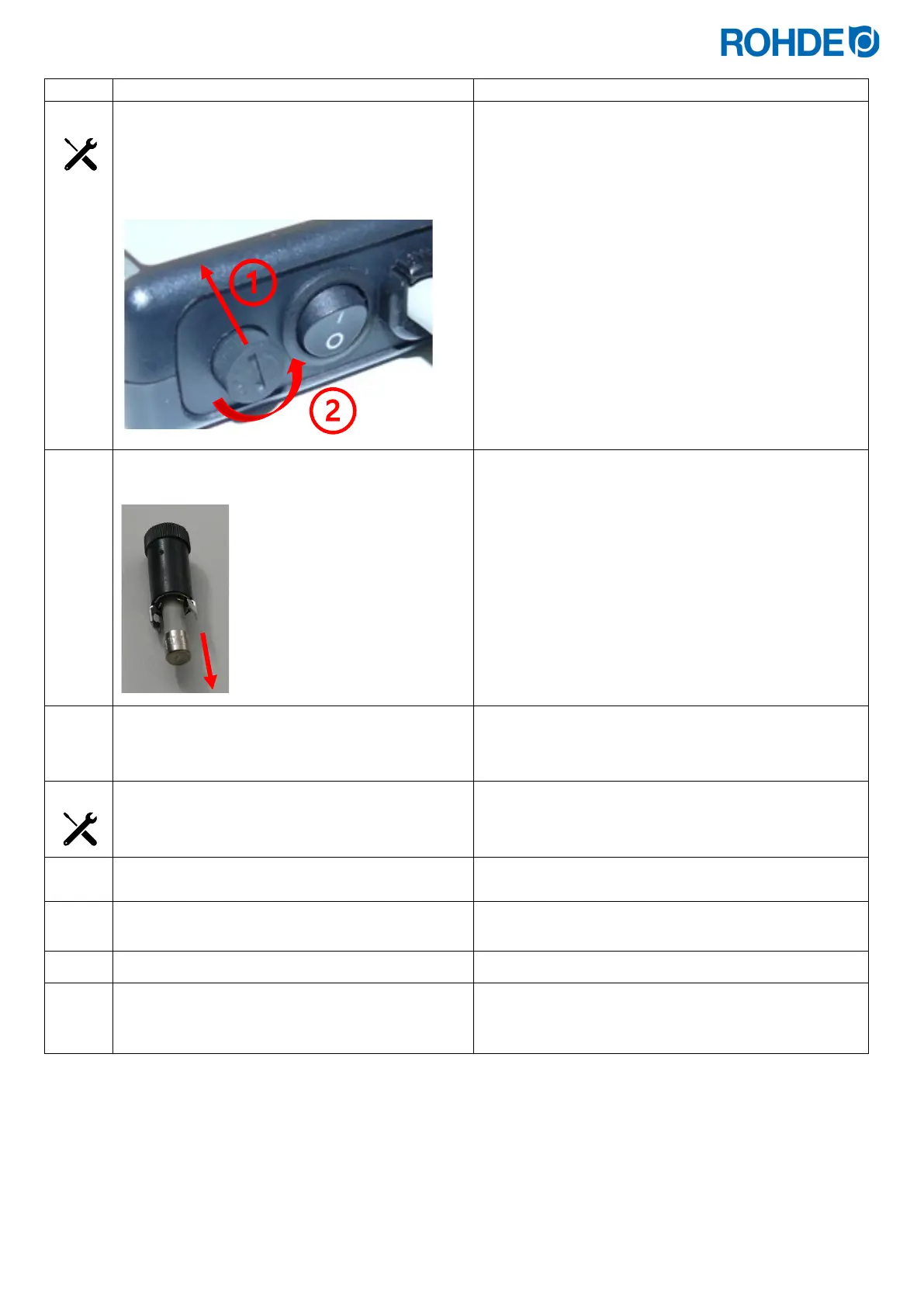
1)
Press in the fuse holder a little with the tool.
2)
Meanwhile, turn the fuse holder a little
anticlockwise so that it releases from the lock.
7 mm slotted screwdriver
The fuse carrier is equipped with a so-called bayonet
fitting.
Remove the fuse carrier with the fuse from the
housing.
Insert a new fuse.
⇒ The fuse can be inserted in both directions.
Fuse type:
5 x 20 mm / 3.15 A T micro-fuse
ROHDE item no.: 704851
Reinstall the fuse in reverse order.
Tool:
7 mm slotted screwdriver
Connect the control unit connection cable to the
kiln.
Switch on the kiln.
Set the main switch on the kiln to the “I/ON” position or
plug in the power plug.
Switch the control unit on.
Check the control unit is working.
If the control unit still cannot be switched on, contact a
qualified electrician, the local specialist
or the manufacturer.


 To Next Page
 Loading...

