61
Reference Manual
00809-0100-4108, Rev CA
Operation and maintenance
March 2017
Operation and maintenance
Performing a 4–20 mA/ 1–5 V output trim with a Field
Communicator
From the HOME screen, enter the Fast Key sequence and follow the steps within the Field
Communicator to complete the 4–20 mA output trim.
Performing a 4–20 mA/ 1–5 V output trim with AMS Device
Manager
Right select the device and, under the Method drop down menu, move cursor over Calibrate
and select Analog Calibration.
1. Select Digital to Analog Trim.
2. Follow the screen prompts to perform a 4–20 mA output trim.
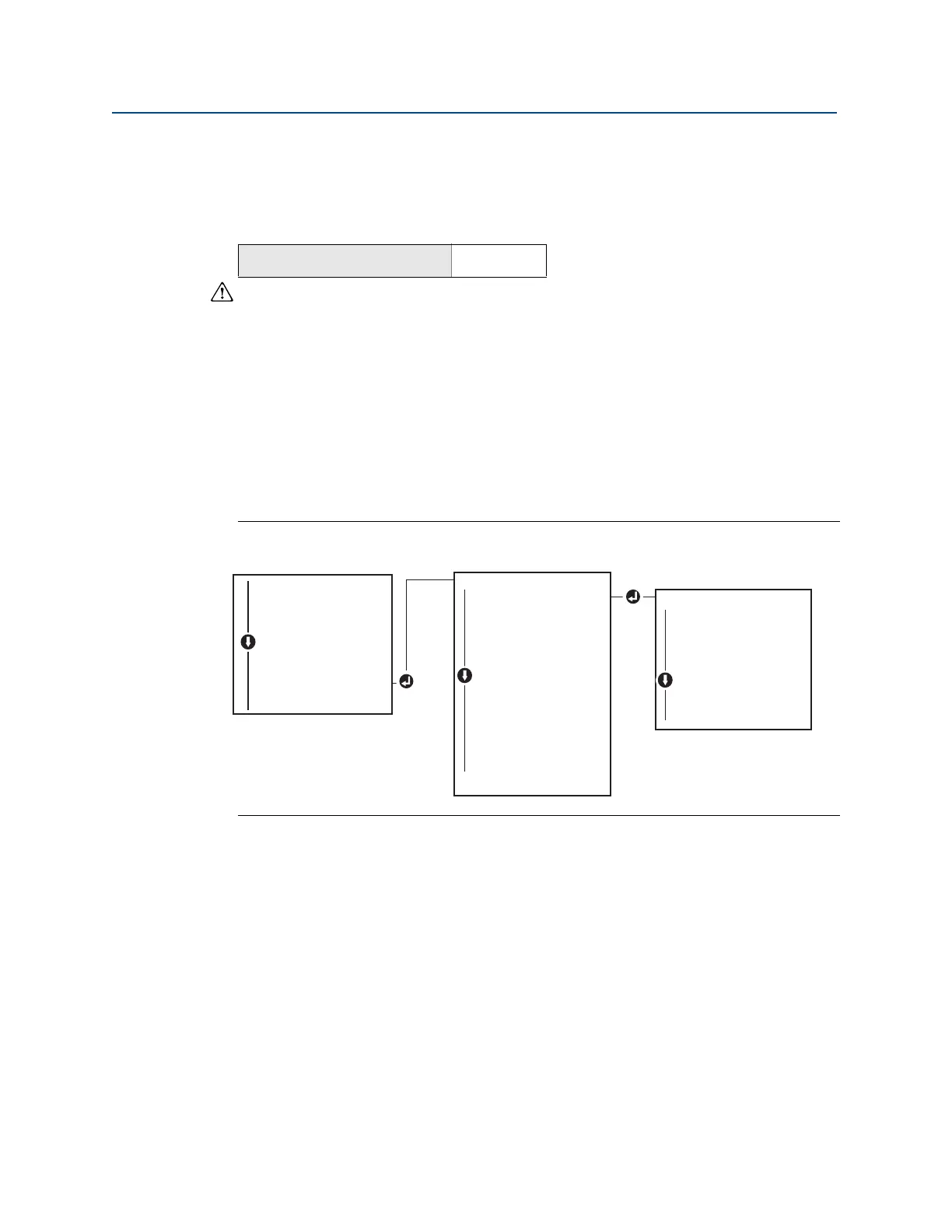
Performing 4–20 mA/ 1–5 V output trim using local operator
interface
Figure 5-6. 4–20mA output trim using local operator interface
5.6.2 Performing digital-to-analog trim (4–20mA/ 1–5 V
output trim) using other scale
The scaled 4–20 mA output Trim command matches the 4 and 20 mA points to a user
selectable reference scale other than 4 and 20 mA [for example, 2 to 10 volts if measuring
across a 500 Ω load, or 0 to 100 percent if measuring from a Distributed Control System
(DCS)]. To perform a scaled 4–20 mA output trim, connect an accurate reference meter to
the transmitter and trim the output signal to scale, as outlined in the output trim
procedure.
Device Dashboard Fast Keys
3, 4, 2, 1
EXTENDED MENU
CALIBRAT
CALIBRAT
DAMPING
TRANSFER FUNCT
SCALED VARIAB
ASSIGN PV
TAG
ALARM SAT VALUES
PASSWORD
SIMULATE
HART REV
BACK TO MENU
EXIT MENU
VIEW CONFIG
ZERO TRIM
UNITS
RERANGE
LOOP TEST
DISPLAY
EXTENDED MENU
EXTENDED MENU
EXIT MENU
CALIBRAT
ZERO TRIM
LOWER TRIM
UPPER TRIM
ANALOG TRIM
ANALOG TRIM
FACTORY RECALL
BACK TO MENU
EXIT MENU















 To Next Page