11
Reference Manual
00809-0100-4108, Rev CA
Configuration
March 2017
Configuration
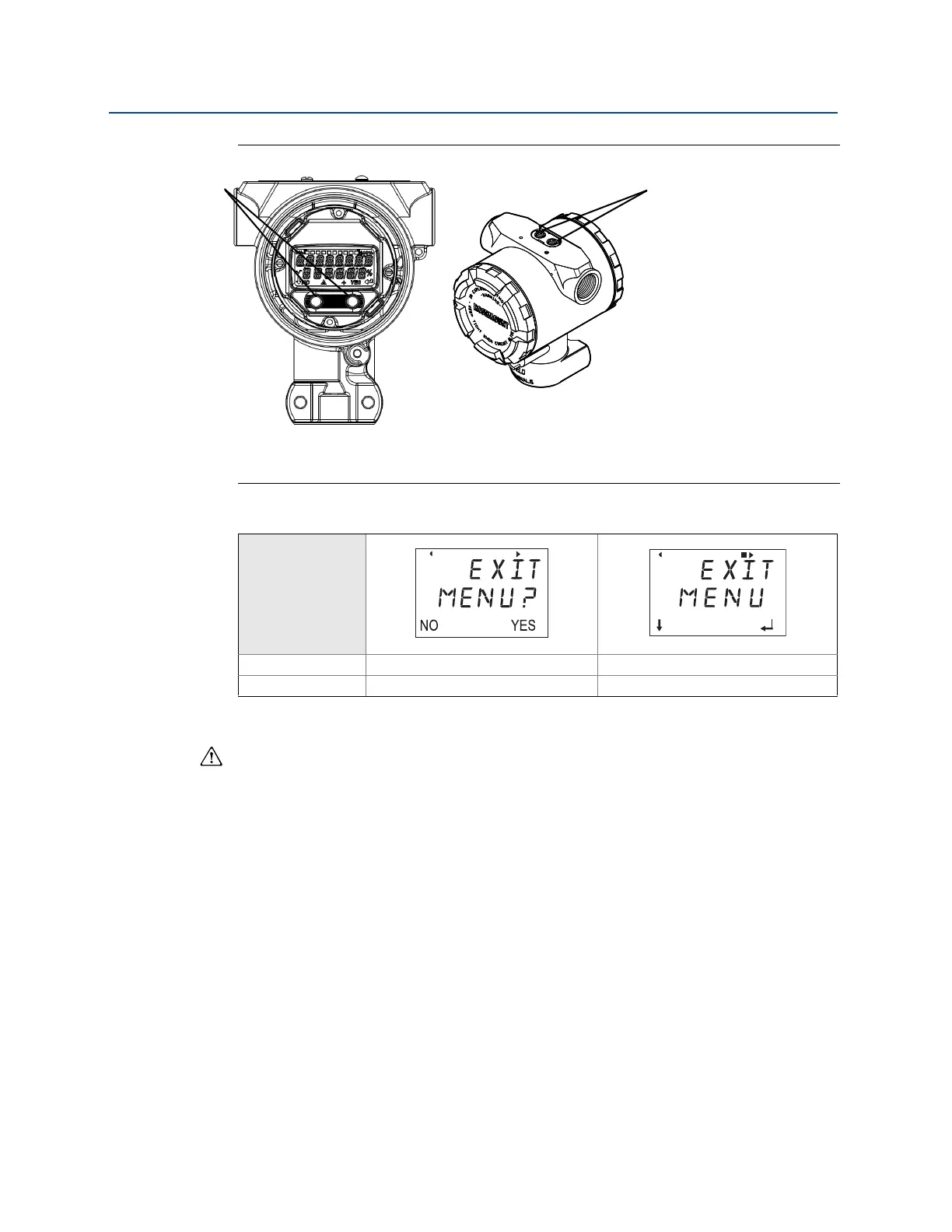
Figure 2-7. LOI Configuration Buttons
A. Internal configuration buttons
B. External configuration buttons
Table 2-3. LOI Button Operation
2.6.3 Setting the loop to manual
Whenever sending or requesting data that would disrupt the loop or change the output of
the transmitter, set the process application loop to manual control. The Field
Communicator, AMS Device Manager, or the LOI will prompt you to set the loop to manual
when necessary. The prompt is only a reminder; acknowledging this prompt does not set
the loop to manual. It is necessary to set the loop to manual control as a separate operation.
2.7 Verify configuration
It is recommended that various configuration parameters are verified prior to installation
into the process. The various parameters are detailed out for each configuration tool.
Depending on what configuration tool(s) are available follow the steps listed relevant to
each tool.
2.7.1 Verifying configuration with Field Communicator
Configuration parameters listed in Ta bl e 2- 4 are to be reviewed prior to transmitter
installation. A Full list of configuration parameters that can be reviewed and configured
using a Field Communicator are located in Appendix C: Field Communicator menu trees and
Fast Keys.
Button
Left No SCROLL
Right Yes ENTER















 To Next Page