| 4 - Instruction manual
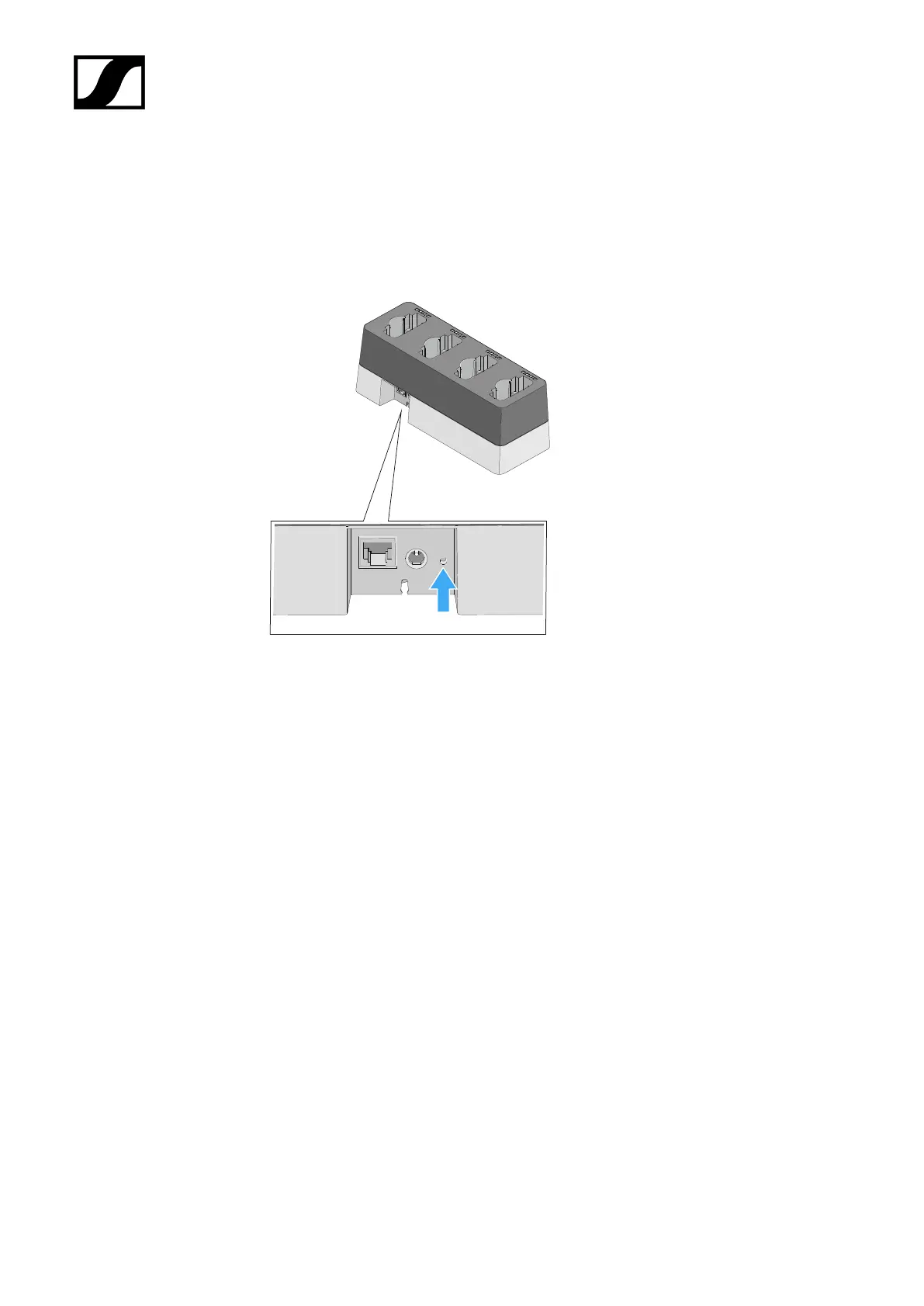
Resetting the charger’s network settings
To reset the network settings to their factory defaults:
▷ Use a pointed object to press the small reset button for at least one second.
➥ The settings will be reset once you release the reset button. The factory settings
are restored:
• Automatic IP assignment
• mDNS is activated
• Name and installation location are reset, provided they were changed in
the Sennheiser Control Cockpit.
240










 To Next Page