EasyManua.ls Logo

Siemens SIMATIC IPC RW-545A - User Manual

Siemens SIMATIC IPC RW-545A
189 pages
Print Icon
To Next Page IconTo Next Page
Loading...
Wor
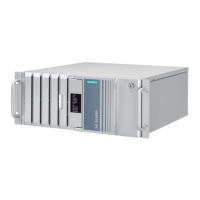
kstation SIMATIC IPC RW-545A
SIMATIC
Industrial PC
Workstation
SIMATIC IPC RW
-545A
Operating Instructions
A5E52943278
-AA
Preface
Product description
1
Safety instructions
2
Unpacking and installing
the device
3
Connecting the device
4
Commissioning the device
5
Operating the device
6
Expanding and assigning
parameters to the device
7
Device maintenance and
repair
8
Technical specifications
9
Dimension drawings
10
Standards and approvals
11
Hardware description
A
Technical support
B
Markings and symbols
C
08/2023

Table of Contents

Questions and Answers

  • S
    stephaniegarnerAug 11, 2025
    What to do if my Siemens Desktop is not operational?
    • M
      Monique ValenzuelaAug 11, 2025
      If your Siemens Desktop is not operational, first ensure that the power supply, cable, and plug are correctly connected. Also, verify that the on/off switch is in the appropriate position. If the device has been transported in cold conditions, allow approximately 12 hours before turning it on to avoid issues related to ambient conditions.
  • K
    Karina MartinAug 21, 2025
    What to do if the monitor remains dark on my Siemens Desktop?
    • J
      Jenna MorrisAug 21, 2025
      If the monitor of your Siemens Desktop remains dark, start by switching on the monitor. If it's in power save mode, press any key on the keyboard. Also, check the brightness settings and increase it if it's set too low. Finally, ensure that both the power cord and monitor cable are securely connected to the system unit and the power outlet.
  • K
    Kathryn PattersonAug 31, 2025
    What to do if the mouse pointer does not appear on the screen of my Siemens SIMATIC IPC RW-545A?
    • A
      Ashlee WarrenAug 31, 2025
      If the mouse pointer does not appear on the screen of your Siemens Desktop, ensure the mouse cable is properly connected to the system unit. If you are using an adapter or extension cable, check these connections as well.

Siemens SIMATIC IPC RW-545A Specifications

General IconGeneral
Power Supply24 V DC
Operating SystemWindows 10 IoT Enterprise
GraphicsIntel UHD Graphics
PortsUSB 2.0, DisplayPort
Ethernet2 x Gigabit Ethernet
Operating Temperature0 °C to 50 °C
CertificationsCE, cUL

Related product manuals