8 - Preparing the machine for use
58
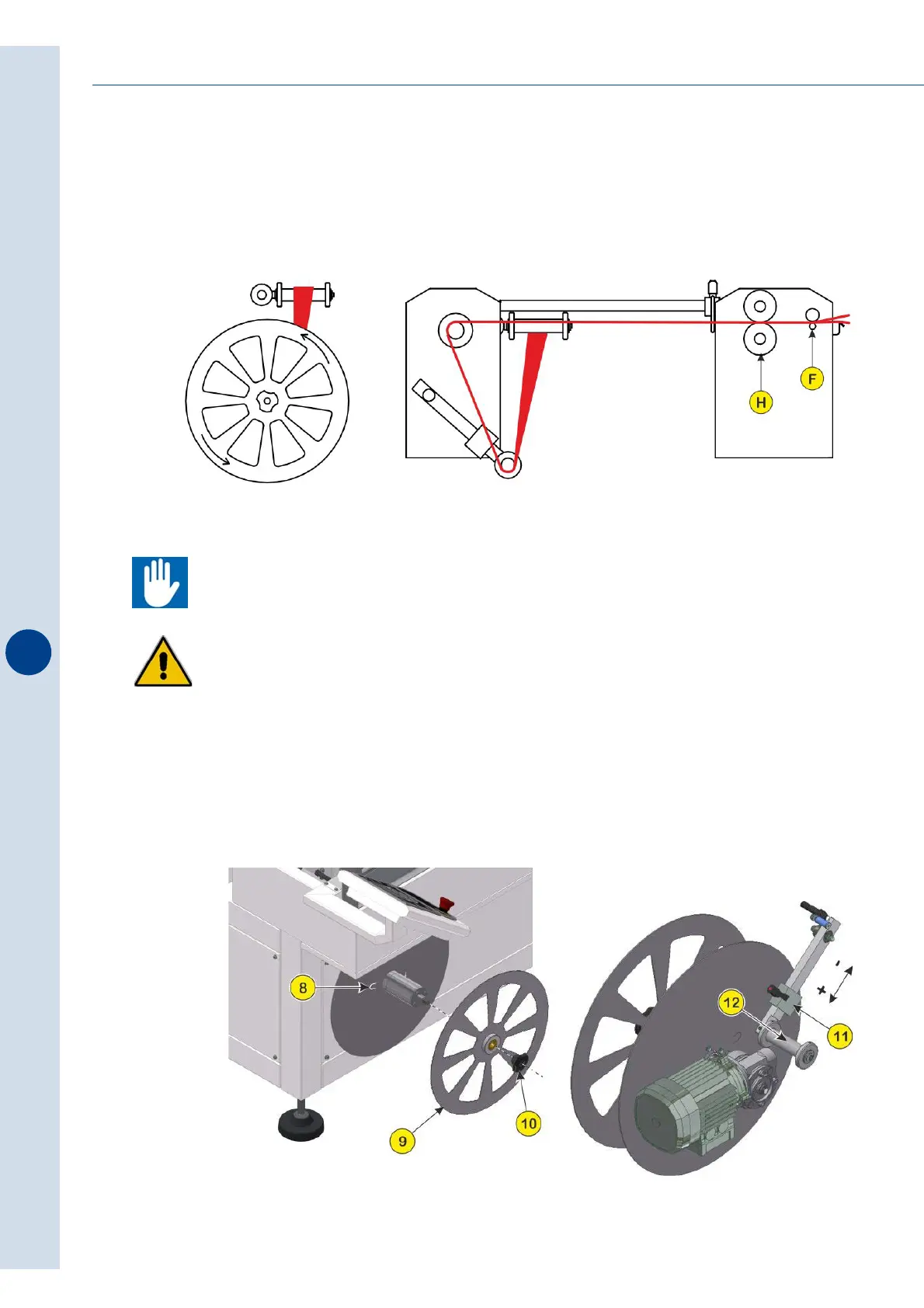
Press the F1 key to seal the film a first time. Alternate the sealing (F1) and drag (F2) cycles,
sealing a few empty bags in order to unwind in a sufficient amount of film to pass inside the
guide hook (M) and to follow the path indicated in the figure and to be able to fasten the end of
the film waste on the specific flap (8) on the plate of the waste collection device.
If the sealer is connected to a tunnel, you must promptly remove the test packs (just film) on
the outfeed belt to keep them from entering the thermal chamber causing problems for the
heat-shrinking fans.
ATTENTION! Pay attention while inserting film into the gears since the risk of the upper
limbs being cut and/or abrasion remains.
When the operation is finished, the machine automatically winds discarded film on the device
during the sealing phase. When the amount of waste has reached the maximum dimensions,
the machine will go into standby and on the operator panel display will be reported promptly.



 To Next Page