6 - Machine installation
30
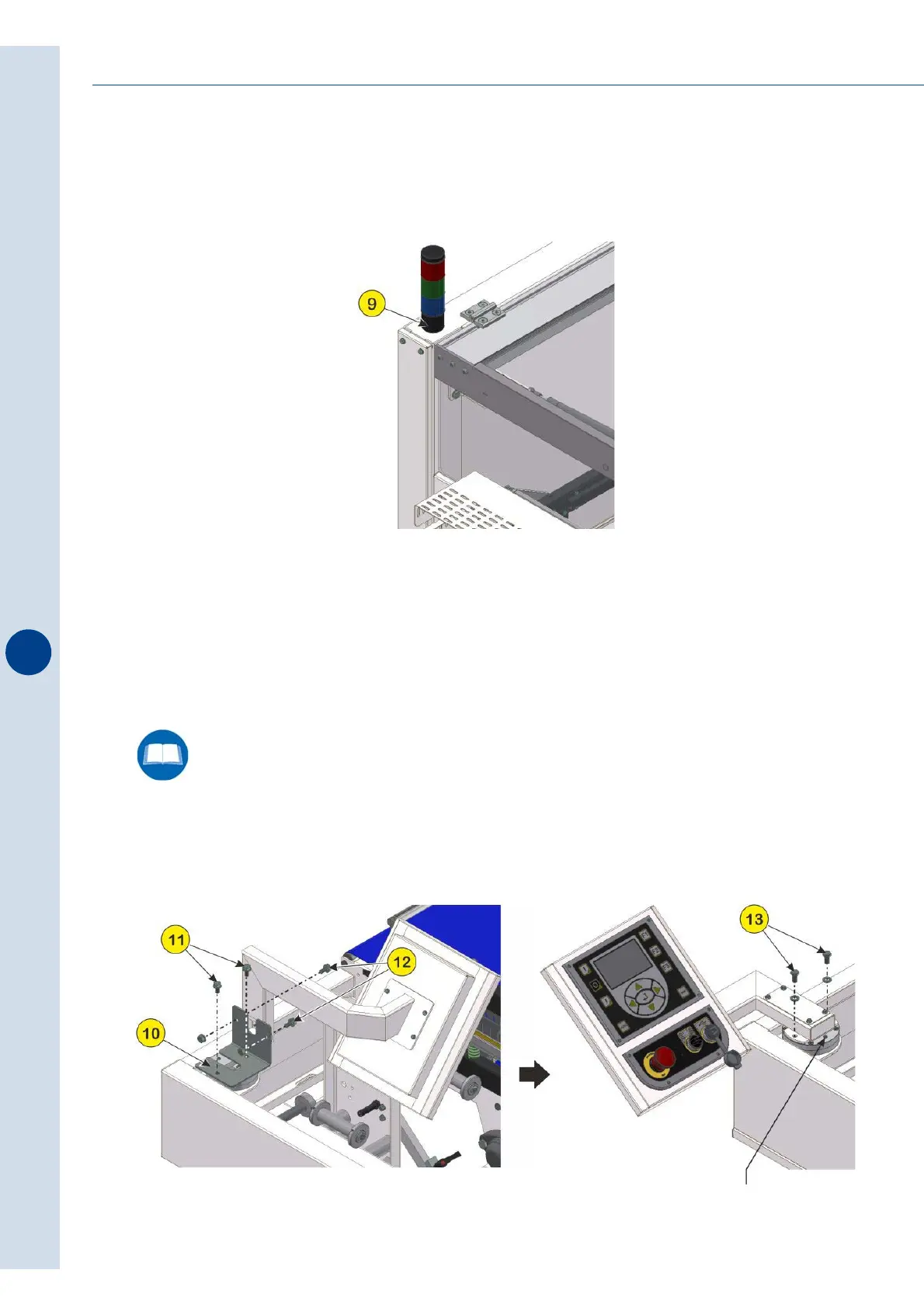
6.6.3 Assembly of light column
Electrically connect the light column using the specific clamp and then connect it to base (9).
6.6.4 Repositioning the operator panel arm
Normally the arm that allows the rotation of the operator panel is locked inside the main door
of the machine. To release the arm and reposition the operator panel correctly follow the
instructions below, according to the model of machine purchased.
>FP6000 - FP6000CS
• Remove the sheet metal bracket (10) by acting on the screws (11) and (12).
• Turn the operator panel towards the outer side of the machine and then secure the arm on
which it is fitted as shown in the picture using the screws (13).
Fig. 6.6.4
Once the operation is complete,
tighten the locking screw.



 To Next Page