65
9.2 Display reading
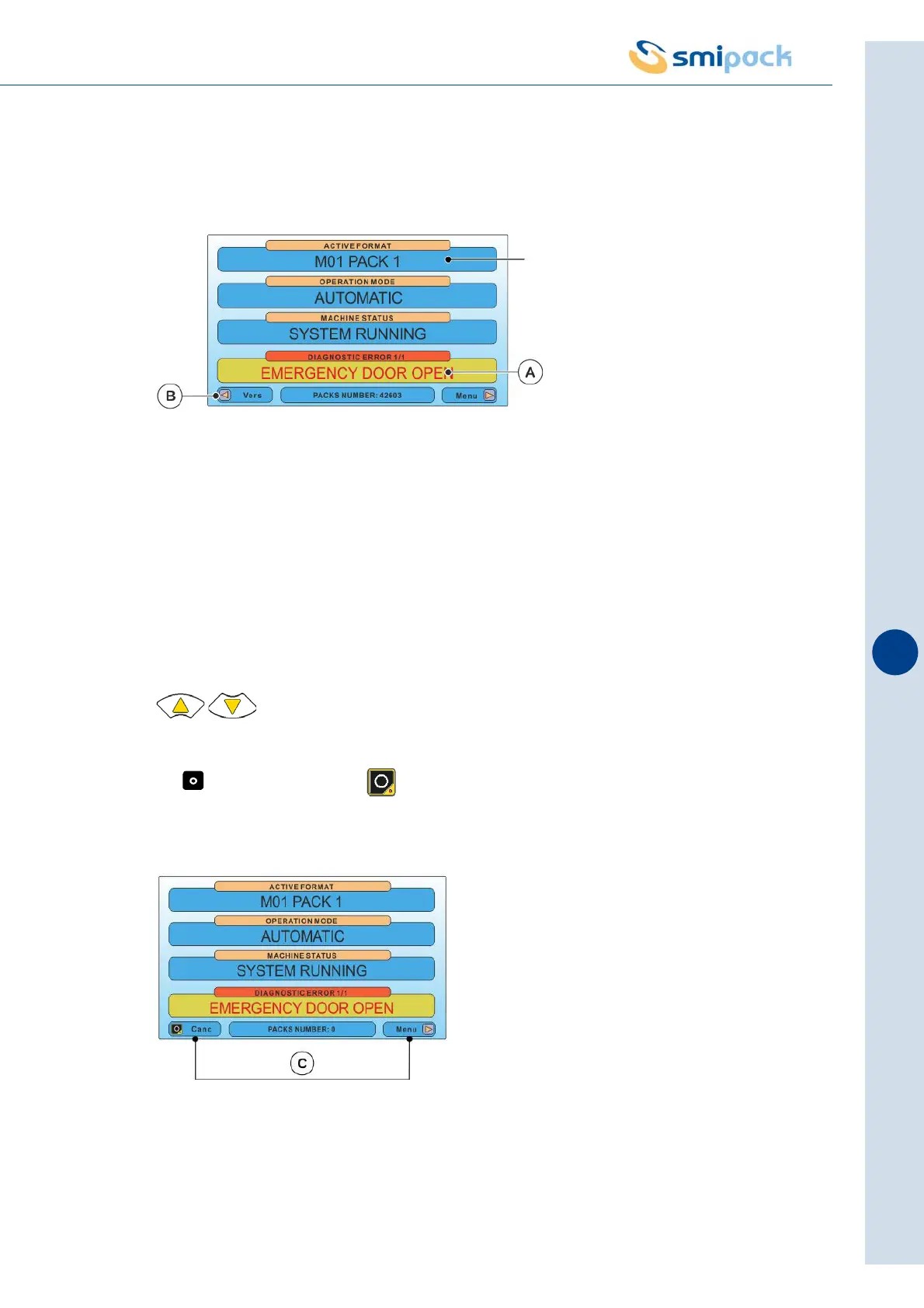
Each line of the operator panel displays a variety of information that is described here below:
A) DETECTED ERRORS OR ACTIVE EMERGENCIES
This part of the display will show all machine messages and errors described in detail in
chapter 11 of the manual.
There is the possibility that several errors occurring simultaneously may be signalled. In the
case shown by way of example, 1/3 indicates that the error refers to the 1st of three detected
errors.
To view the second error, (2/3), third error (3/3) etc. continue pressing the keys
.
B) canc : use the key of the operator panel to delete an error warning after
removing its cause.
C) NAVIGATION WITHIN THE MENUS
To navigate within the various menus use the keys of the operator panel indicated on the
display and described below.
Stored program
(M1,M02,..................M20)



 To Next Page