9 - Operation and use
72
In the edit area will be indicated the minimal and maximal values can be set for each parameter
and the previous value. The number of the value to modificate will be shown in red.
9.12 Access to the reserved menus
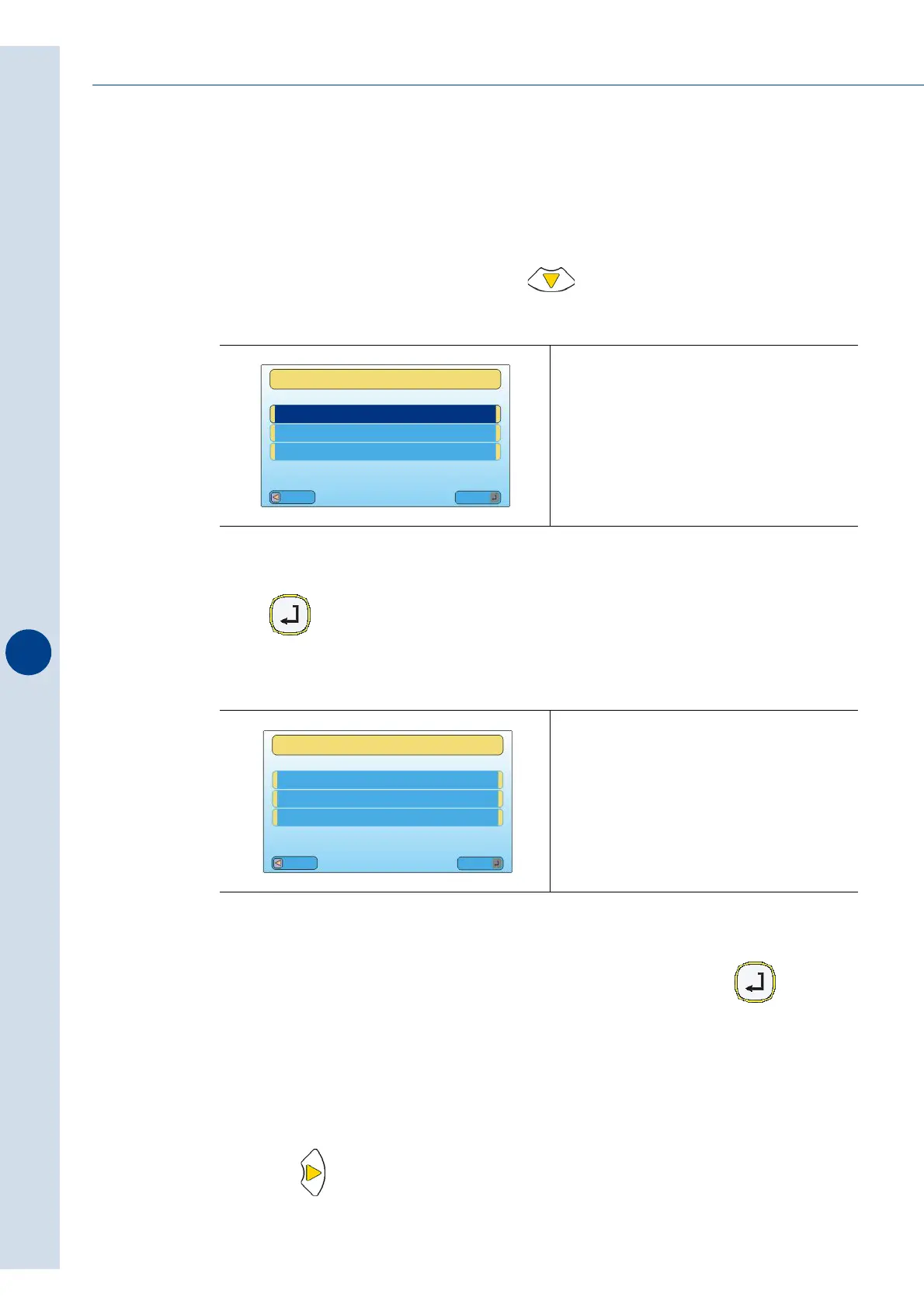
From the main menu, press the push-button until the following message is displayed:
Press and the following message will be displayed:
Now it is possible to enter the level-2 password, in order to activate the INSTALLATION MENU
(use the arrow keys in order to select the characters and press the key in order to
confirm the password).
9.13 Format parameters menu
Press the key to access the main menu as shown in the figure and then this select
“FORMAT PARAMETERS”
Fig. 9.12.1
Fig. 9.12.2
The PASSWORD to have access to LEVEL
2 is PROGR.
It allows you to display the menus:
“UTILITY” - “SYSTEM PARAMETERS”
Esc
Mod
INSERT PASSWORD
MAIN MENU
_ _ _ _ _ _ _ _ _ _ _ _ _ _ _ _ _
_ _ _ _ _ _ _ _ _ _ _ _ _ _ _ _ _
Esc
Mod
ACTIVE LEVEL [1]
MAIN MENU
PASSWORD
XXXXX



 To Next Page