9 - Operation and use
64
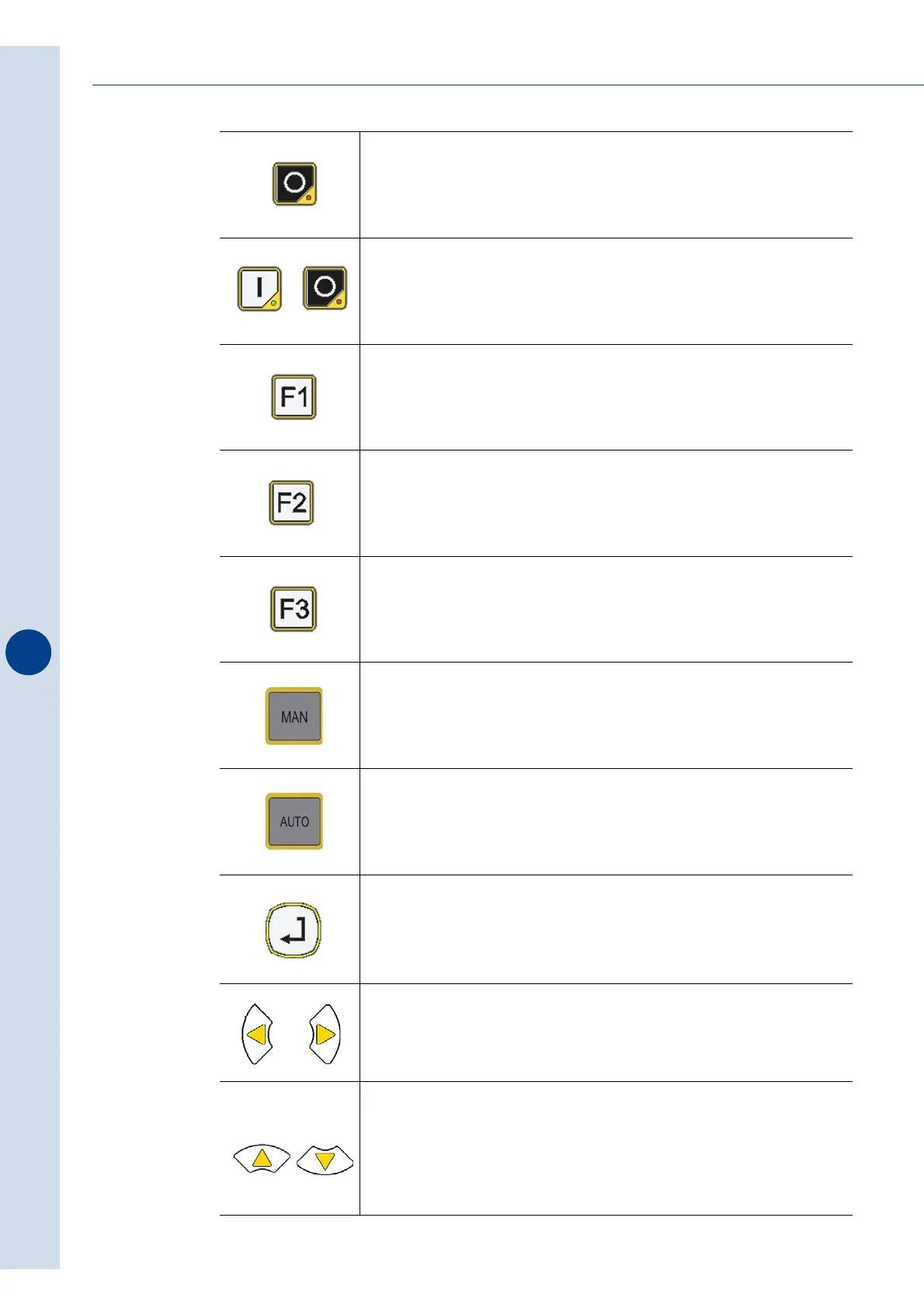
Stops the machine.
Stops the error signal when the cause of the error is eliminated.
Keeping the keys pressed simultaneously for about 1 second allows
the film to move forward a few cm and to carry out sealing. The
function is active only in automatic and semi-automatic mode with
the mobile safety guards closed.
Keep the key pressed to carry out a sealing cycle.
(The key is only active in MANUAL mode and with the safety doors
closed)
Drags the film at a moderate speed.
The key is only active in MANUAL mode.
Drags the film at the speed set by the program.
The key is only active in MANUAL mode.
Activates MANUAL mode
(This mode must be selected to position the film and to adjust it).
Activates the work mode which allows the machine to start
production phase.
ENTER key:
Provides access to modify a parameter and/or to save the setting.
LEFTWARDS key: to exit from the menu and go back to the main
video-page.
RIGHTWARDS key: to have access to the menus.
UP and DOWN keys:
- allow moving inside the menus and modifying parameters.
- in MANUAL these mode, regulate the height of the squares of the
machine, the sealer and the sealing bar depending on the height
of format.



 To Next Page