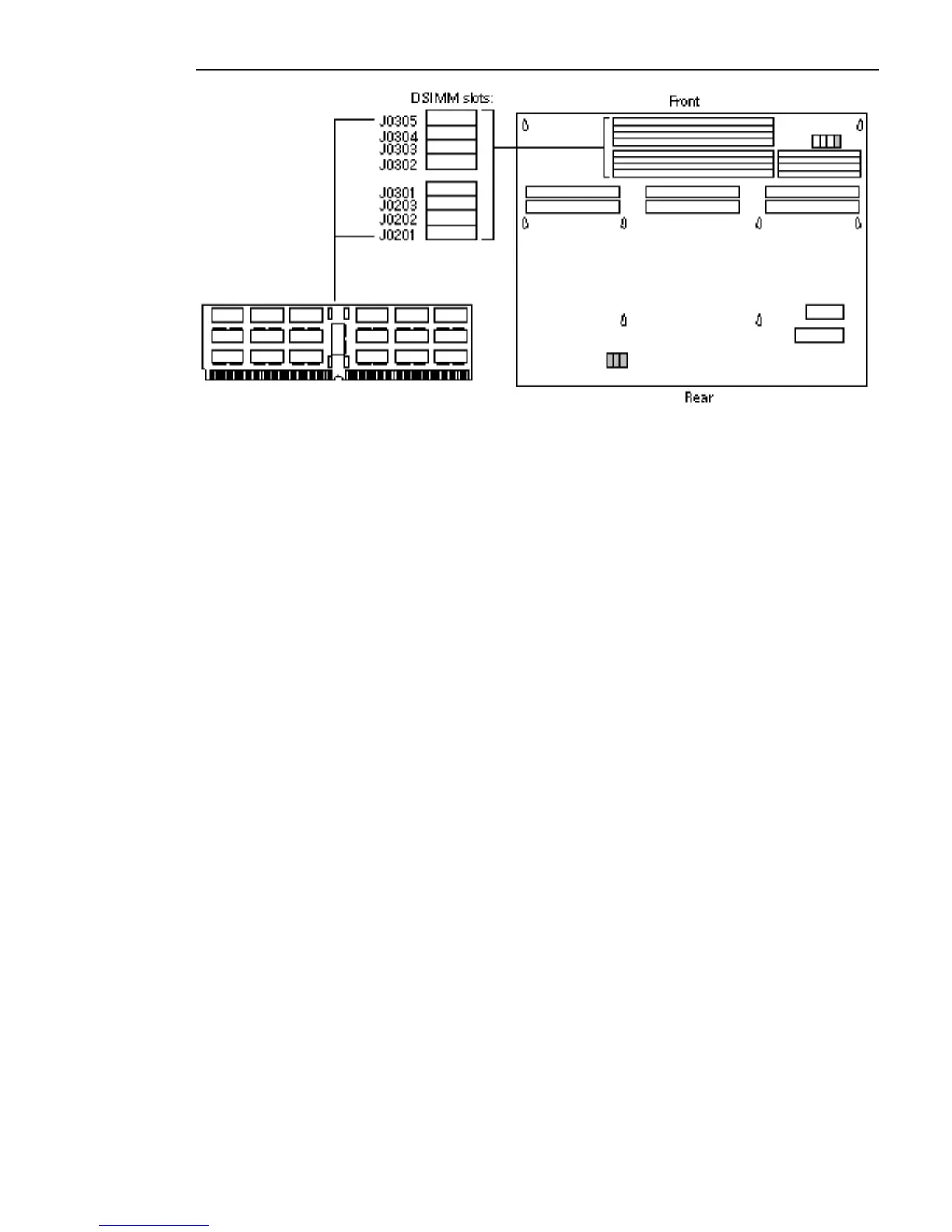
Figure 5–38 Inserting a DSIMM, Front Panel View
3. Place the insertion tool grooved surface at a 90-degree angle on the DSIMM
board upper edge.
4. Place the heel of each hand on each side of the insertion tool’s pushing surface,
and press firmly with both hands on the tool until the DSIMM snaps into place.
See Figure 5–39 and Figure 5–40.
70
SPARCstation 10 Service Manual ♦ Revision A, July 1993














 To Next Page