Chapter 3 Replacing the Motherboard and Associated Components 3-7
3.2.3 Removing the DIMMs
1. Power off the system and attach an antistatic wrist strap. Open and position the
chassis, and remove the access panel.
Refer to “Powering Off the Workstation” on page 2-4.
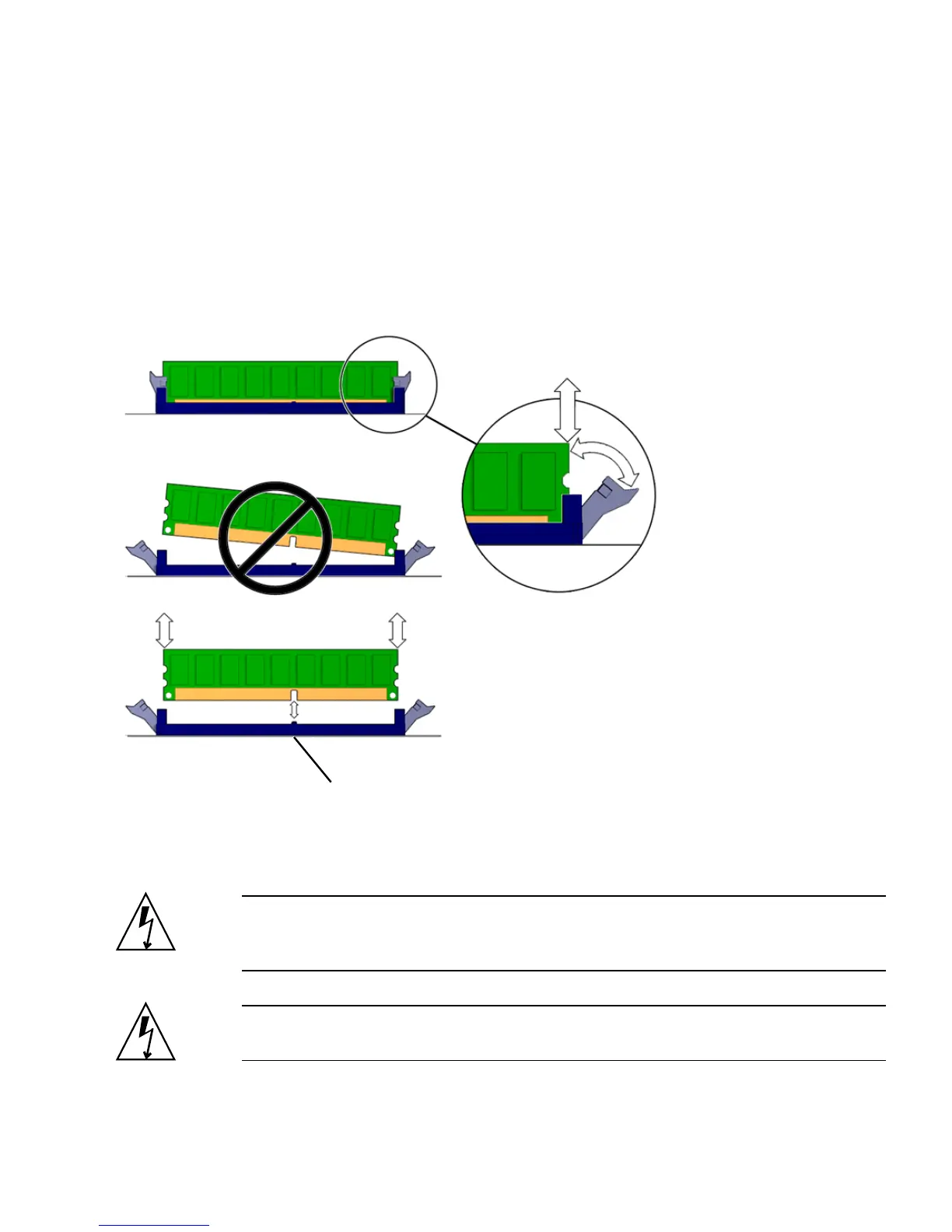
2. Release the DIMM by simultaneously pressing down on both ejector levers at the
ends of the DIMM slot (
FIGURE 3-5).
FIGURE 3-5 Releasing the DIMM
3. Lift the DIMM straight out of the DIMM slot (FIGURE 3-5).
Caution – Handle the DIMMs along the outside edges. Do not handle DIMMs
along the gold edge. Do not touch DIMM components or other metal parts. Always
wear an antistatic wrist strap when handling DIMMs.
Caution – Do not lift the DIMM out of the DIMM slot at an angle. This can damage
the edge connector for the DIMM or the DIMM slot.
DIMM connector key














 To Next Page