Chapter 4 Replacing Storage Devices 4-7
■ Audio and power cable at J3 on the motherboard
■ DVD cable at J11 on the motherboard
■ USB cable from at J36 on the motherboard.
New cables are provided with the DVD-dual drive and the I/O module.
If you need to remove a long PCI card to access the USB cable, refer to “Removing a
PCI Card” on page 3-14.
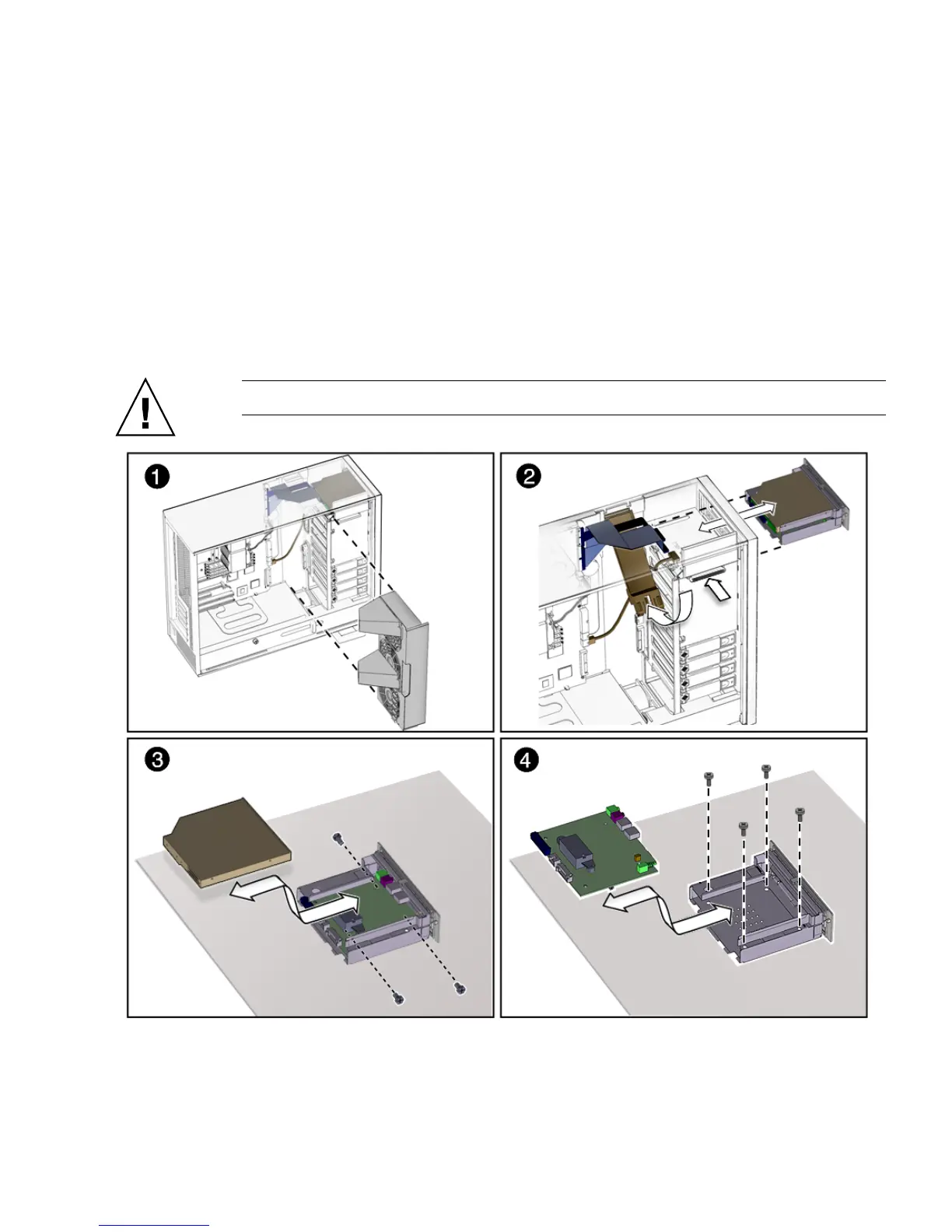
4. Press the I/O module release button and pull the I/O module out the front of the
chassis.
Place the I/O module on an antistatic mat.
Caution – Do not attempt to remove the bezel from the front of the I/O module.
FIGURE 4-3 Removing the I/O Module With the DVD-Dual Drive and Audio USB Board














 To Next Page