Chapter 4 Replacing Storage Devices 4-3
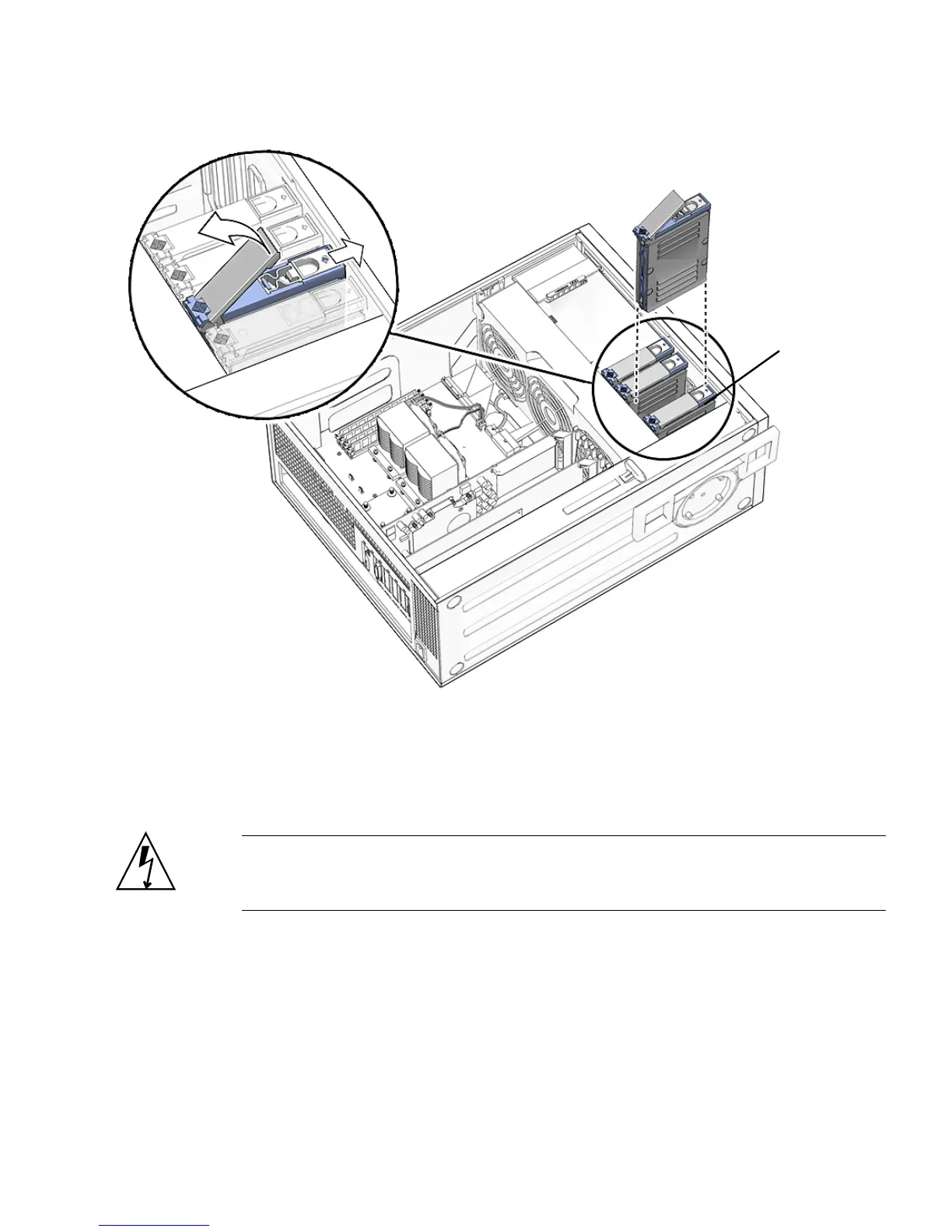
FIGURE 4-1 Removing the Hard Drive
4.1.2 Installing a Hard Drive
Caution – Use proper ESD grounding technique when handling components. Wear
an antistatic wrist strap and use an antistatic mat. Store ESD-sensitive components in
antistatic bags before placing them on any surface.
1. Power off the system and attach an antistatic wrist strap. Open and position the
chassis, and remove the access panel.
Refer to “Powering Off the Workstation” on page 2-4.
HDD0














 To Next Page